Mobile appiPhone, iPad and Android
Your CRM and your AI agent, in your pocket
A visitor asks for a person? A new prospect just came in? The ChatDirect app alerts you, and you reply, call or move the deal forward right from your phone.

Scan to downloadOne code for iPhone and Android: it opens the right store.
- Free download
- Included in every plan
- English, French, Spanish
Screen by screen
Everything you need between two meetings
Real screenshots of the app, with fictional data. Scroll through.
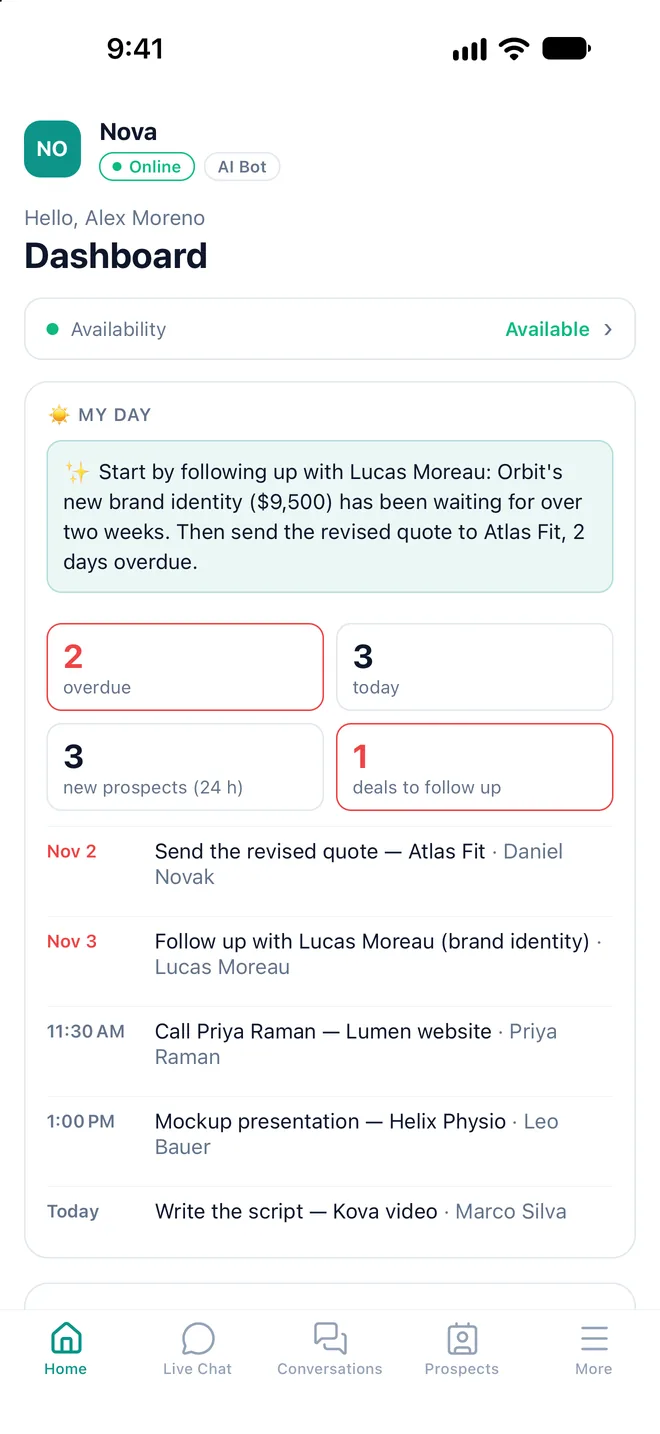
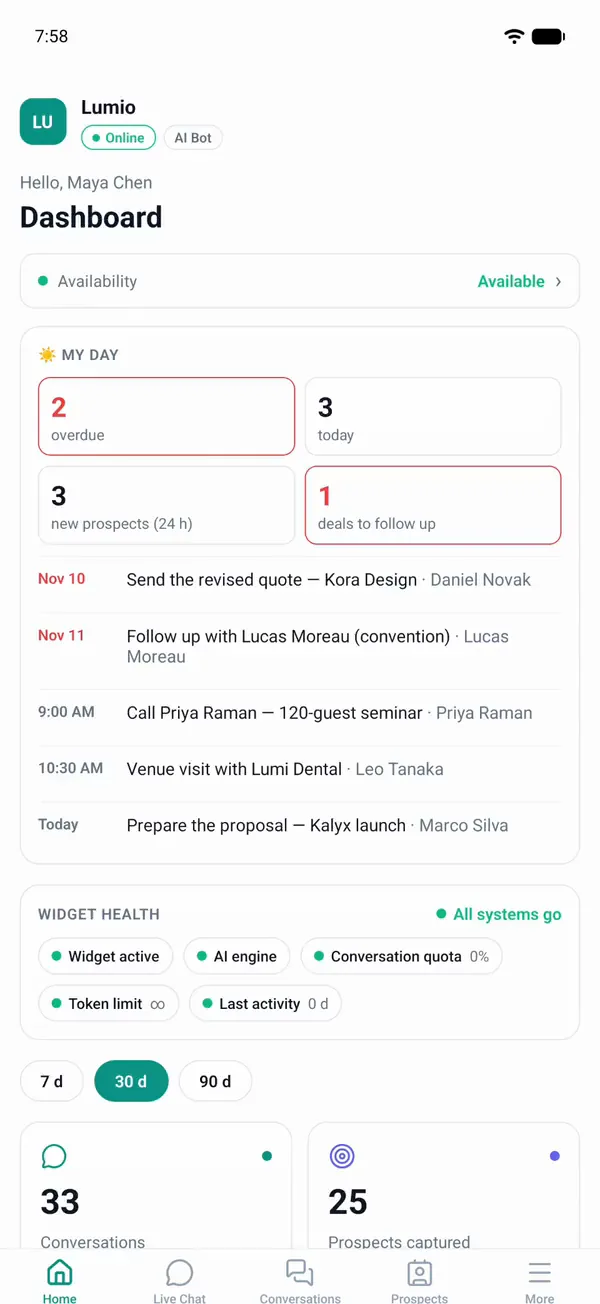
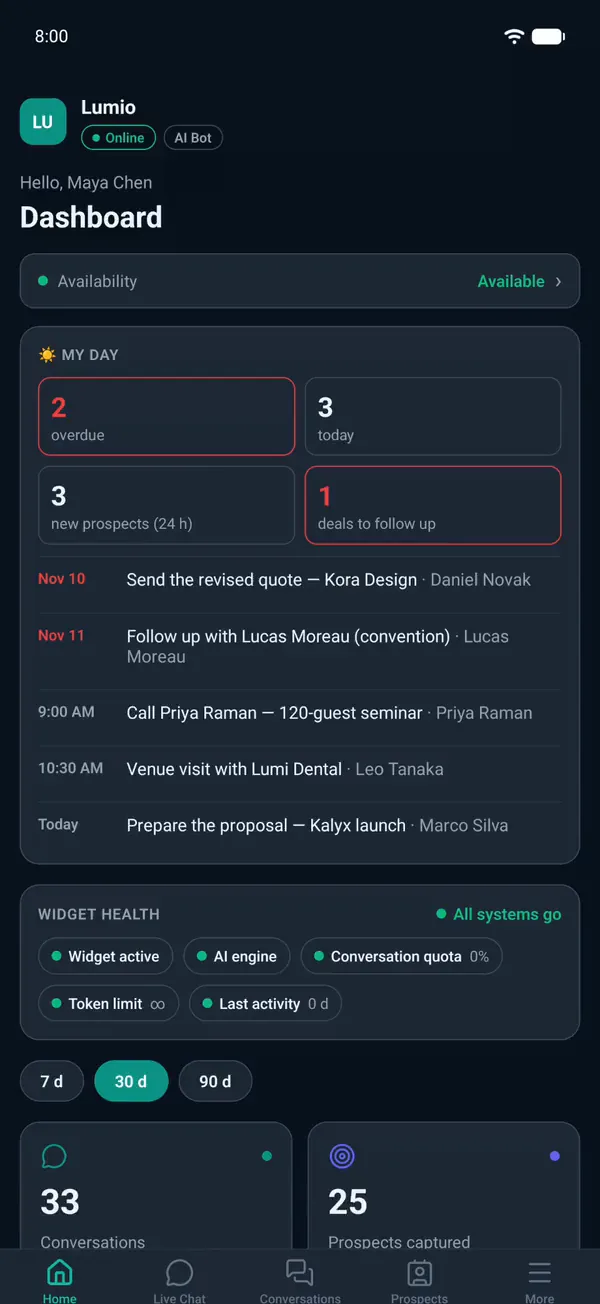
Your CRM, in your pocket
Overdue tasks, new prospects, deals to follow up: AI tells you where to start.
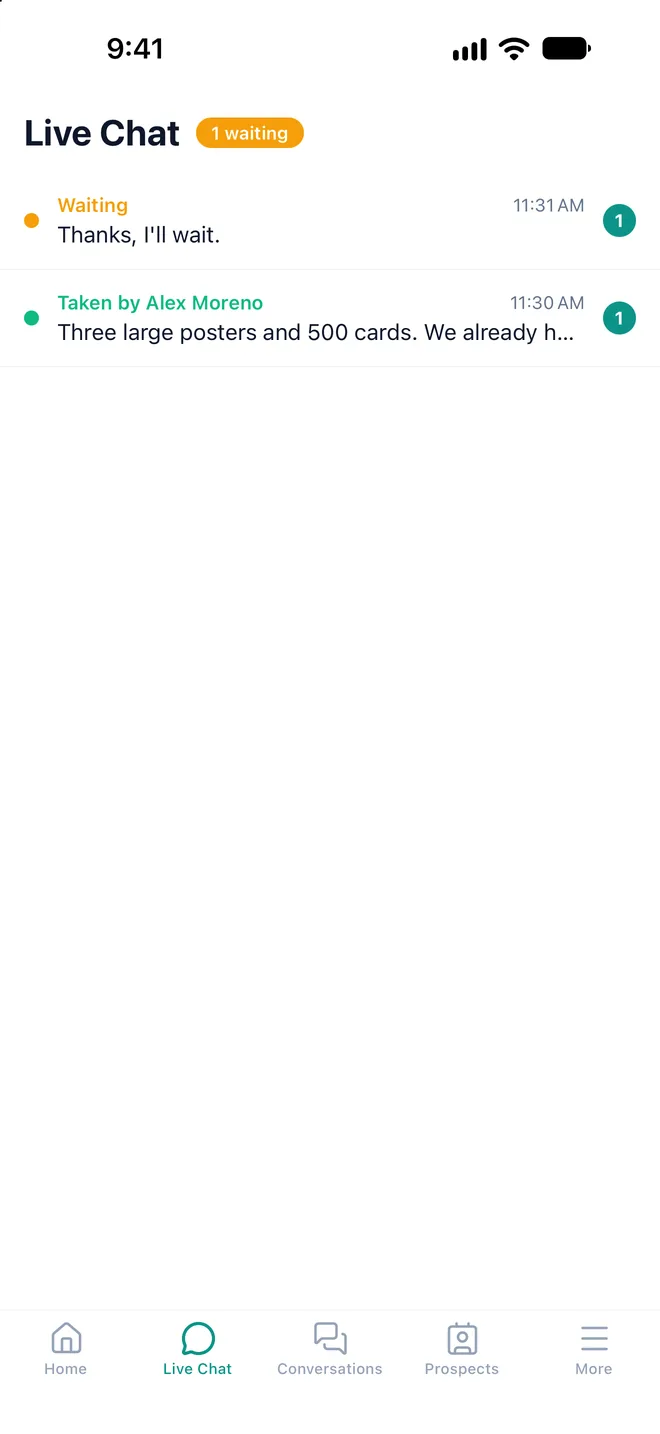
A visitor is waiting? Take over.
Live Chat: get an alert when a visitor asks for a person, then reply from here.
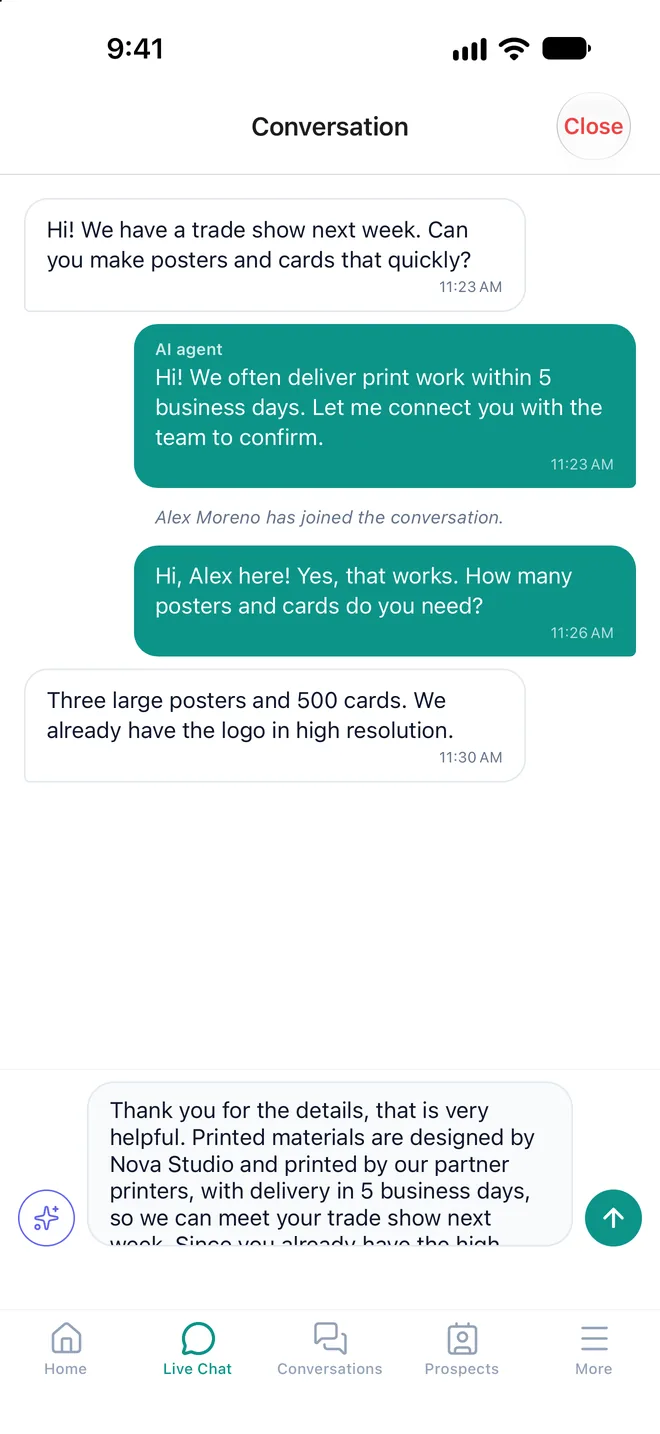
AI drafts it. You send it.
Your AI agent greeted the visitor; one tap and AI suggests your reply.
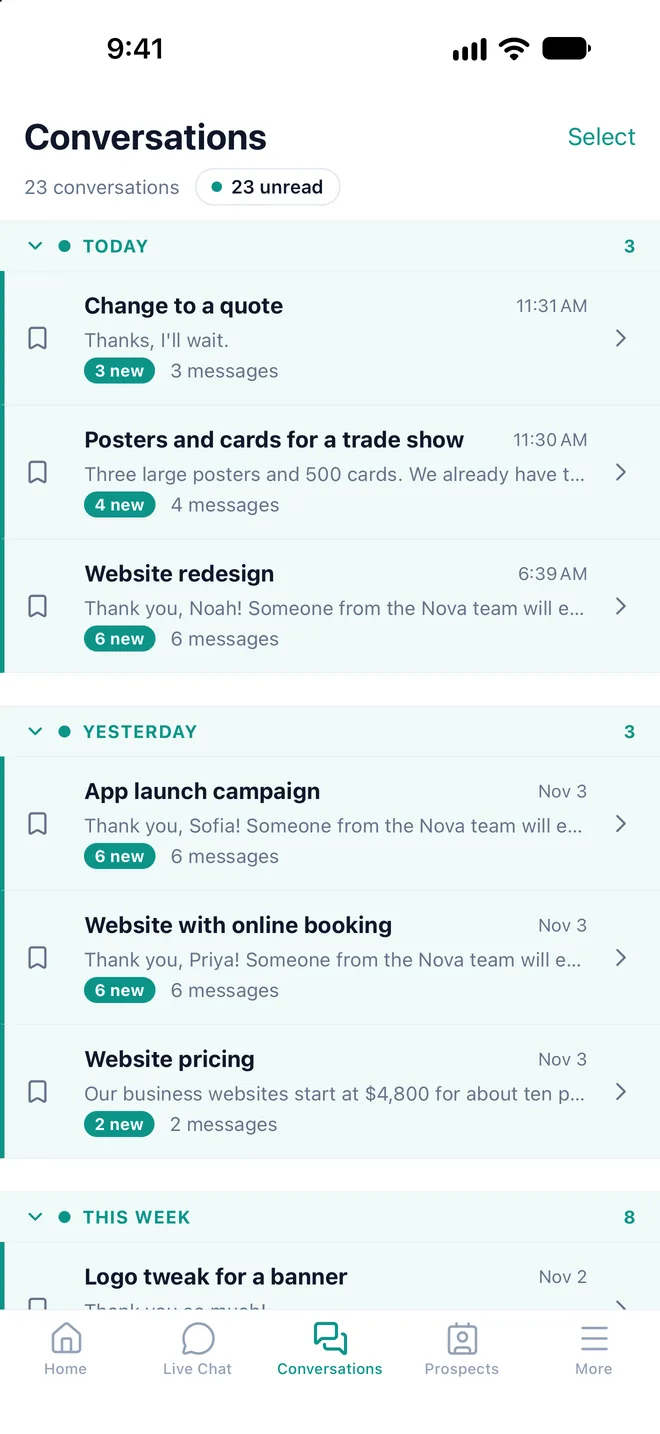
Your AI agent, day and night
Every website conversation lands here with a title. New messages stand out.
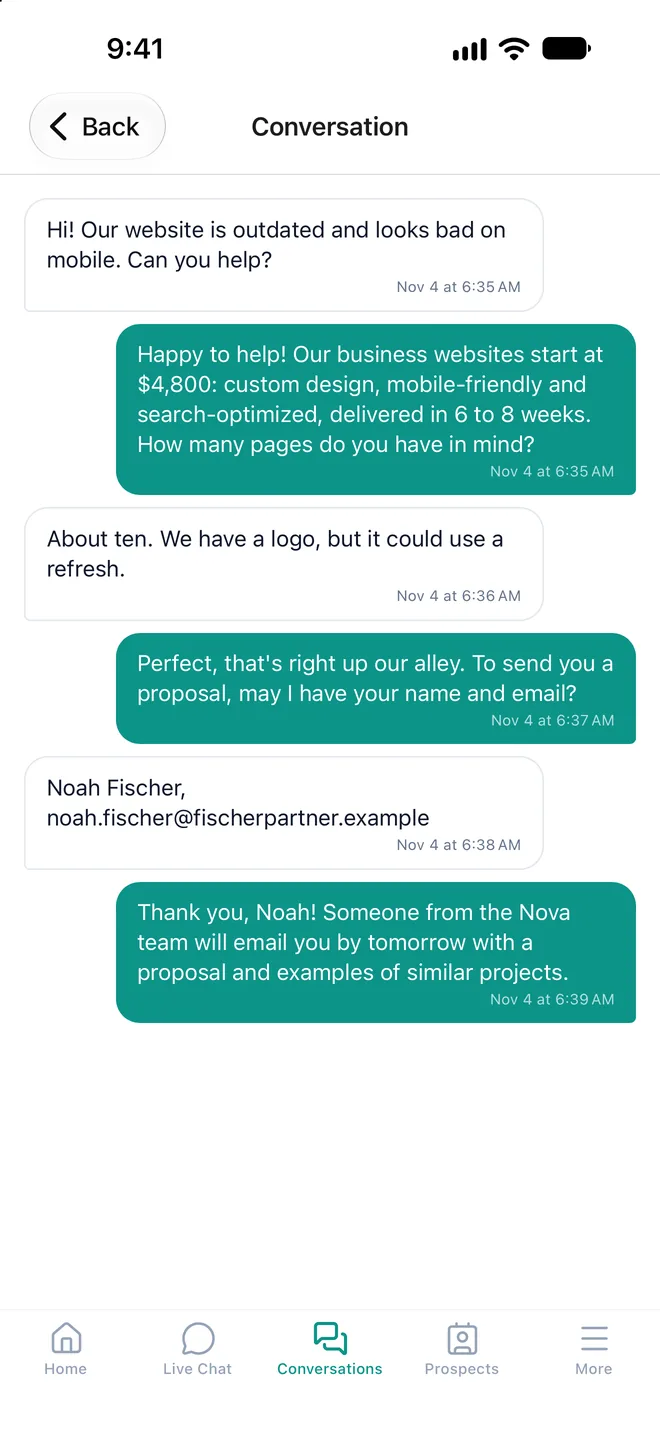
It answers. You get a prospect.
Your AI agent shares your prices, gets name and email, and creates the prospect.
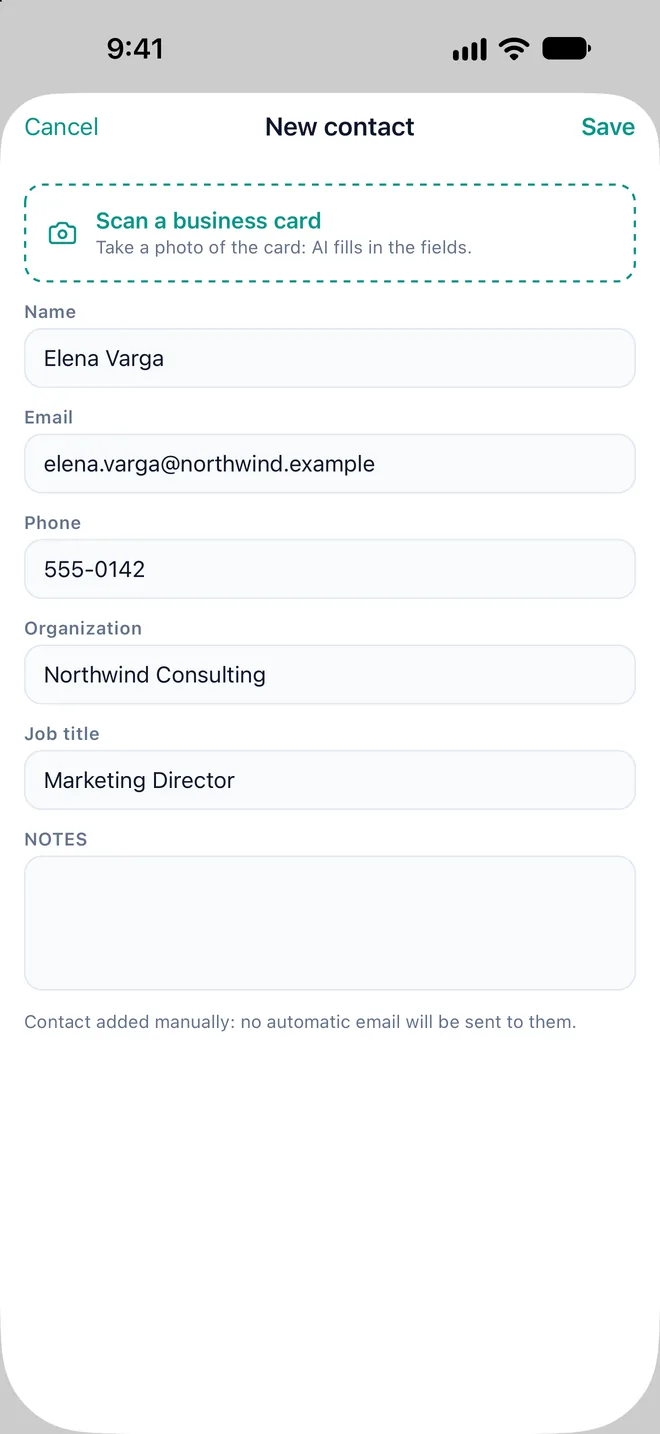
Business card? AI types it in.
One photo fills in name, email, phone, company and job title. Check, then save.
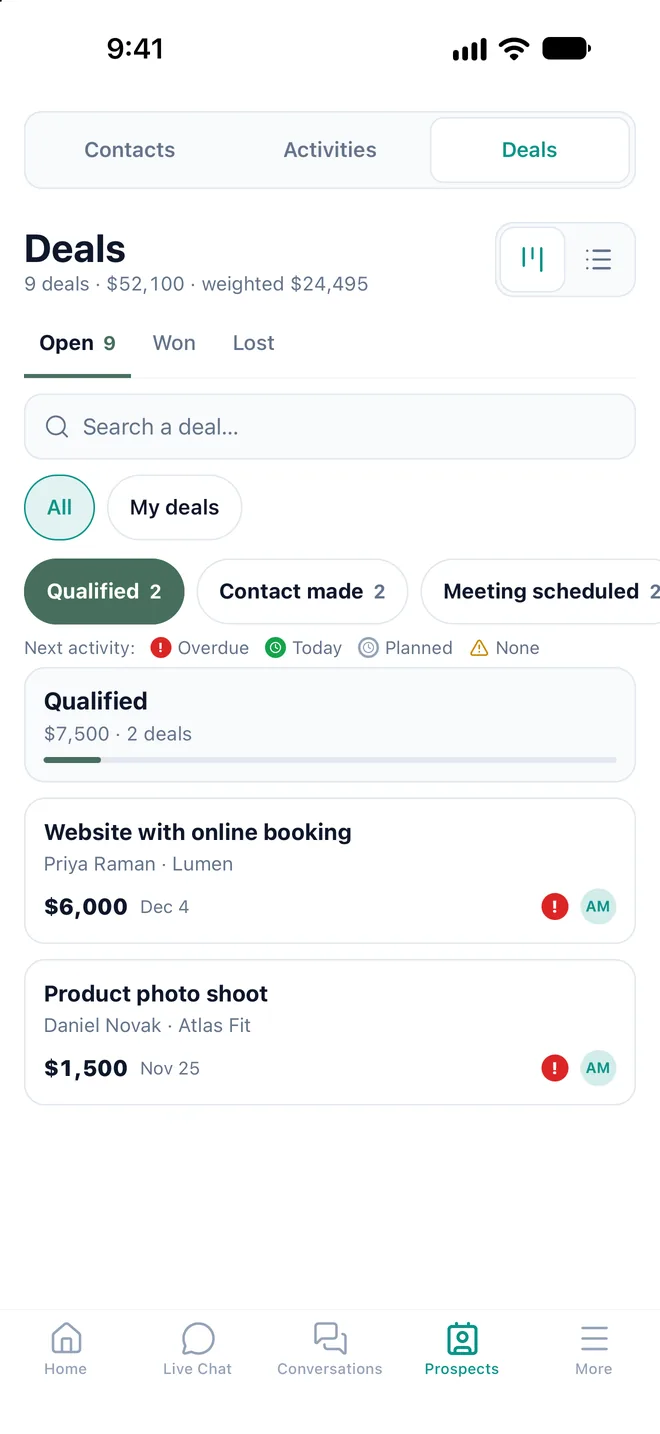
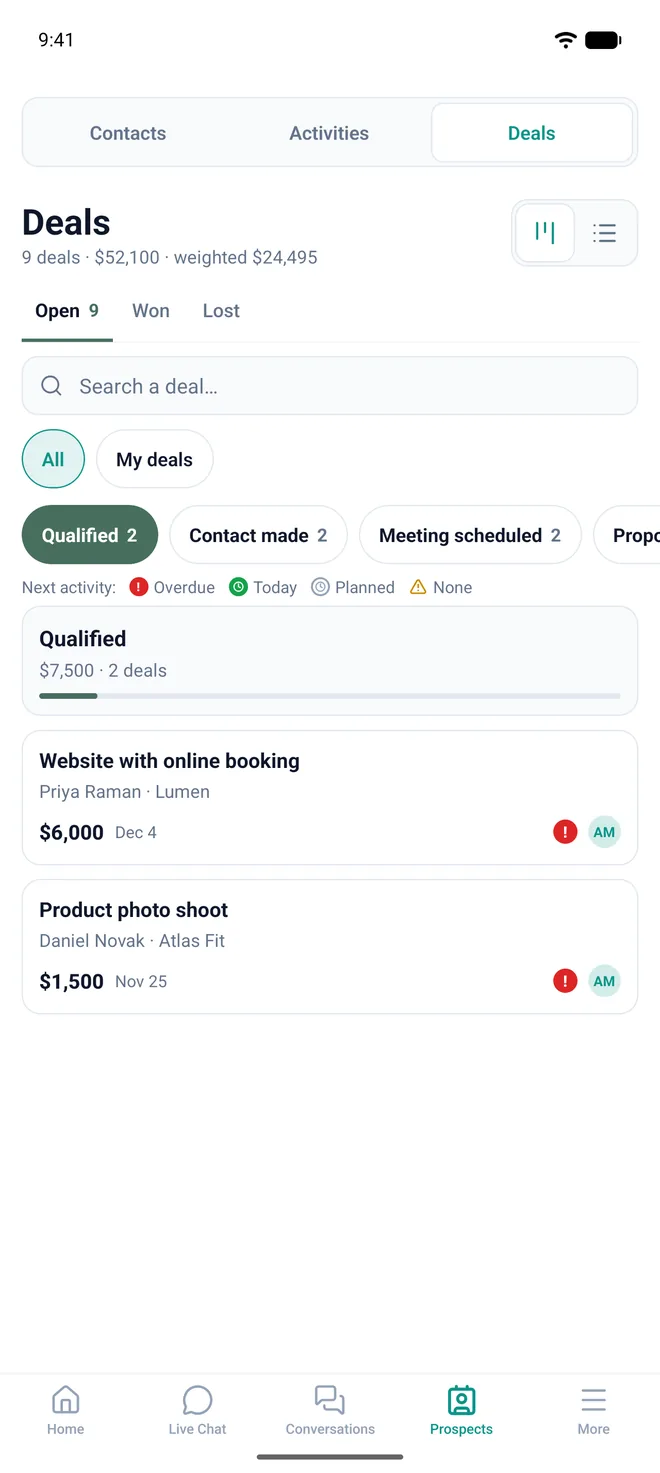
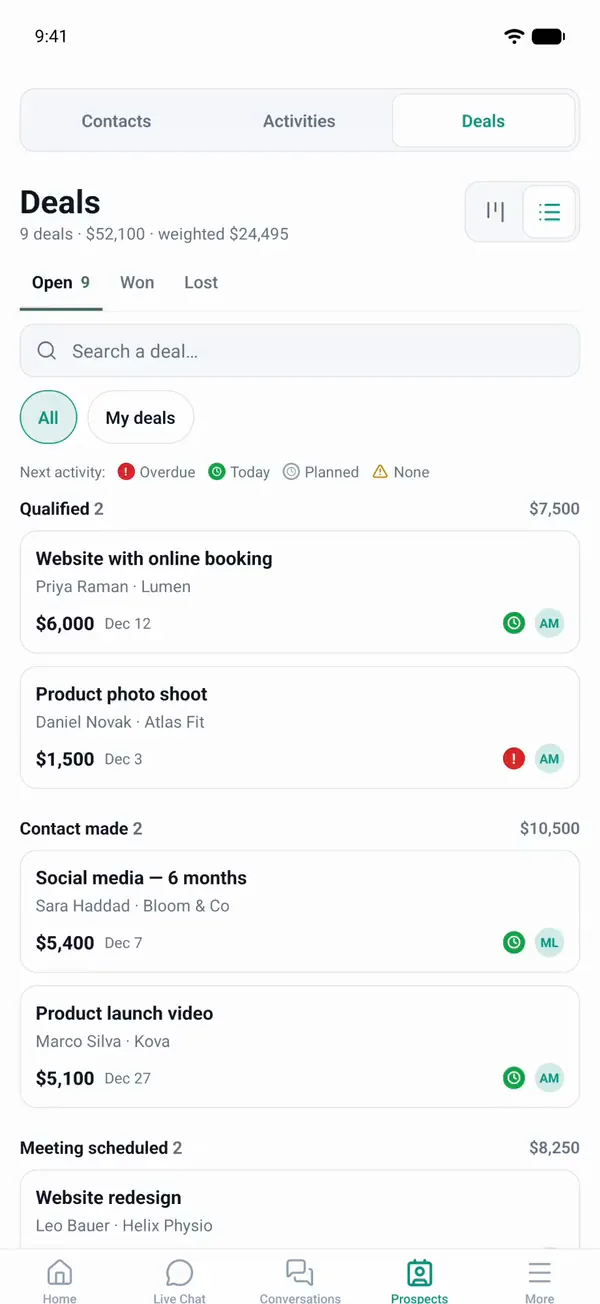
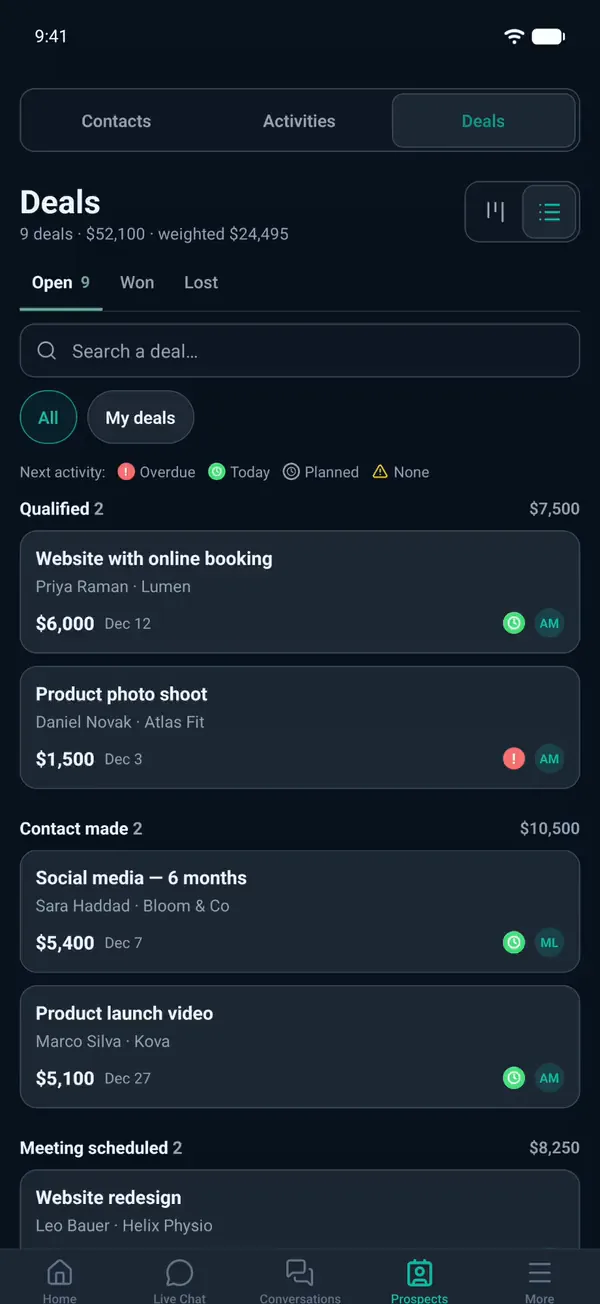
Every deal, all the way to signing
Your sales pipeline by stage, with amounts. Stalled deals stand out.
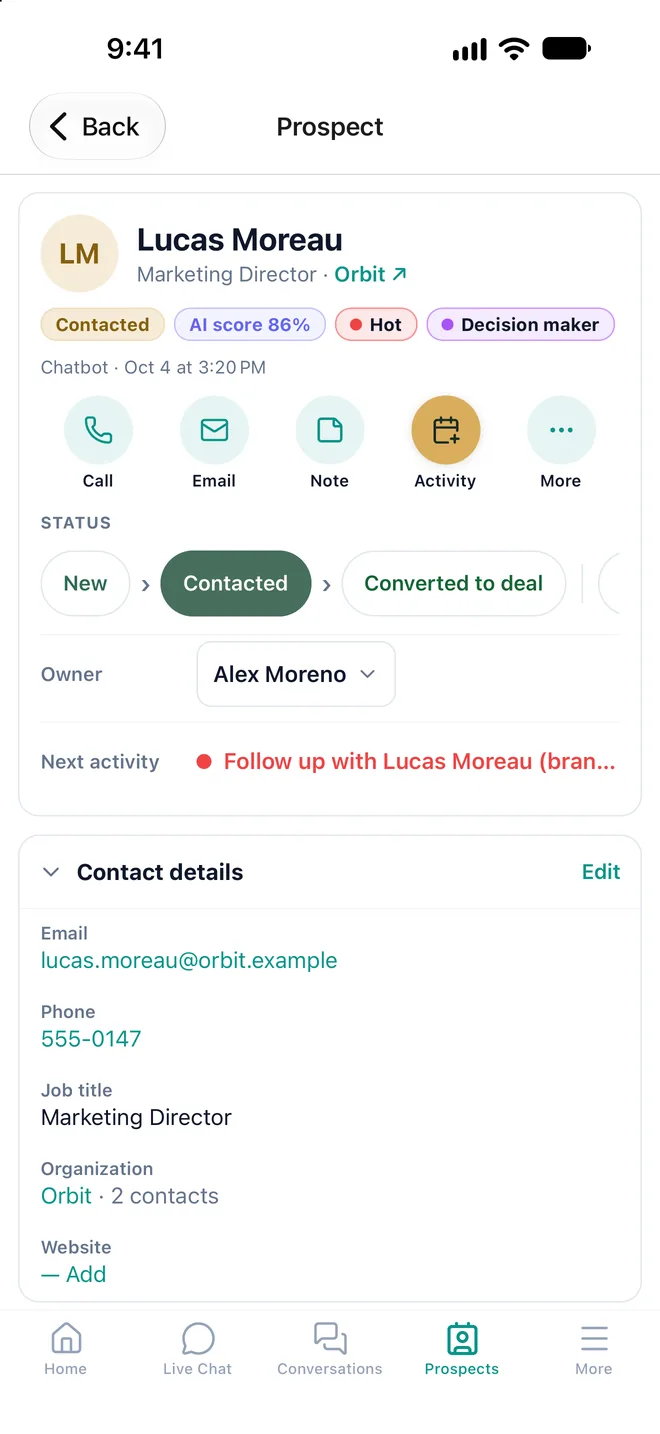
Call, email, take notes in one tap
Status, details, activities and the chat that brought them in, in one place.
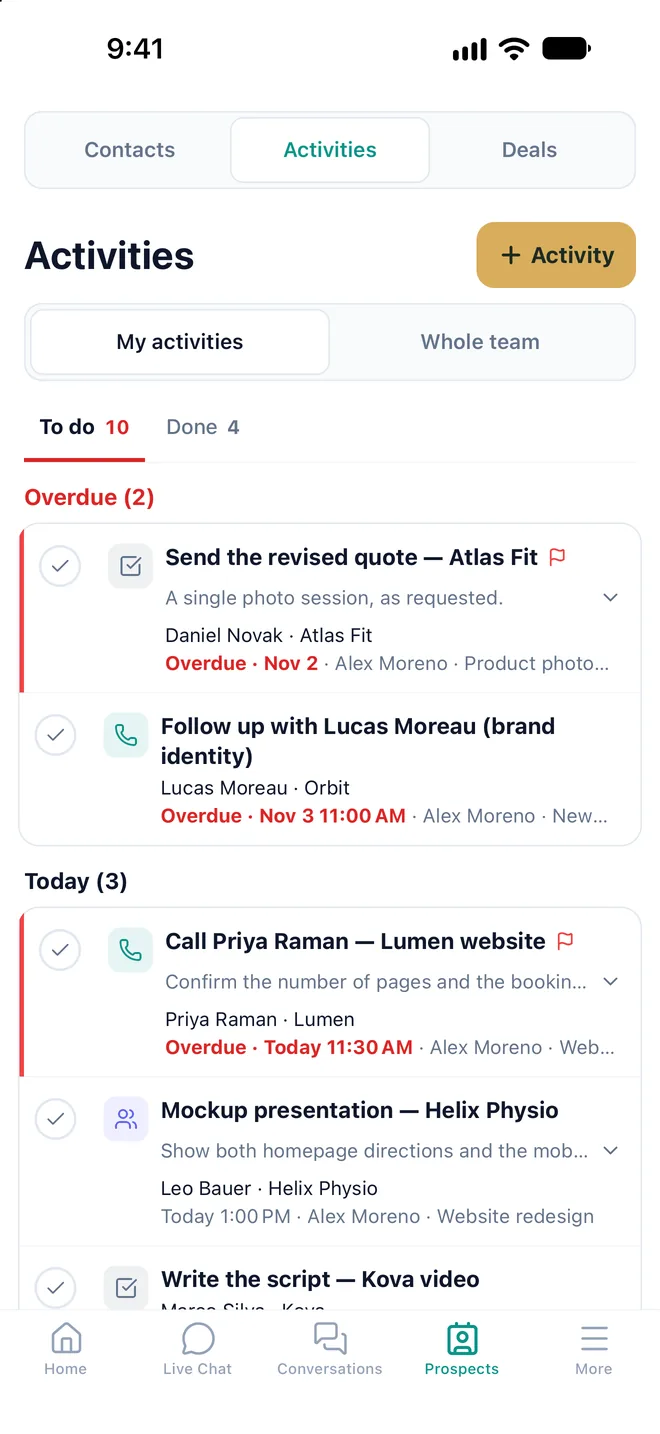
Follow-ups, in the right order
Overdue first, then today. A reminder alerts you at the scheduled time.
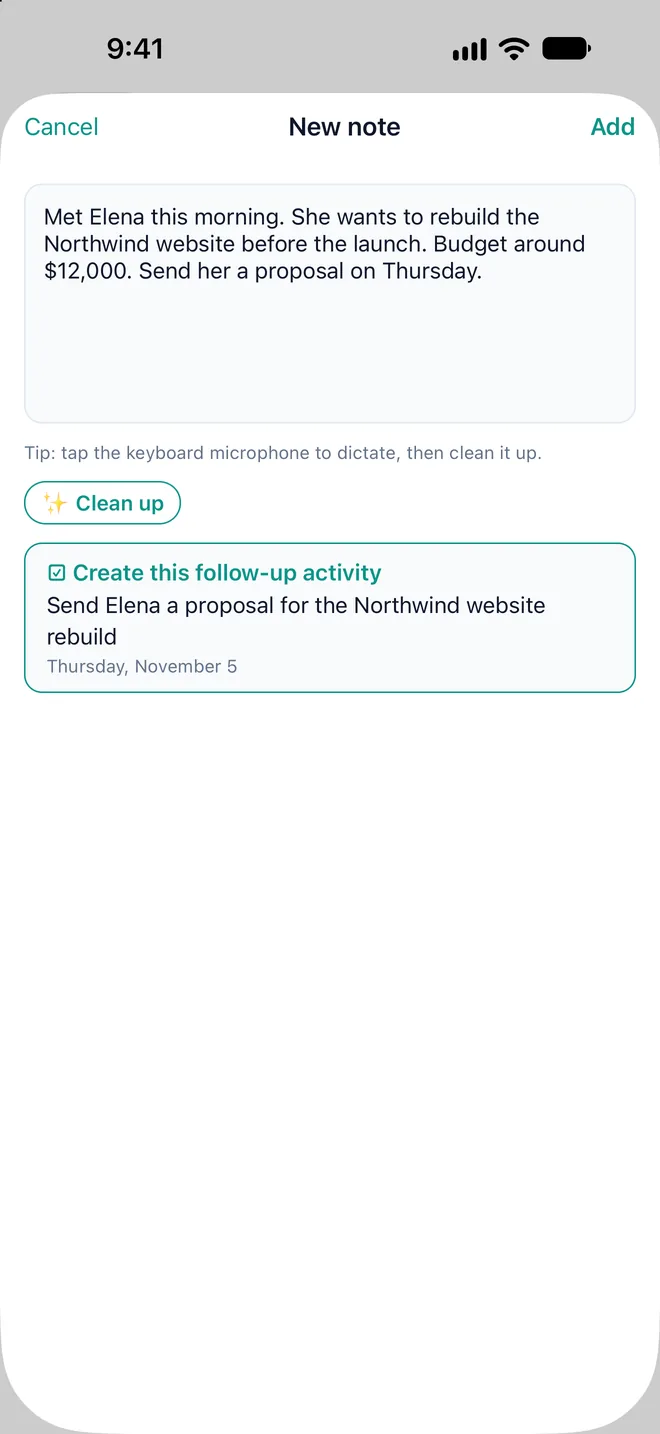
Dictate. AI cleans it up.
Talk after the meeting: AI writes the note and suggests the follow-up activity.
In motion
Watch it work
A deal moving forward, a visitor answered live: this is the app as it is, recorded on a demo account.
And also
Built for the field
Notifications that save time
New prospect: Call or Text. Agent request: "I’ll take over". It all starts from the notification.
Availability
Unavailable until 5 PM, until 8 AM tomorrow or until further notice: alerts stop, your AI agent keeps answering.
Multiple accounts
An agency, or several websites? Switch between ChatDirect accounts in the same app.
The name visitors see
Choose the name displayed when you take over from your AI agent.
Your consent before AI
The app asks for your consent before sending data to AI. You can withdraw it at any time.
Data hosted in Canada
For AI features, the necessary content is sent to the AI provider.
Getting started
Ready in three steps
- 01
Download the app
Scan the QR code or open the App Store or Google Play. It’s free.
- 02
Sign in
Enter your company’s client ID, your username and your ChatDirect password.
- 03
Turn on notifications
New prospect, agent request, assigned activity: you know right away.
No ChatDirect account yet? Start the 14-day free trial

Download ChatDirect
Free, with no in-app purchases. All you need is a ChatDirect account.
iPhone and iPad: iOS 15.1 or later · Android 7.0 or later
FAQ
Frequently asked questions about the mobile app
Is the ChatDirect app free?
Yes. The download is free, there are no in-app purchases, and the app is included in every ChatDirect plan.
Do I need a ChatDirect account to use it?
Yes: the app connects to your company’s ChatDirect account. If you don’t have one yet, the 14-day free trial is created on the website.
Which devices does it run on?
iPhone and iPad (iOS 15.1 or later) and Android devices (Android 7.0 or later).
Does the app replace the web portal?
No, it complements it. The app is for reacting fast from your phone: alerts, live chat, prospects, deals and activities. In-depth settings, such as configuring your AI agent, stay in the portal.
Which languages is it available in?
The interface is available in English, French and Spanish.
Does everyone on the team see the same thing?
Not necessarily: the features shown depend on those enabled on your account and on the permissions your administrator gives you.
Is my data protected?
Data is hosted in Canada and exchanges are encrypted (HTTPS). The app asks for your consent before sending data to AI; for AI features, the necessary content is sent to the AI provider.
No account yet? Your AI agent and your CRM, ready tonight.
14-day free trial, CRM and mobile app included, no commitment.