FeaturesAI agent + CRM
AI chatbot and CRM: every ChatDirect feature
Two halves of one tool: the AI agent that greets and qualifies your visitors, and the CRM that tracks every contact to the sale. Each plan’s features are marked; what is being tested says "Beta", what is on its way, "Coming soon".
The AI agent
AI chatbot features: it greets and qualifies your visitors
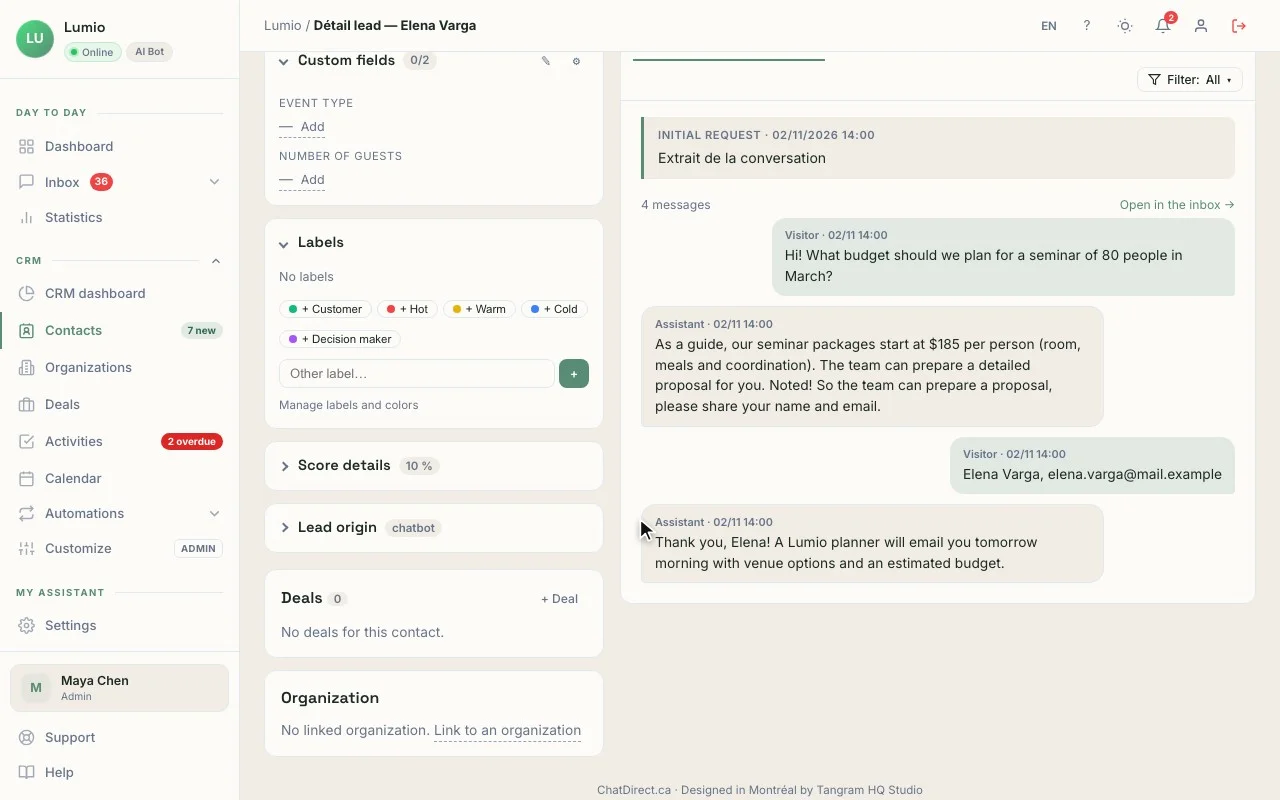
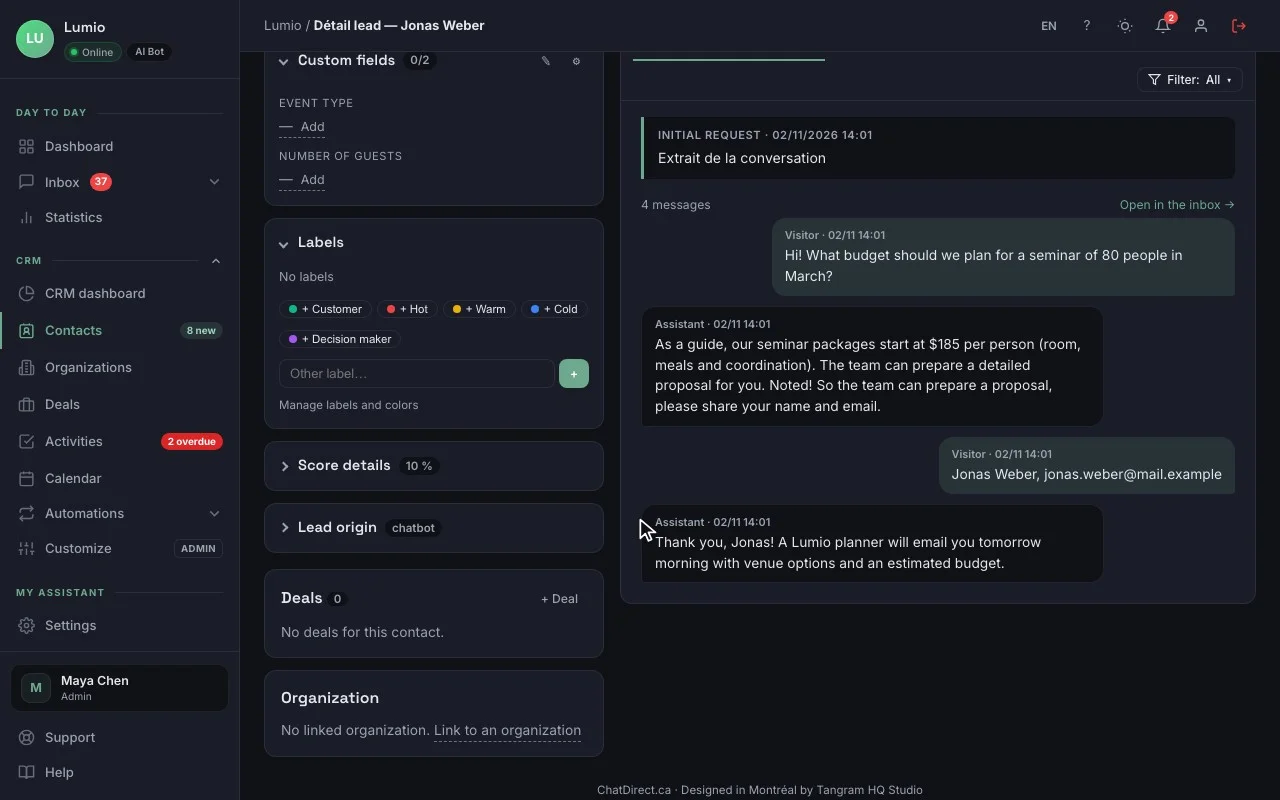
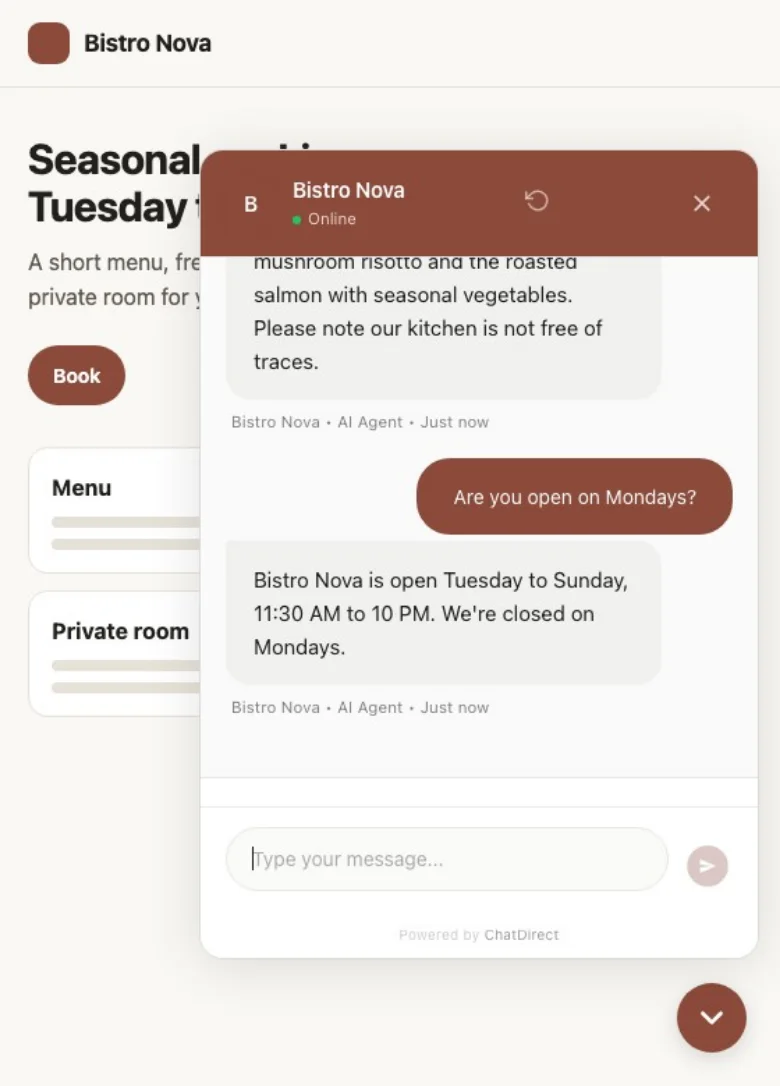
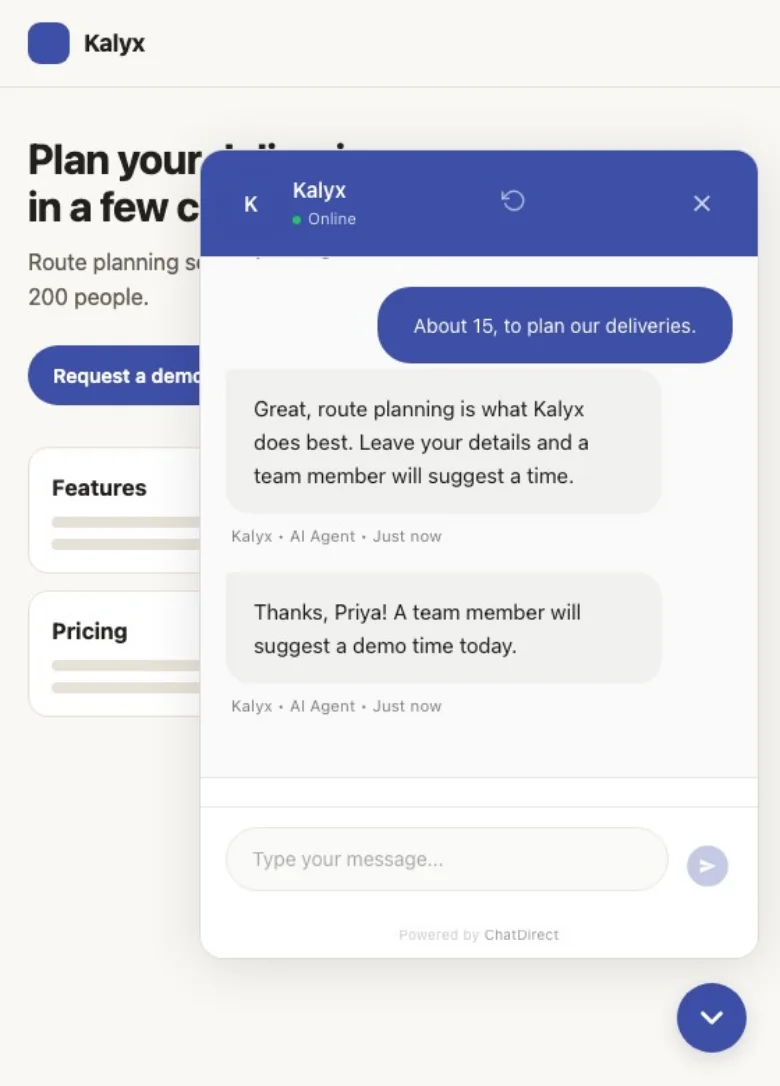
It answers from your own content, asks your questions, collects contact details at the right moment and sends them to the CRM. Your team takes over whenever it wants.
Its answers
Instructions and knowledge base
Its role, tone, limits and your key information.
Exact answers
For what must never change: the answer goes out word for word, without AI.
Your documents and web pages Pro and up
PDFs (scanned ones too), Word, Excel, text files and your site’s pages, searched semantically.
The page the visitor is on Pro and up
The agent takes it into account.
Pages kept up to date Business and up
Re-read daily, weekly or monthly.
AI model
Anthropic’s Claude Haiku 5.5 on every plan; BYOK Pro and up: your own Anthropic, OpenAI, Google or Mistral key, and unlimited conversations.

Qualification and contact details
Your qualifying questions
Party size, budget, date, type of project: asked as the conversation goes.
Contact details at the right moment
A form after the number of messages you choose, a pre-chat form, or a form the agent shows when the visitor asks for a call-back or a quote.
Never asked twice
An email or phone number typed in the chat is enough to create the contact.
After hours
A suitable message and a form so the request isn’t lost.
Structured questionnaire Beta
Up to 15 questions, a summary confirmed by the visitor, a complete file in the CRM.

Your team takes over
Three modes
Bot only, human only or hybrid.
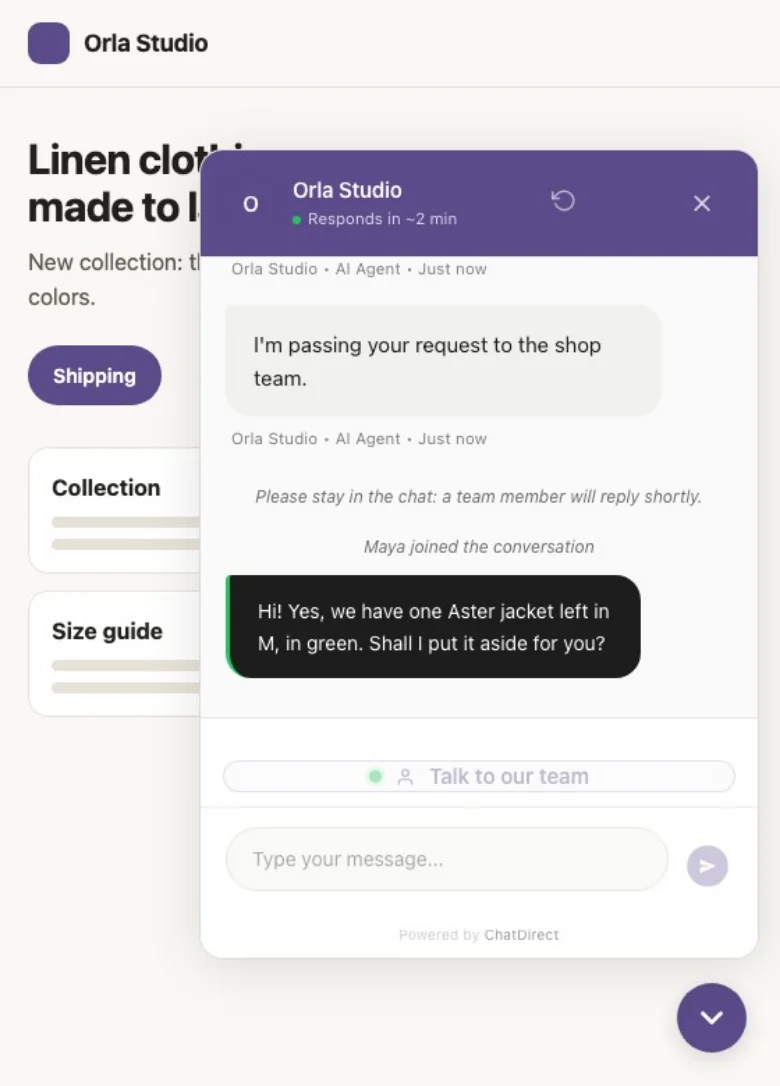
"Talk to a person" button
You get an alert; if no one is available, an offline message tells the visitor.
Live chat with the full history
The visitor sees that a team member has joined.
Saved replies
Your standard answers in one click; AI conversation summary, on demand, on every plan.
Corrections remembered Enterprise
AI auto-training uses your team’s recent live-chat corrections.

The right moment, the right place
Proactive messages
On the pages you choose, after the delay you set, the chat opens with your message.
Booking link trial, Pro and up
The agent offers your Calendly, Cal.com or Google Calendar page, or OpenTable, Libro and Resy for restaurants; the visitor picks a time in your tool.
QR code Pro and up
On a window, a menu or a business card, with a welcome message suited to the place.
Review Booster Pro and up
In the chat, a 1-to-5 rating and your Google review link; an unhappy customer can also write to you privately.
Other channels
Email Pro and up; SMS, WhatsApp and Messenger Business and up.
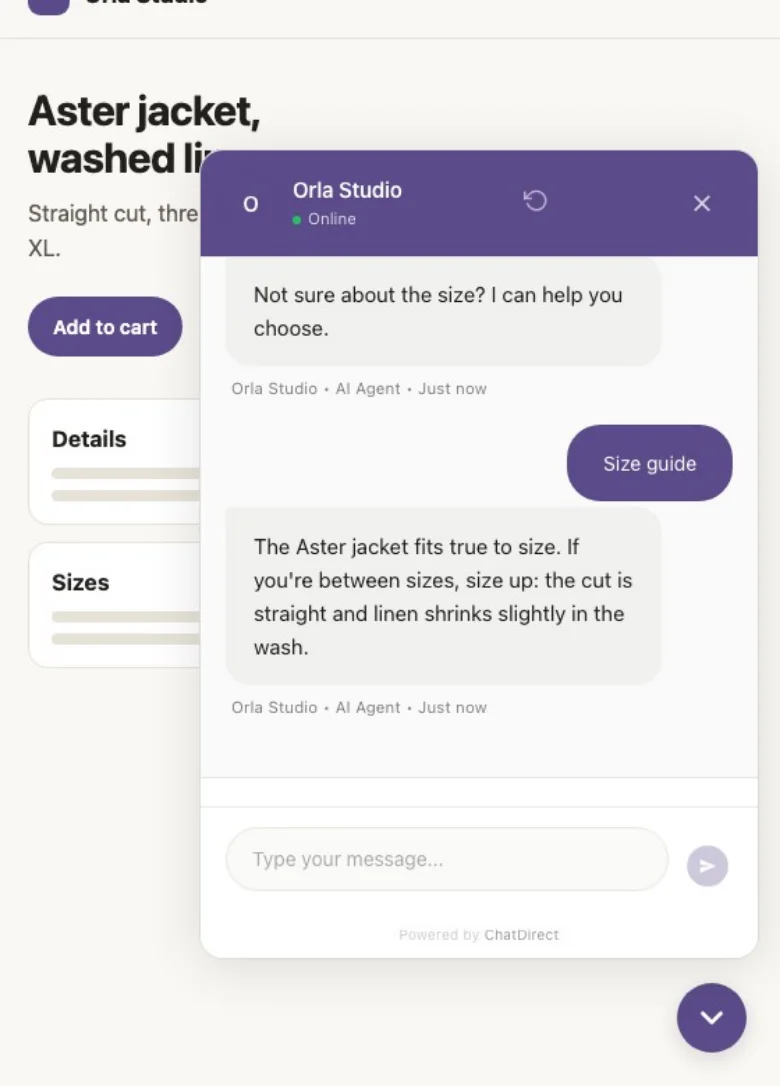
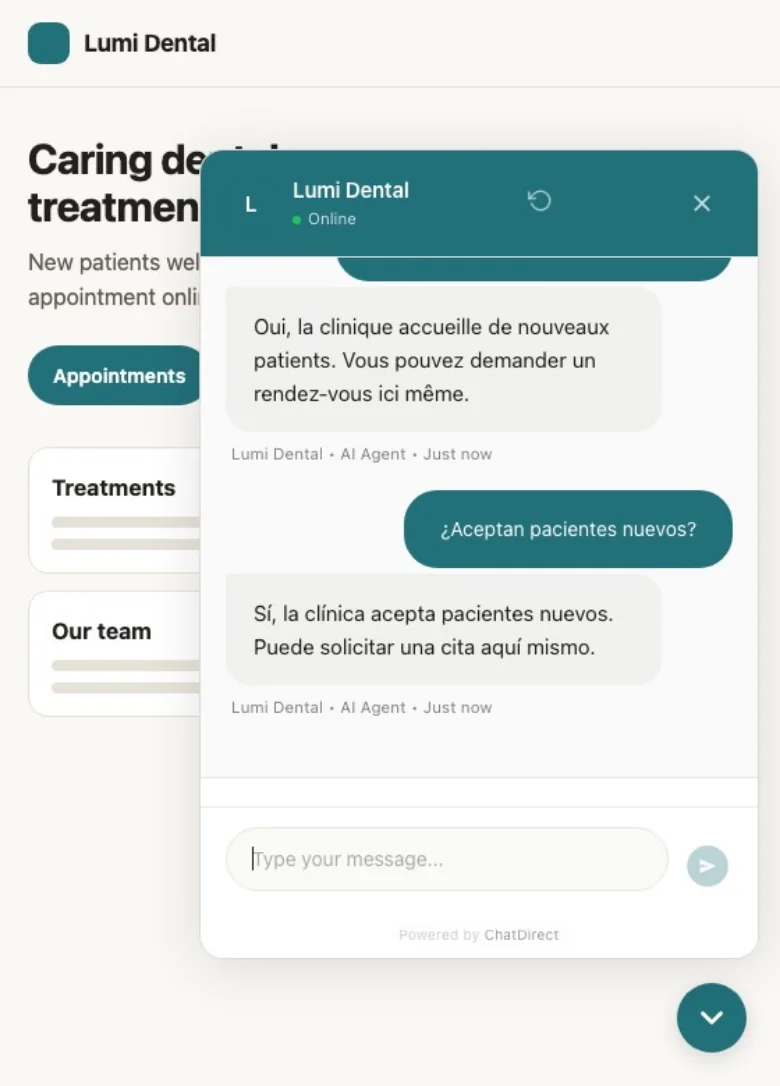
Three languages
English, French, Spanish; in multilingual mode, the agent replies in the visitor’s language.

Advanced features
Opportunity detection Business and up
Conversations that show buying intent with a budget or urgency are flagged in your portal.
Social proof Business and up
The widget shows how many visitors are online.
Login Handoff Business and up
The conversation continues when the visitor logs in to your member area.
Multi-agent Business and up; 5 chatbots Business, 15 chatbots Enterprise.
A/B tests trial, Pro and up
Compare two versions of your agent’s instructions.

The CRM
CRM features: follow every contact to the sale
Included in every plan, trial included; the number of contacts and users depends on the plan. Every contact the AI agent captures arrives with its conversation.
Contacts
List and Kanban by status
New, Contacted, Converted to deal, Archived; drag and drop.
Full contact record
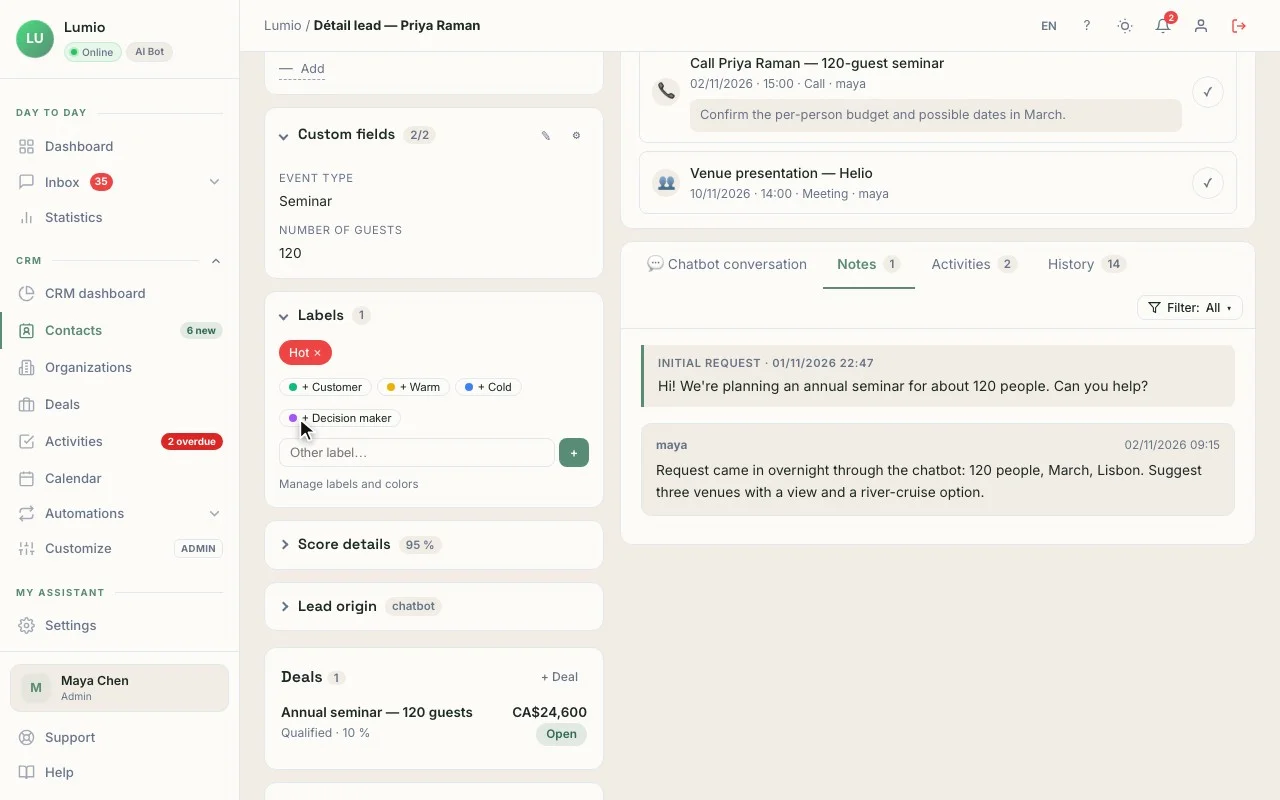
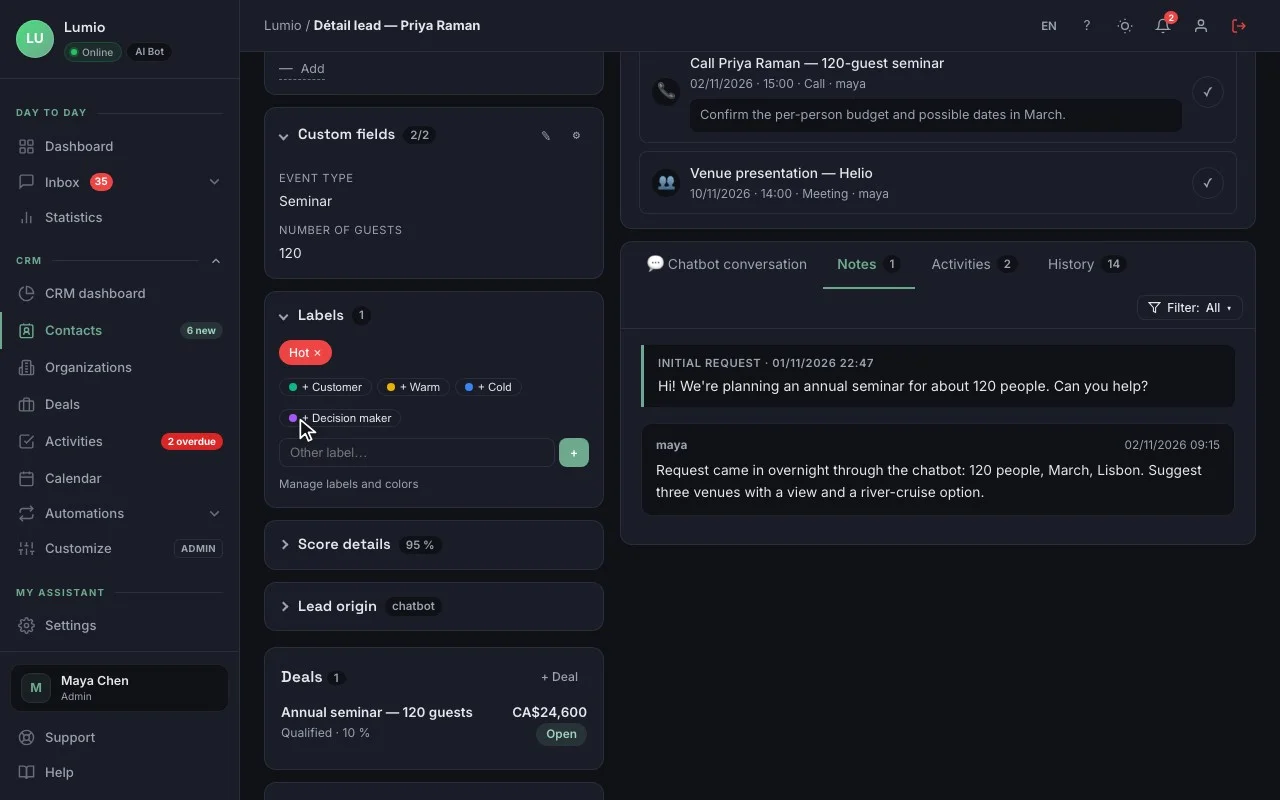
Details, original conversation, lead source (channel, page, date), 0-to-15 score, notes, history, color tags, custom fields, owner.
Organizations
People from the same company and their deals.
Manual entry, CSV import and duplicates
Import from Excel, Google Sheets or another CRM, and undo a whole import; duplicates spotted by email or phone.
Saved views and bulk actions
Status, owner, tag or field for several contacts at once.
Deals
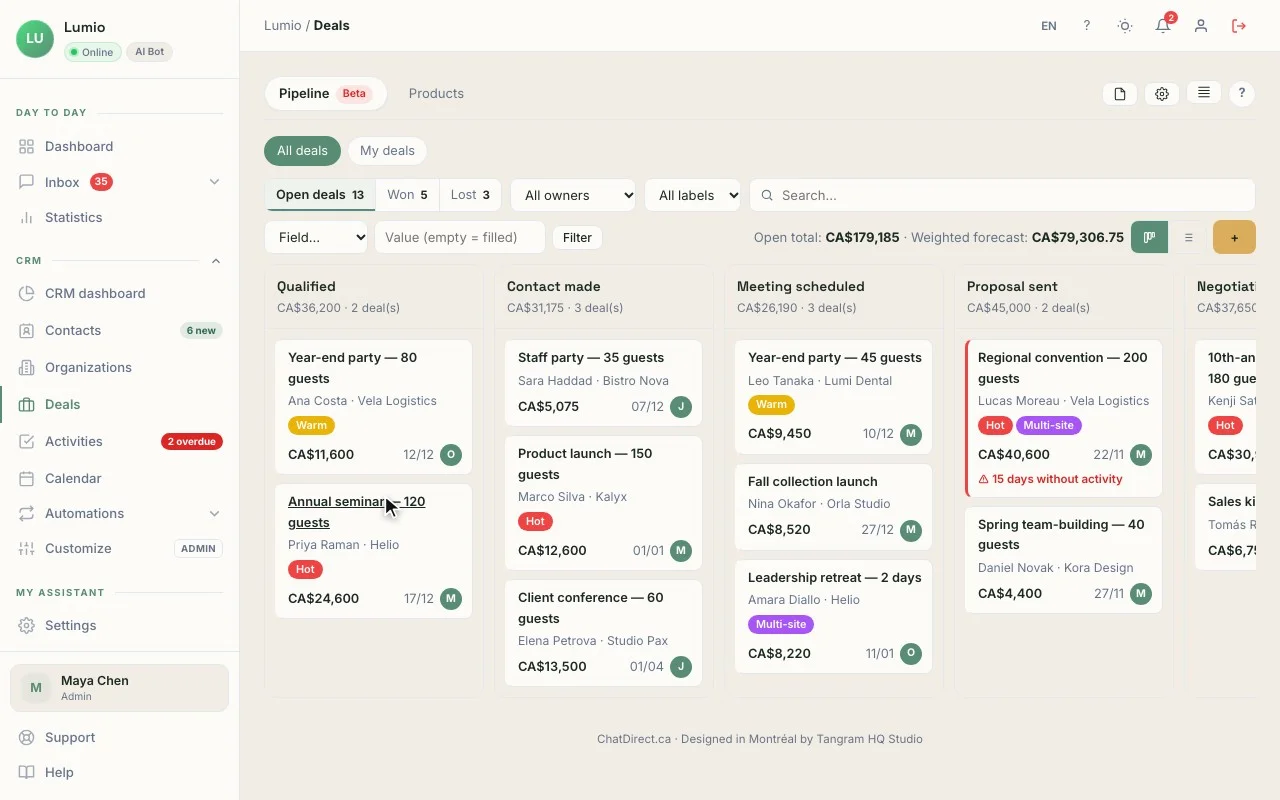
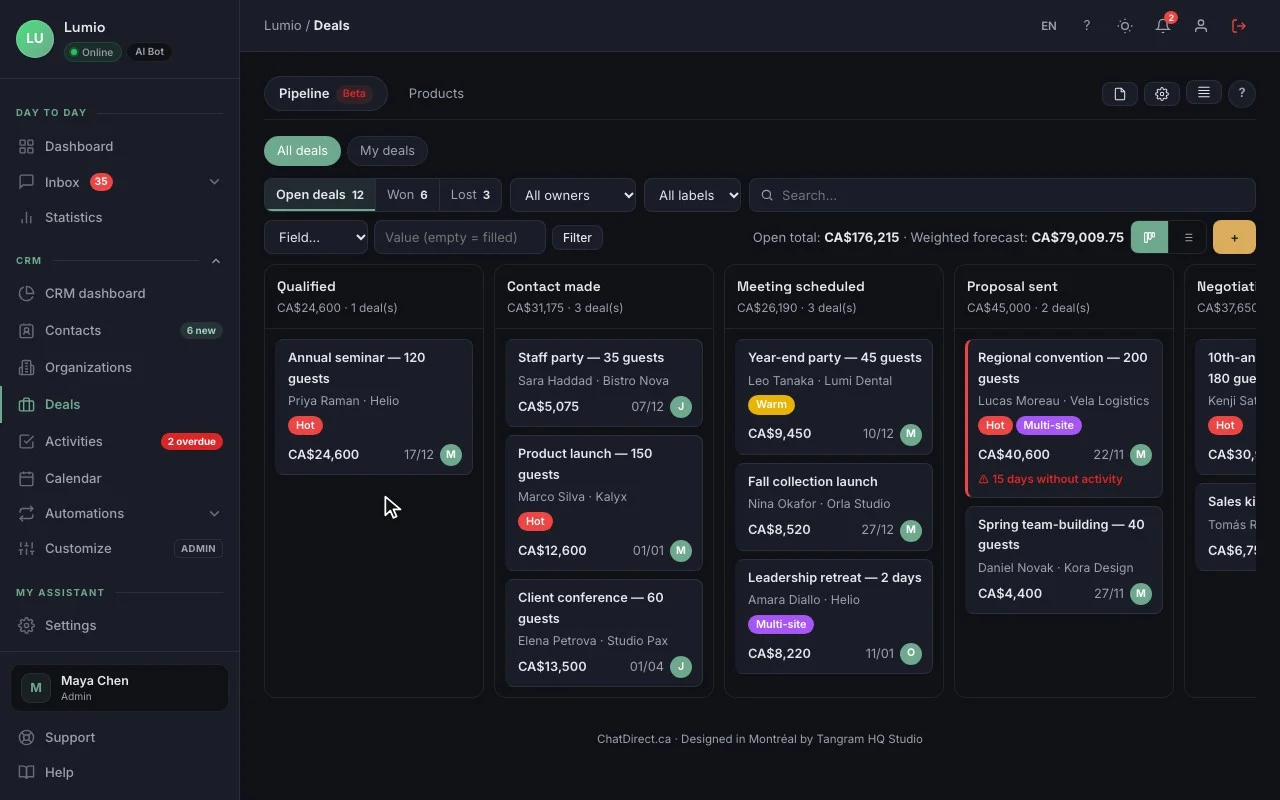
Sales pipeline
Kanban or list, drag and drop, Won and Lost zones, loss reasons.
Custom stages
Matched to the way you sell.
Products
The deal value is calculated from its lines (price, quantity, discount).
Weighted forecast
Value × probability of each stage.
Quotes Beta Pro and up
Prepared from the deal, with the taxes from your settings; sending with online acceptance: Coming soon.
Activities and your day
Activities and alerts
Calls, meetings, tasks and deadlines, with an alert before the time and when an activity becomes overdue.
Calendar and iCal feed
Your activities in the CRM and in your usual calendar.
Daily list ("My day")
Every morning: new leads, today’s and overdue activities, stalled deals.
Suggested next action Beta
One action per record, chosen by rules, with its reason.
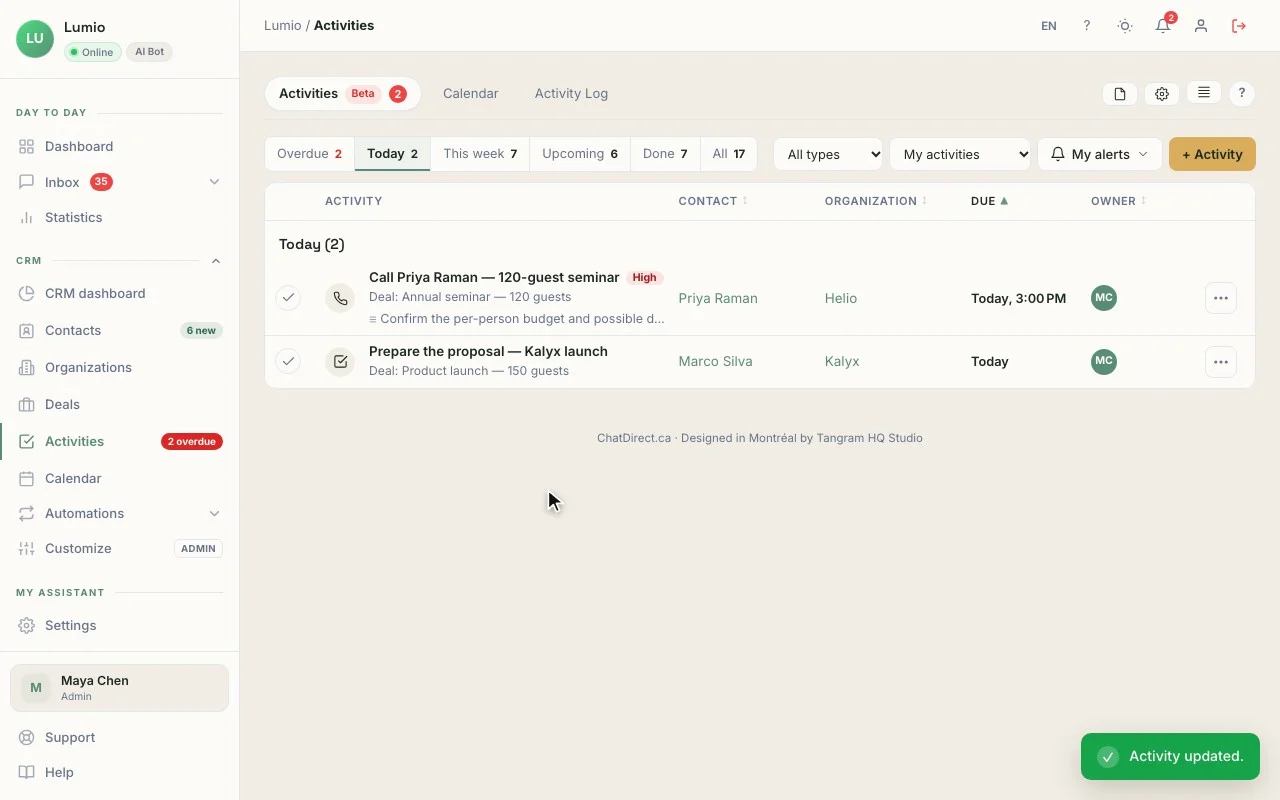
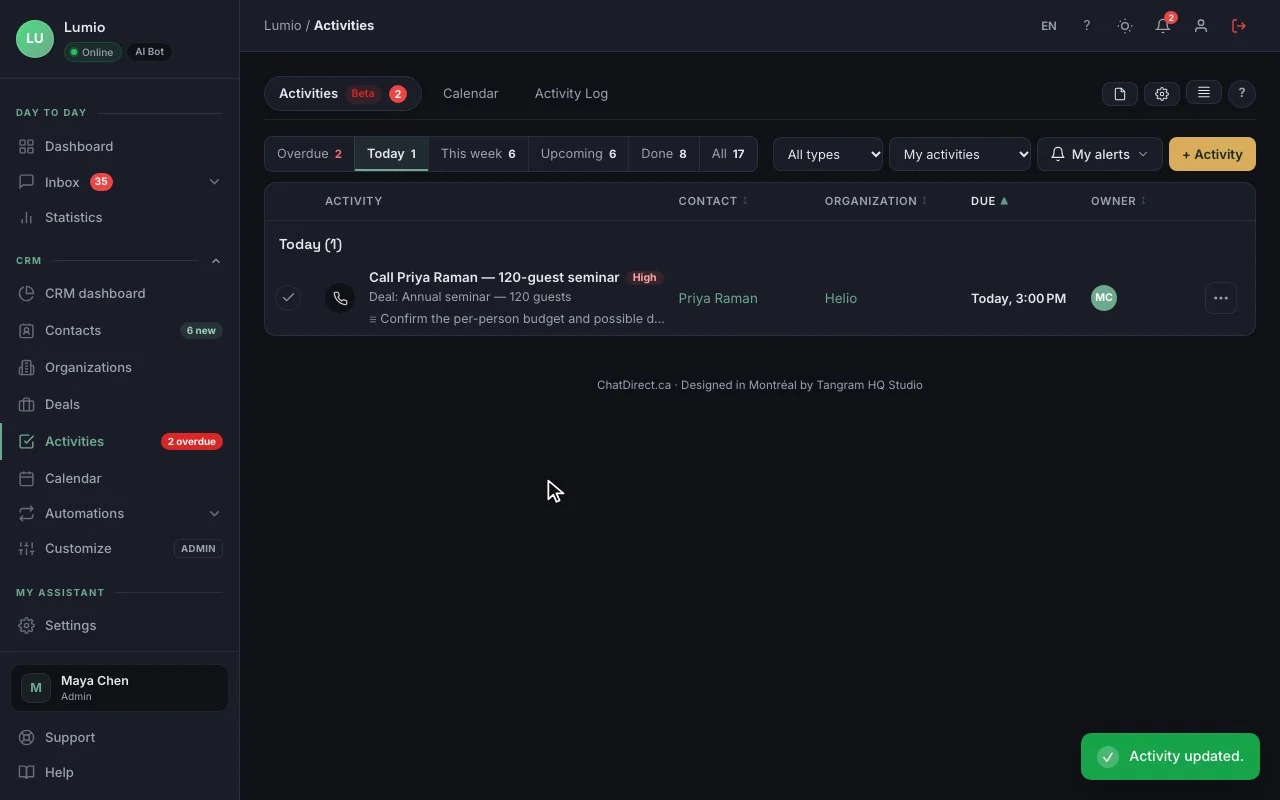
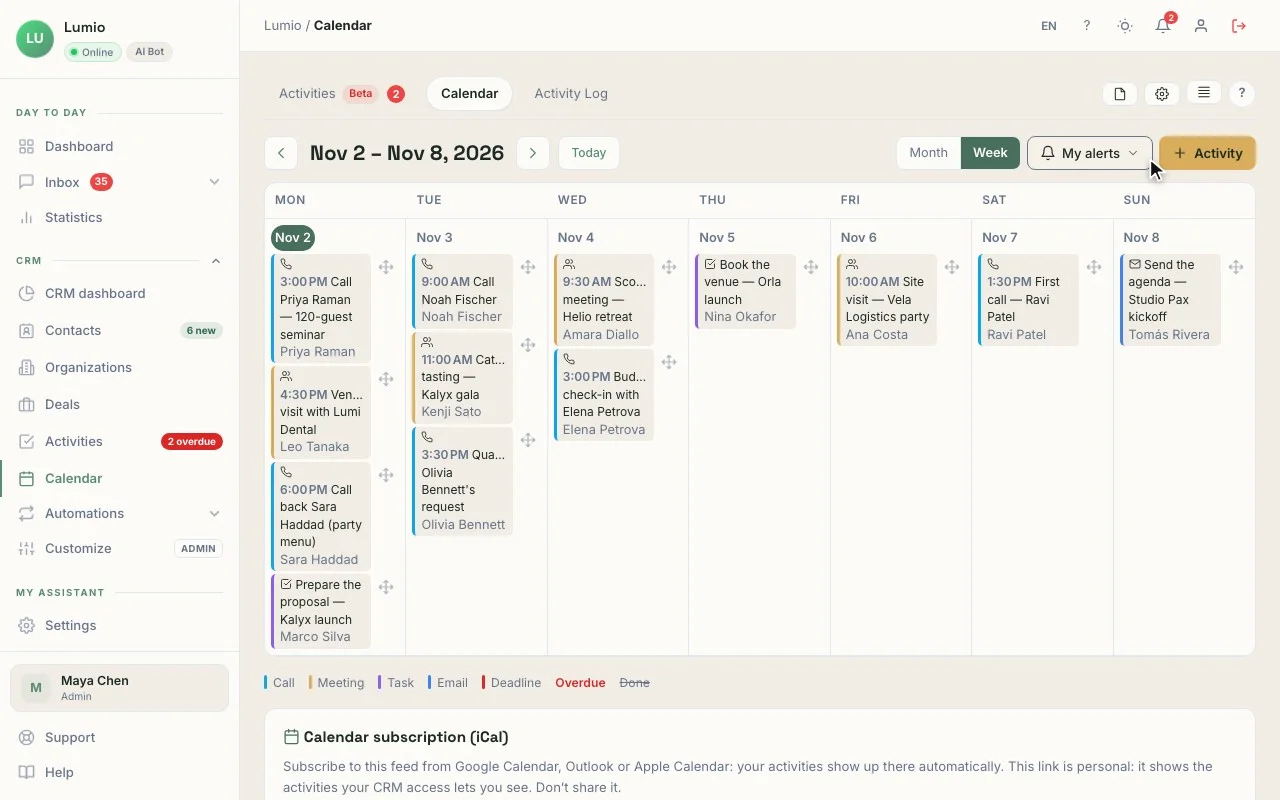
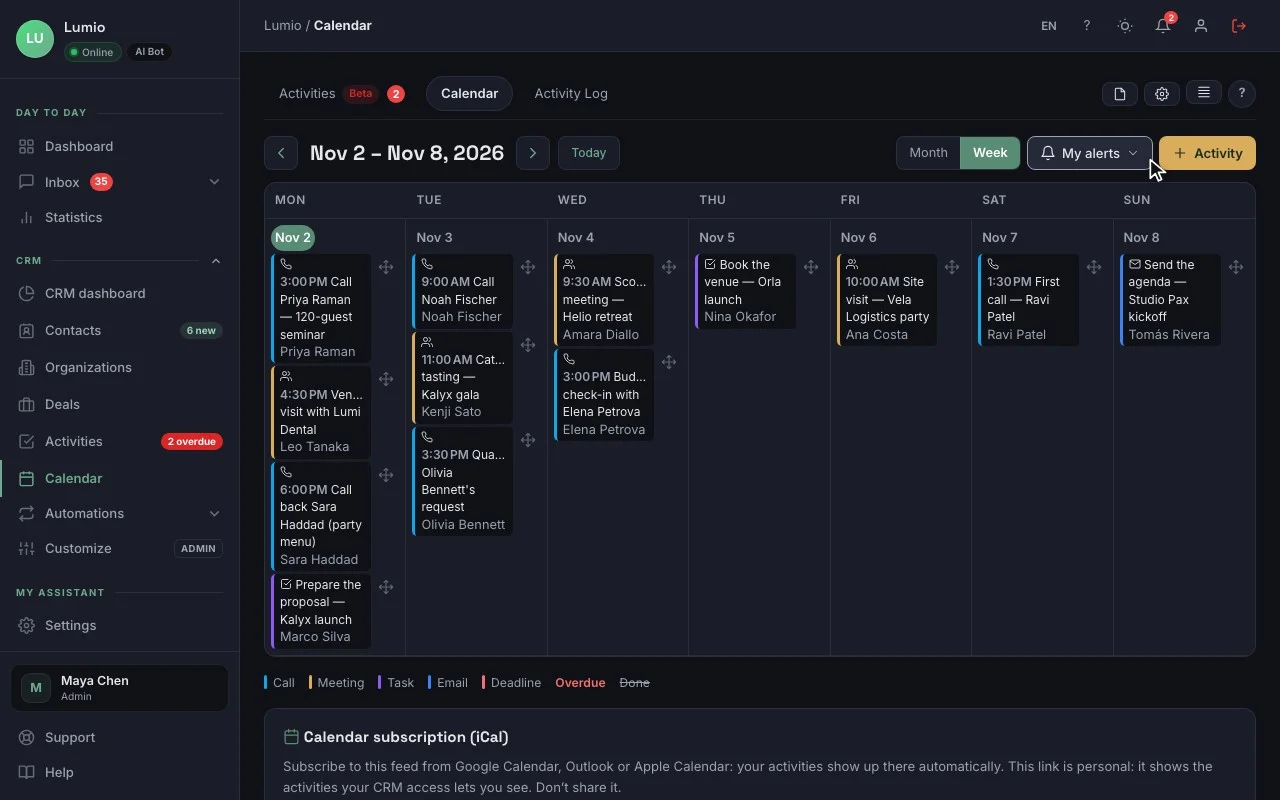
“My day”: who to call back, and in what order. Real screen recording, fictional data
Emails
Written with AI Pro and up
A draft based on the record, which you review.
Email templates Pro and up
Your standard messages, with variables.
Sending
From your own email app; direct sending through your own email server Beta.
BCC address Beta
Emails sent from Gmail, Outlook or Apple Mail are filed on the record.
Automated follow-ups and sequences Coming soon
You can prepare them today; they will go out by email only, never by SMS.
Reporting and team
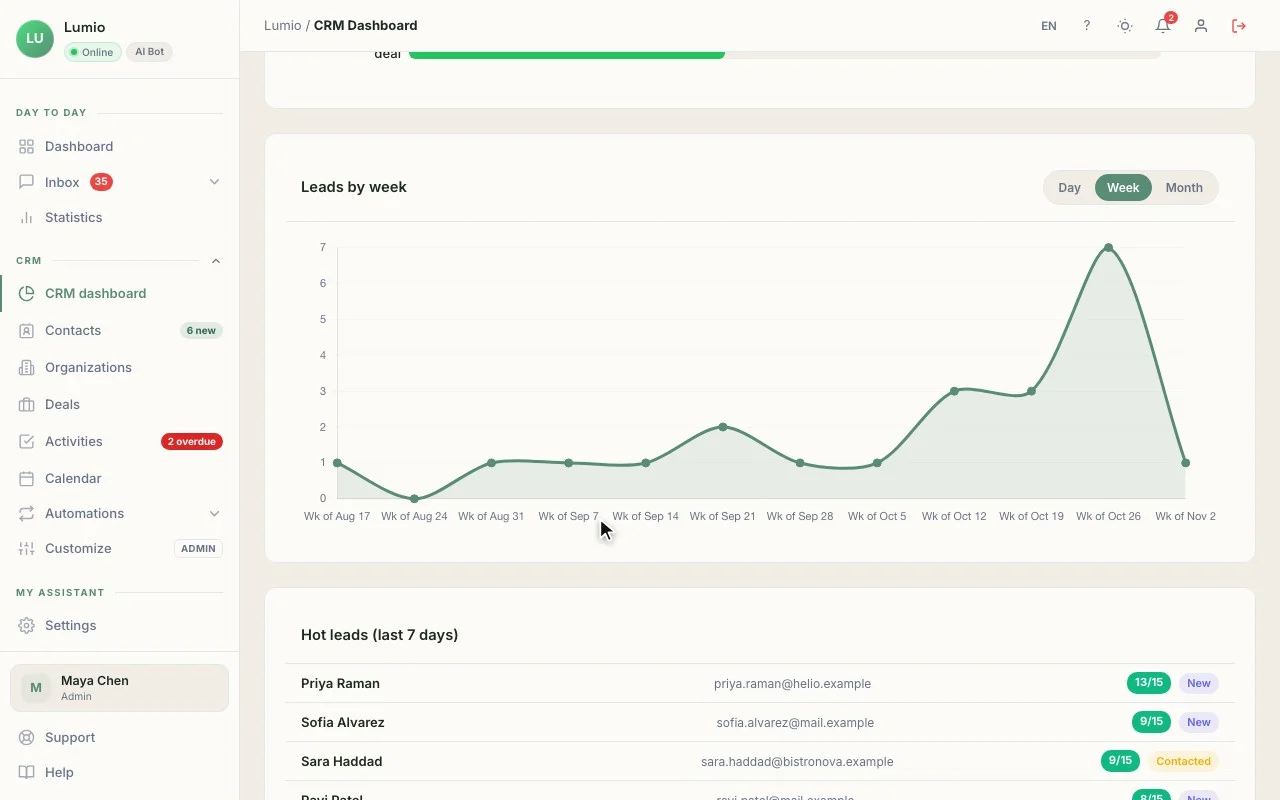
CRM dashboard
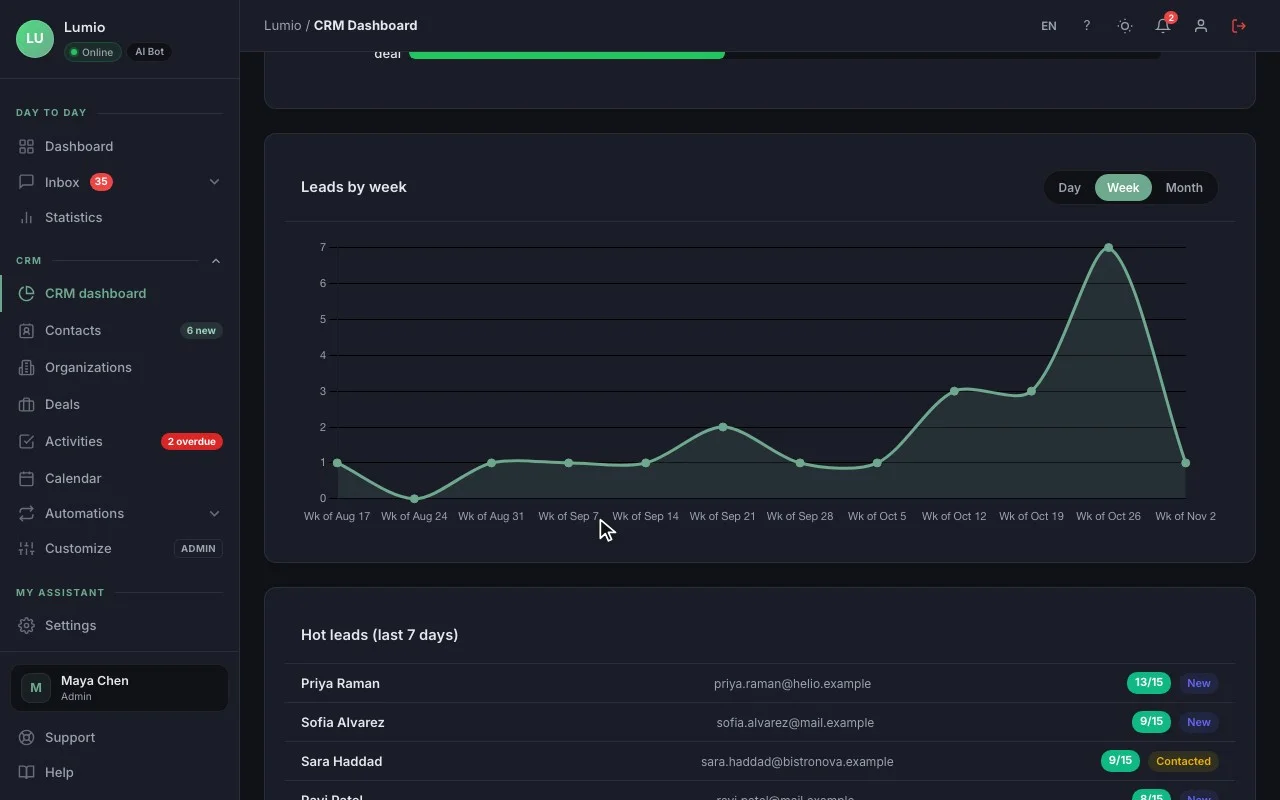
Contacts, new leads, conversion rate, open and won deals, pipeline value.
PDF report Pro and up and CSV export.
Ownership and "My contacts"
Every contact has an owner.
In beta, account by account: per-user access levels, automatic lead assignment, custom dashboards and goals, internal automation rules (they never email your contacts), @mentions, AI record summary.
What connects the two
How does the AI agent fill the CRM?
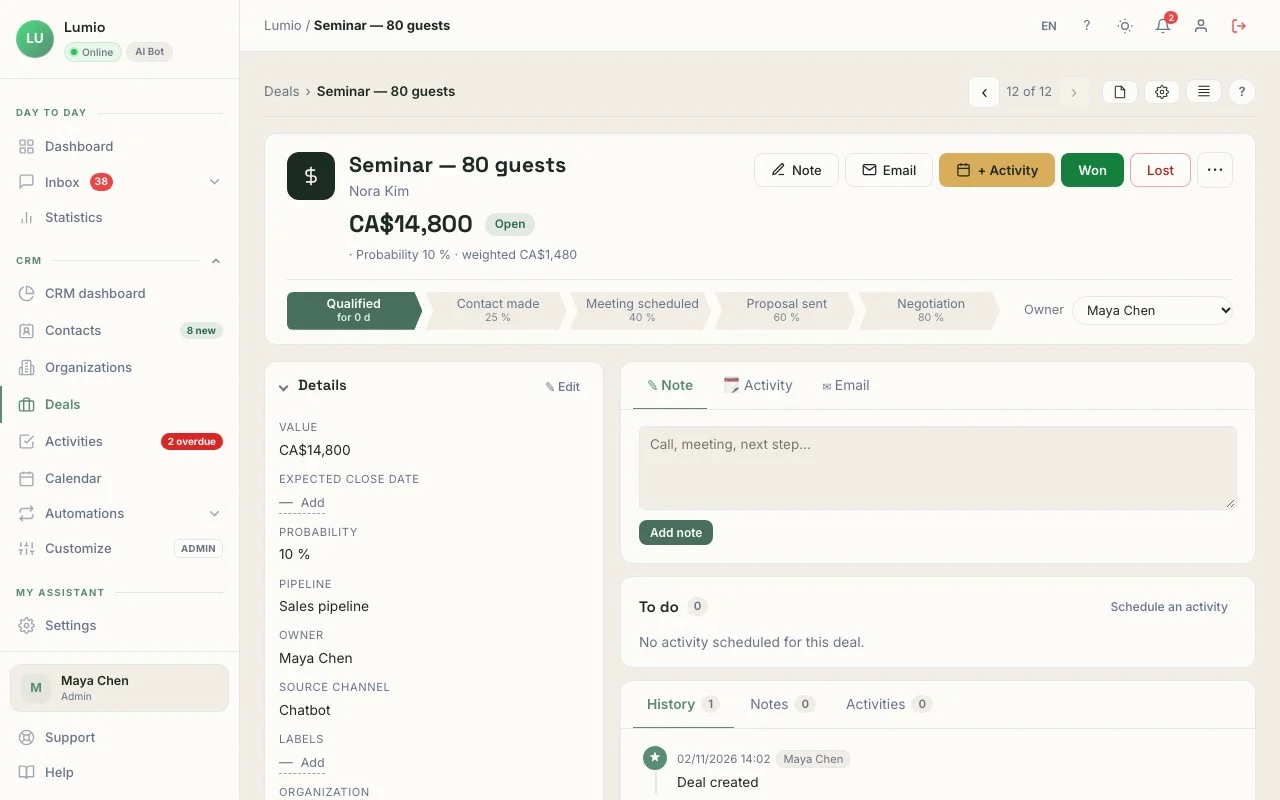
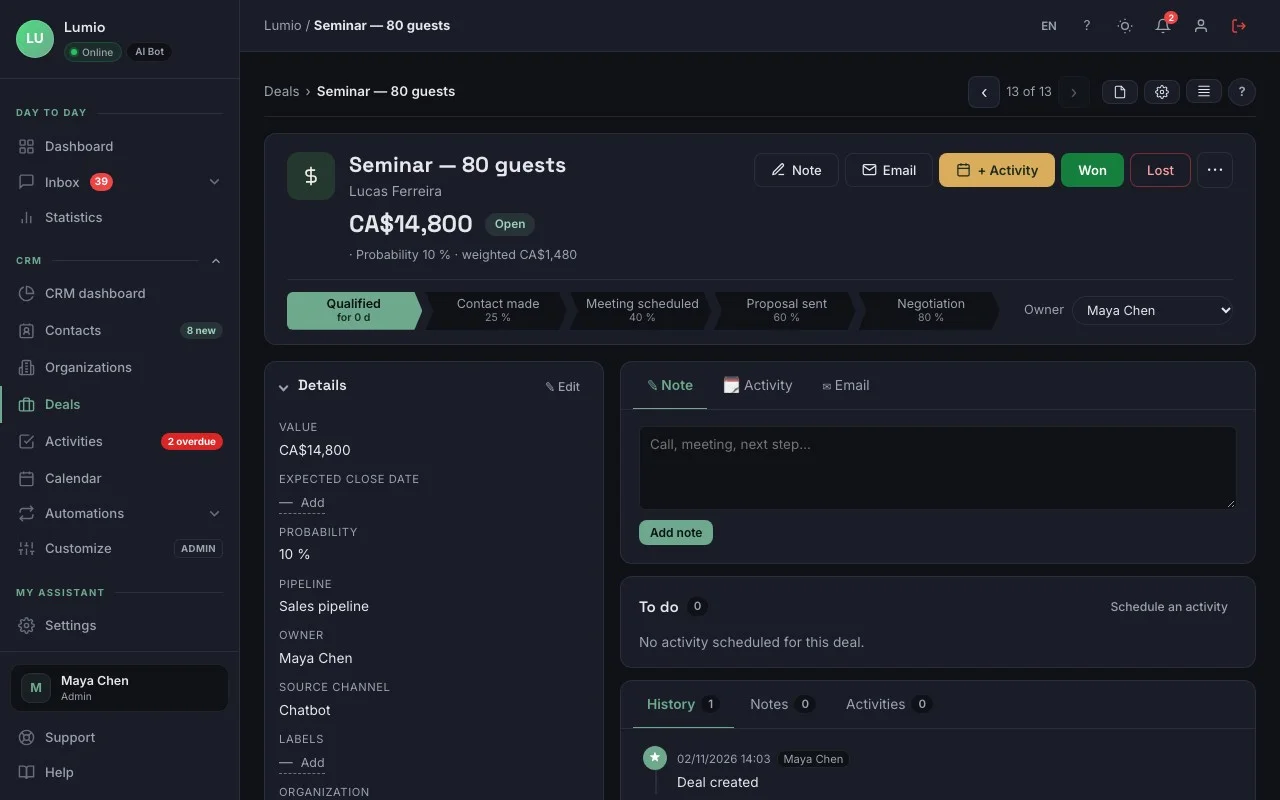
A CRM built into the chatbot receives the contacts your AI agent captures directly, with the conversation, the lead source and a 0-15 score: nothing to connect, nothing to retype. This is what sets ChatDirect apart from a chatbot alone or a CRM alone: nothing to connect, nothing to retype.
The conversation becomes a contact record
As soon as a visitor leaves an email or phone number, the contact is created, with the full conversation.
You know where they came from
Lead source (channel, page, time) and a score based on the exchange: number of messages, pages viewed, return visits, buying-intent words.
Your team is notified
Portal bell, email, Slack, and a mobile app notification.
In the morning, your daily list
Overnight leads at the top.
Live chat keeps the thread
Take over an agent conversation, then find it on the contact record.
One subscription
The AI agent and the CRM come in the same plan, no add-ons.
Privacy and security
Data hosted in Canada
Server in Beauharnois, database in Montréal. Message content is sent to the AI provider you choose to generate replies.
Law 25 and GDPR settings
Consent before the chat, IP anonymization (4 modes), zero-cookie mode, adjustable retention: settings to help you meet the law.
Visitor rights
"My data" and "Delete my data" buttons you can show in the widget; deletion on request.
Encryption
Encrypted connections (HTTPS), API keys and credentials for your tools encrypted with AES-256, and hashed login passwords.
Safeguards
Antivirus scanning of uploaded files, a circuit breaker against prompt-injection attempts, rate limits against abuse, two-factor authentication.
Integrations
Slack
New leads, requests for a person, alerts and questionnaire files.
Google Analytics 4
Chat opened, messages, leads, transfer requests.
Webhooks and Google Sheets Pro and up
Every new lead sent to Zapier, Make, n8n or a Google Sheet.
HubSpot and Pipedrive Pro and up
If you keep another CRM: HubSpot gets a contact; Pipedrive, a person, their organization and a note.
Your email server Pro and up
SMTP2GO, SendGrid, Brevo, Mailgun, Amazon SES or SMTP.
REST API Business and up
Leads, conversations and stats, with an API key.
Installation
Live tonight
One line of code or Google Tag Manager
On WordPress, Shopify, Wix, Squarespace, Webflow or a custom site, with no plugin.
Guided setup
A first chatbot in 5 minutes, a complete setup in about 40 minutes; assisted setup available as an option.
Your look
4 themes (light, dark, auto, blue), colors, avatar, welcome message, desktop, tablet and mobile preview.
Industry templates on every plan, and custom signature Pro and up.
Mobile app
The ChatDirect app for iOS and Android
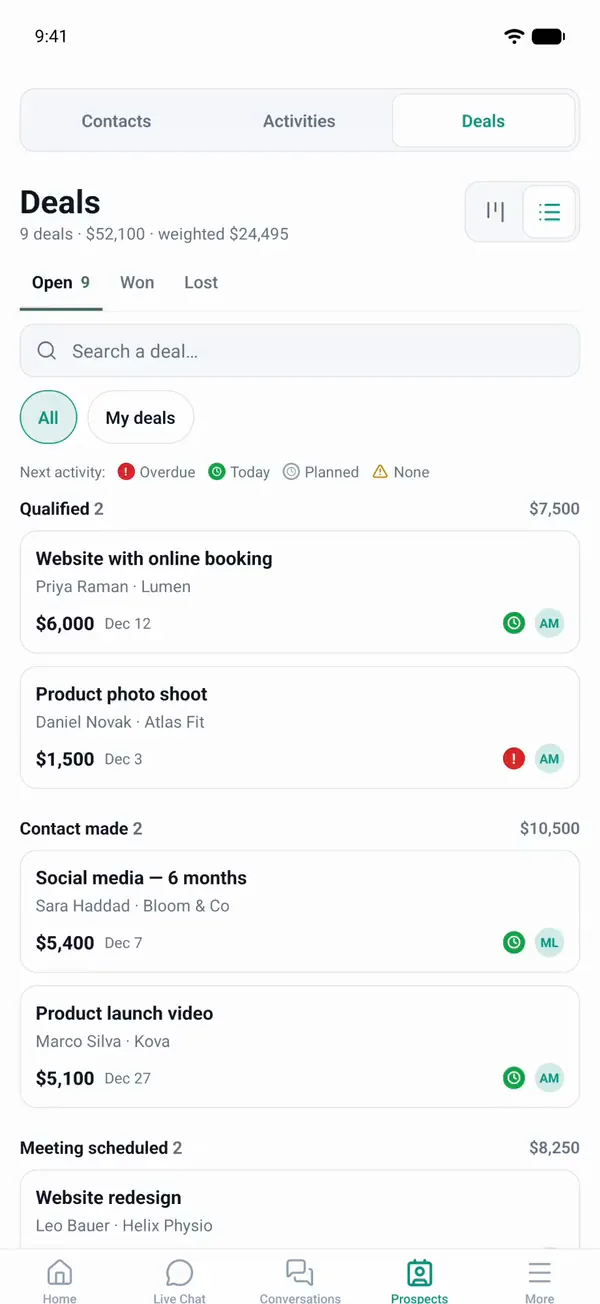
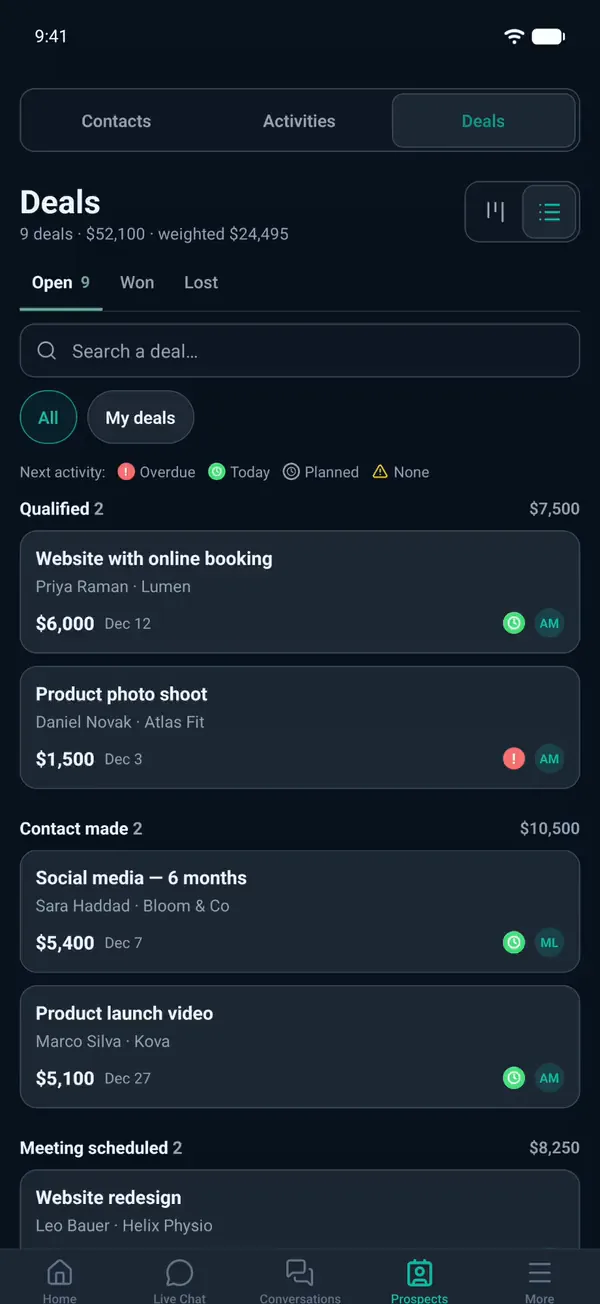
It complements the portal, which already works in your phone’s browser. It is available on the App Store and Google Play. Download the app
Real-time alerts
New lead, request for a person, upcoming activity; Call and SMS buttons (they open your phone).
Live chat
Take over a conversation from your phone.
CRM in your pocket
Contacts, deals, organizations and activities: call, take notes, move a deal forward.
Daily list and dashboard
On the home screen.
Availability
Mute alerts until 5 p.m., tomorrow 8 a.m. or until further notice; the AI agent keeps answering.
Your AI agent and your CRM, ready tonight.
14-day free trial, CRM included, no credit card. Tomorrow morning, your daily list tells you who to call.