AI agent + CRMOvernight, it greets them.
An AI agent for your website that answers, qualifies and fills your CRM
Built for small businesses, your AI agent answers website visitors from your own content, day and night, in English, French or Spanish. It asks your questions, collects contact details at the right moment and sends every request to your CRM. Your team can take over the chat at any time.
- No commitment
- One line of code or Google Tag Manager
- Data hosted in Canada
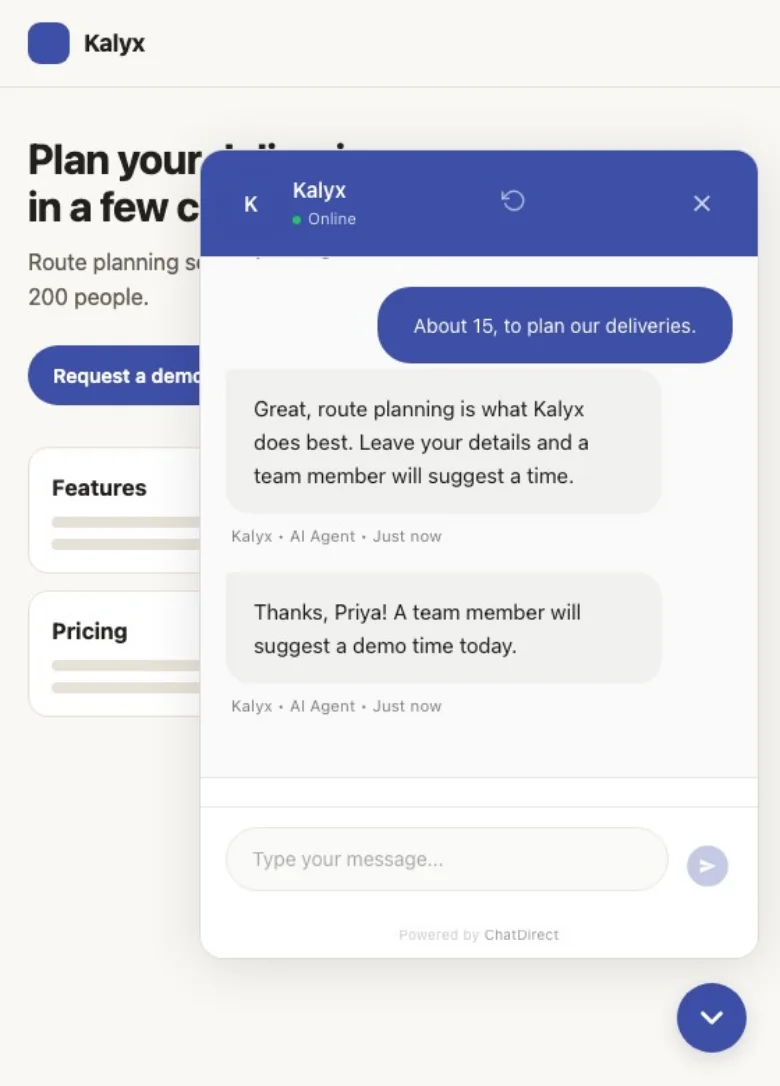

Its answers
It answers from your content, not from guesswork
You give it your information and your limits; it answers in your tone and stays away from what you rule out: made-up prices, diagnoses, delivery promises.
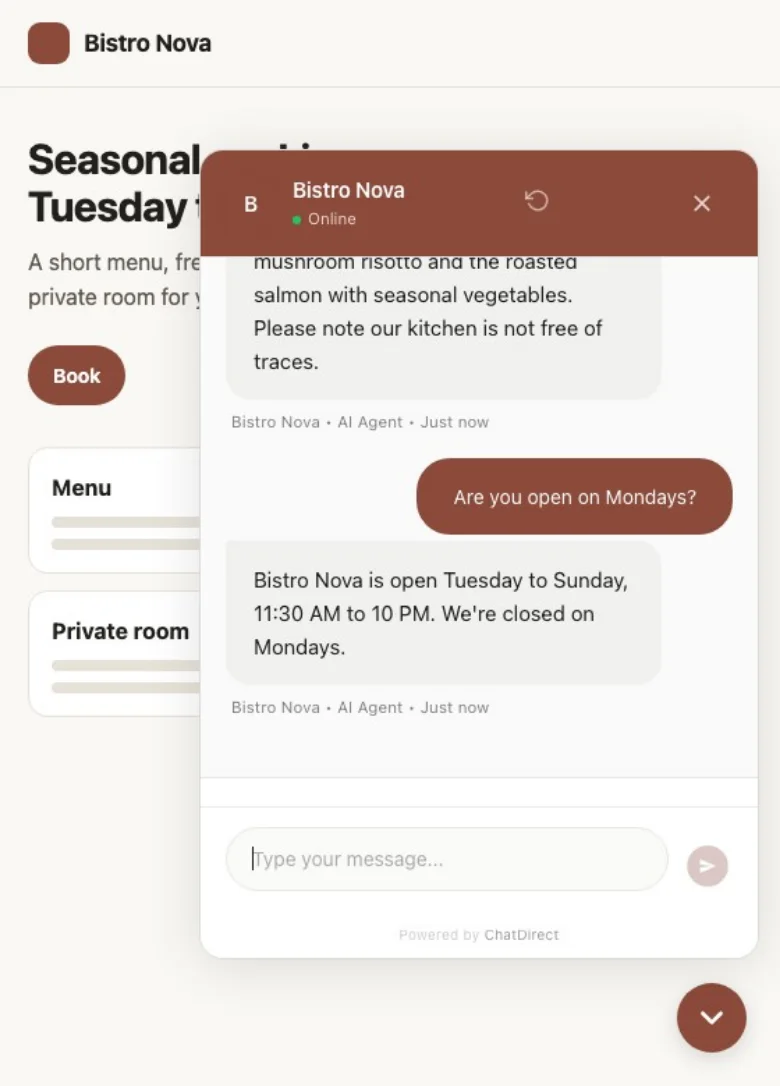

Instructions and knowledge base
Role, tone, limits and key facts (hours, services, prices), on every plan.
Exact answers
For what must never change (address, return policy): the answer is sent word for word, without AI.
Your web pages and documents Pro and up
Index your site from its sitemap and upload PDF, Word, Excel or text files; scanned PDFs are read too.
The page the visitor is on Pro and up
The agent takes the current page into account.
Pages kept up to date Business and up
Selected pages are re-read daily, weekly or monthly.
Qualification
It asks your questions and collects contact details at the right time
Nobody likes a form in the first second. The agent helps first, then asks what you need to follow up.
Your qualifying questions
Party size, budget, date, project type: write them in its instructions and it asks them as the chat goes.
Contact details when it makes sense
A short form after the number of messages you choose, a pre-chat form, or the form the agent shows when a visitor asks for a call back or a quote.
Never asked twice
If the visitor already typed an email or phone number, they become a lead and the form does not come back.
The fields you need
Name, email, phone, company, job title, message.
After hours
A dedicated message and form, so no request is lost.
Structured questionnaire Beta
Up to 15 questions one at a time, a summary the visitor confirms, a complete file for your team.
AI agent + CRM
Every qualified request becomes a CRM record
That is what sets ChatDirect apart from a stand-alone chatbot: nothing to connect, nothing to copy. As soon as a visitor leaves an email or phone number, the contact is created in the built-in CRM with everything you need to call back.
The full conversation on the record
You know what the customer asked before you dial.
Lead source and a 0-15 score
The page they wrote from, the channel, and a rule-based score (messages, pages viewed, buying-intent words).
Your team is notified
By email, in the portal, on Slack, and by push notification in the mobile app (coming soon to the app stores).
“My day”, the next morning
Last night’s new leads at the top, with today’s and overdue activities.
Then the CRM takes over
Deals and sales pipeline, activities and reminders, AI-drafted follow-up emails (Pro and up). Automated follow-ups: coming soon.
Live chat
Your team can take over the conversation anytime
The AI agent is not on its own: you choose who answers, the AI, your team or both.
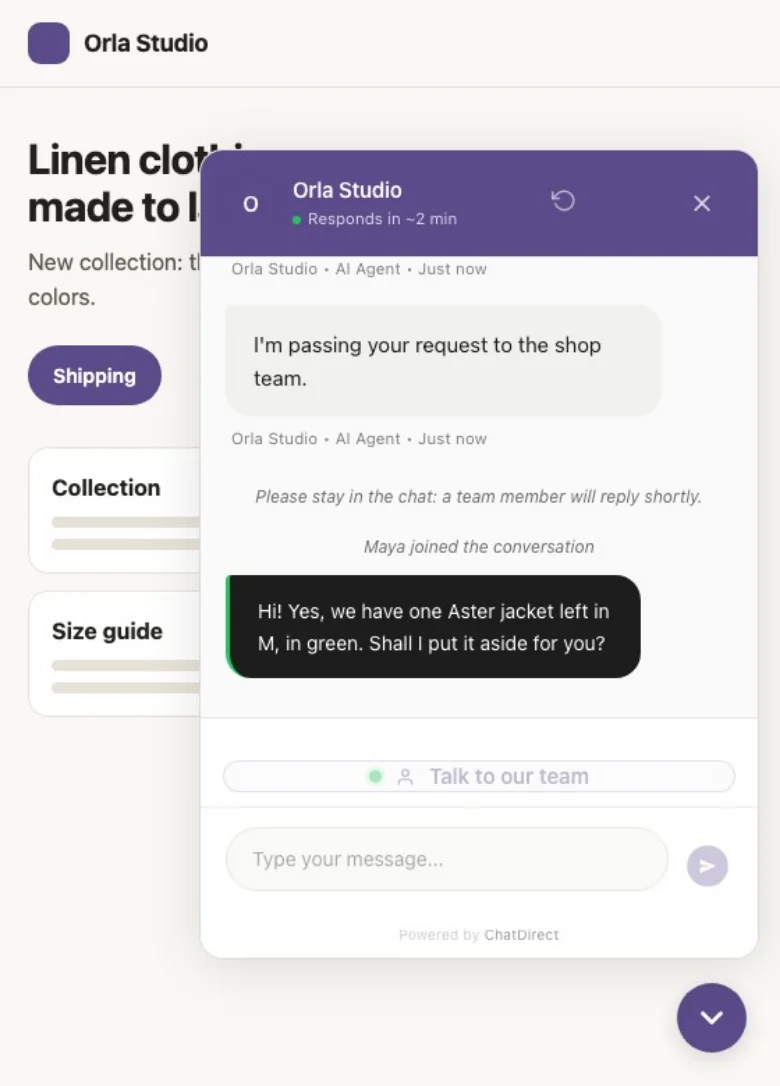

Three modes
Bot only, human only, or hybrid: the agent answers and a teammate steps in whenever needed.
“Talk to an agent” button
The visitor asks for a person and you get an alert; if nobody is available, an offline message lets them know.
Full history in view
Pick up where the agent left off; the visitor sees that a team member joined the chat.
Saved replies and AI summary
Canned replies in one click; a conversation summary (Pro and up).
From your phone
Reply live in the ChatDirect app for iOS and Android, coming soon to the app stores.
At the right time
It makes the first move and points to the booking
The agent does not always wait to be asked. And when the visitor is ready, it shows them the next step.
Proactive messages
On the pages you pick, after the delay you set, the chat opens with your message; for example on your pricing page: “Questions about our plans?”.
Your booking link Pro and up
The agent shares your Calendly, Cal.com or Google Calendar page; for restaurants, OpenTable, Libro or Resy. Visitors pick their time slot in your booking tool. Included in the trial.
Three languages
The widget displays in English, French or Spanish; in multilingual mode, the agent replies in the visitor’s language.
Follow-up suggestions
Two or three one-click questions after each answer.
Files and photos
Visitors can attach a file to their message.
Channels
On your website, and where your customers already message you
The same agent, the same instructions, and every lead lands in the same CRM.
Your website
The widget, on every plan.
QR code Pro and up
On a storefront, a menu or a business card: one scan opens the chat with a context-specific greeting.
Review Booster Pro and up
In the chat, the agent asks for a 1-to-5 rating and shares your Google review link; an unhappy customer can also write to you privately.
Email Pro and up
The agent replies to emails sent to your chatbot’s address.
SMS, WhatsApp and Messenger Business and up
Two-way, through Twilio and Meta.
Your rules
A transparent AI agent that follows your rules
You decide what it says, which AI model powers it and how data is handled.
“AI Agent” shown to visitors
By default, every AI-generated reply carries a “Name • AI Agent” label; your team’s messages do not.
Your choice of AI model
Anthropic’s Claude Haiku 5.5 on every plan; from the Pro plan, BYOK: your own key with Anthropic, OpenAI, Google or Mistral, and unlimited conversations.
Protected against hijacking
Known prompt-injection attempts get a fixed reply, with no AI call and nothing counted against your plan; the chat is tagged “Suspicious”.
Data hosted in Canada
Encrypted connections (HTTPS), and API keys and passwords encrypted with AES-256. Message content is sent to the AI provider you choose to generate replies.
Privacy settings
Consent before the chat, IP anonymization, zero-cookie mode, retention period, “My data” and “Delete my data” buttons: settings designed to help you meet Quebec’s Law 25, PIPEDA and GDPR requirements.
Going live
On brand, and live tonight
No plugin: one line of code before