CRM + AI agentBy day, you close.
The small business CRM that gets its leads from your AI agent
Every chatbot conversation becomes a contact record: details, transcript, lead source, score. Then deals, activities and reminders take you to the signature, at your desk or on your phone.
- Included in every plan
- Web, with iOS and Android coming soon
- Data hosted in Canada
From chat to contact
From chat to contact record, with no retyping
A CRM built into the chatbot receives the contacts your AI agent captures directly: as soon as a visitor leaves an email or phone number, their record is created with the full conversation, the page they were on and a 0-15 score. Nothing to connect, nothing to retype.
Where your contacts come from
- Conversation with the AI agent
- Pre-chat form
- Form offered by the bot
- Live chat with your team
- Web forms (Pro and up)
- Manual entry
- CSV import
- Qualified requests (questionnaire) Beta
Contacts
All your people, in one place
A clear list or a Kanban board by status, and a complete record for every contact.
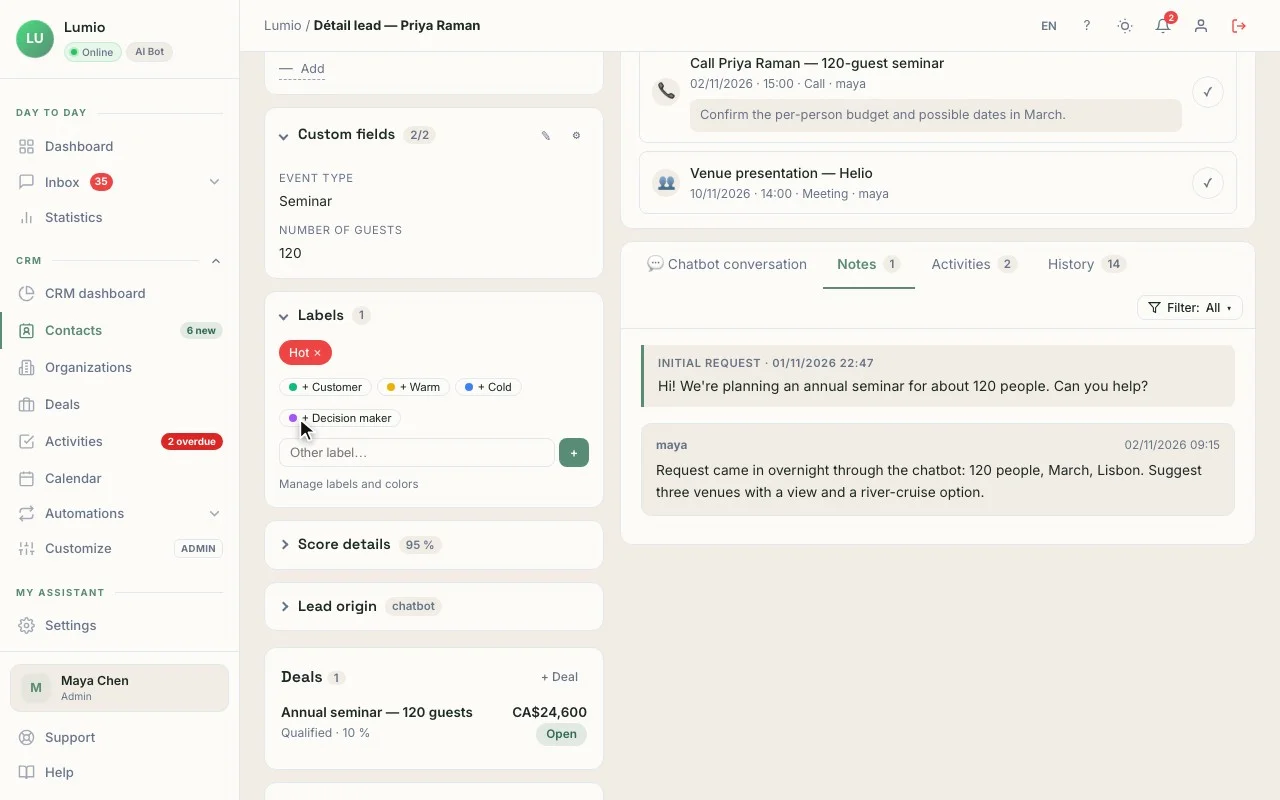
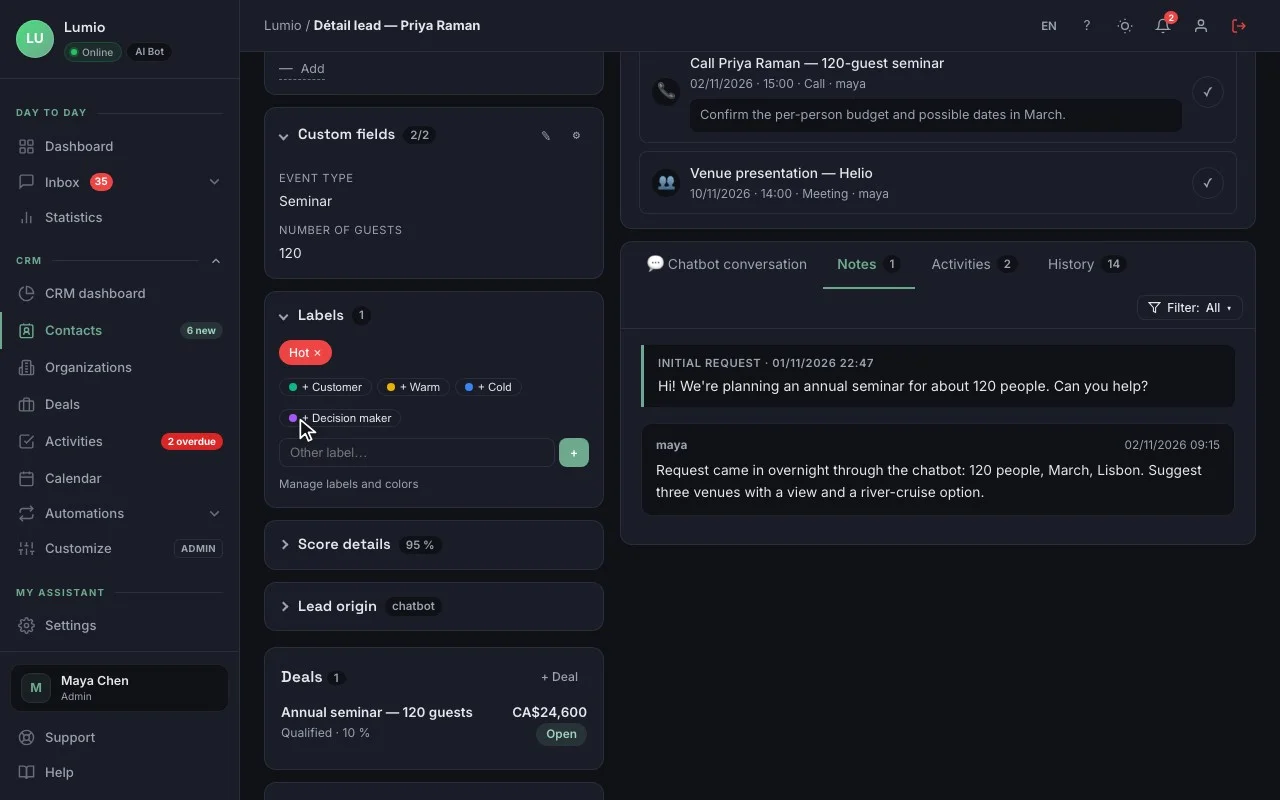
Records with the original conversation
Contact details, lead source, score, notes, history and next activity.
Organizations
Group people from the same company and see its open deals.
Color labels and custom fields
Sort your way, filter and save your views.
Manual entry, CSV import and duplicates
Bring in your existing contacts in minutes; duplicates are flagged.
Deals
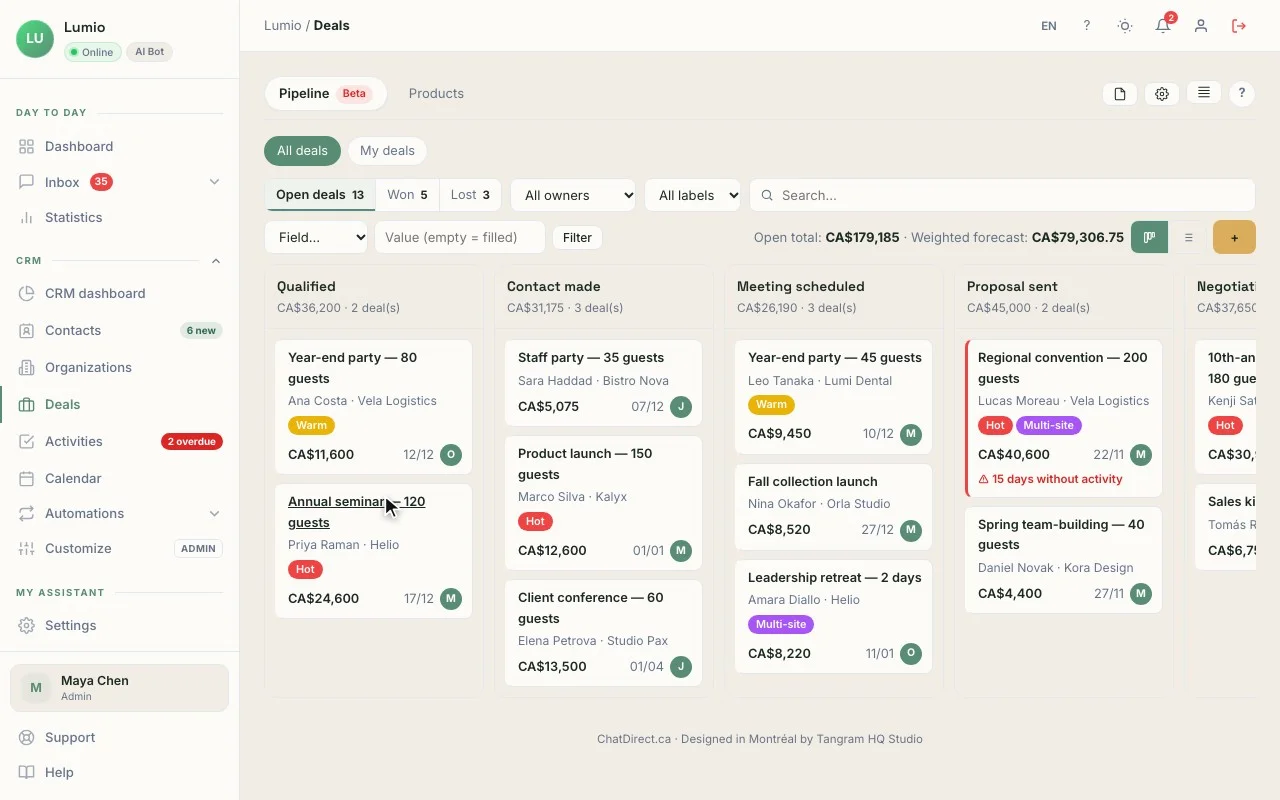
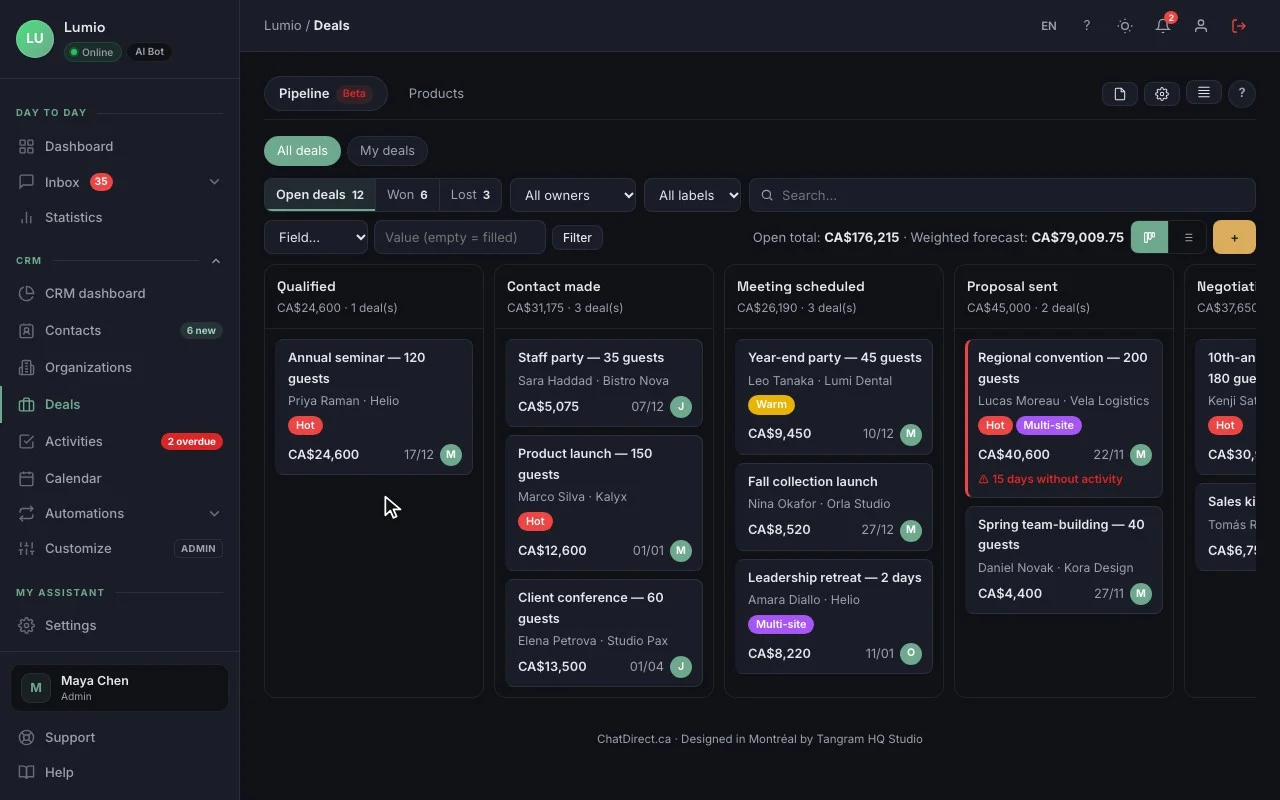
A simple sales pipeline for small teams
Your open deals, stage by stage, in Kanban or list view.
Kanban or list pipeline
Drag a deal from one stage to the next, mark it won or lost.
Custom sales stages
Shape the stages around the way you sell.
Products and amounts
Add your products or services to deals; the amount adds up on its own.
Weighted forecast
The dashboard estimates upcoming sales based on each deal’s stage.
Activities
Activities, reminders and your daily list
Calls, meetings, tasks: every activity has a date, an alert and a spot on your calendar.
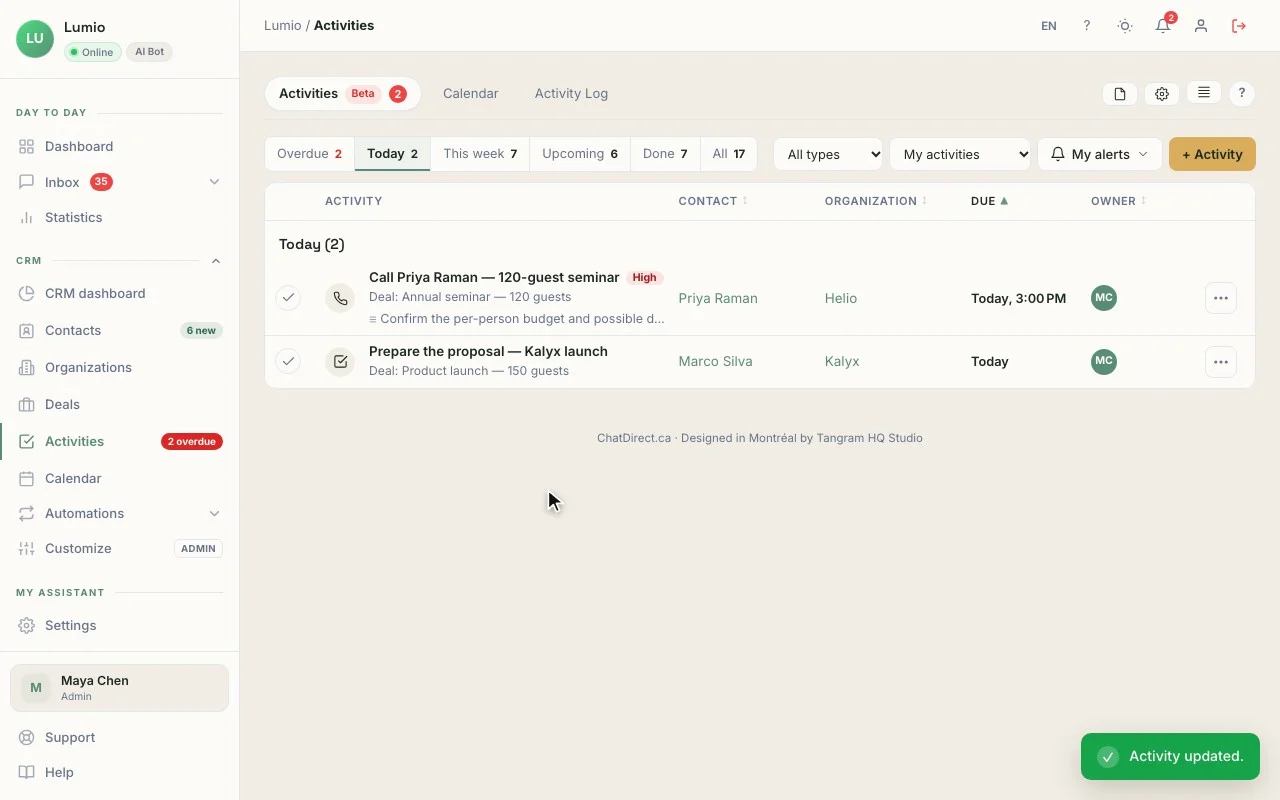
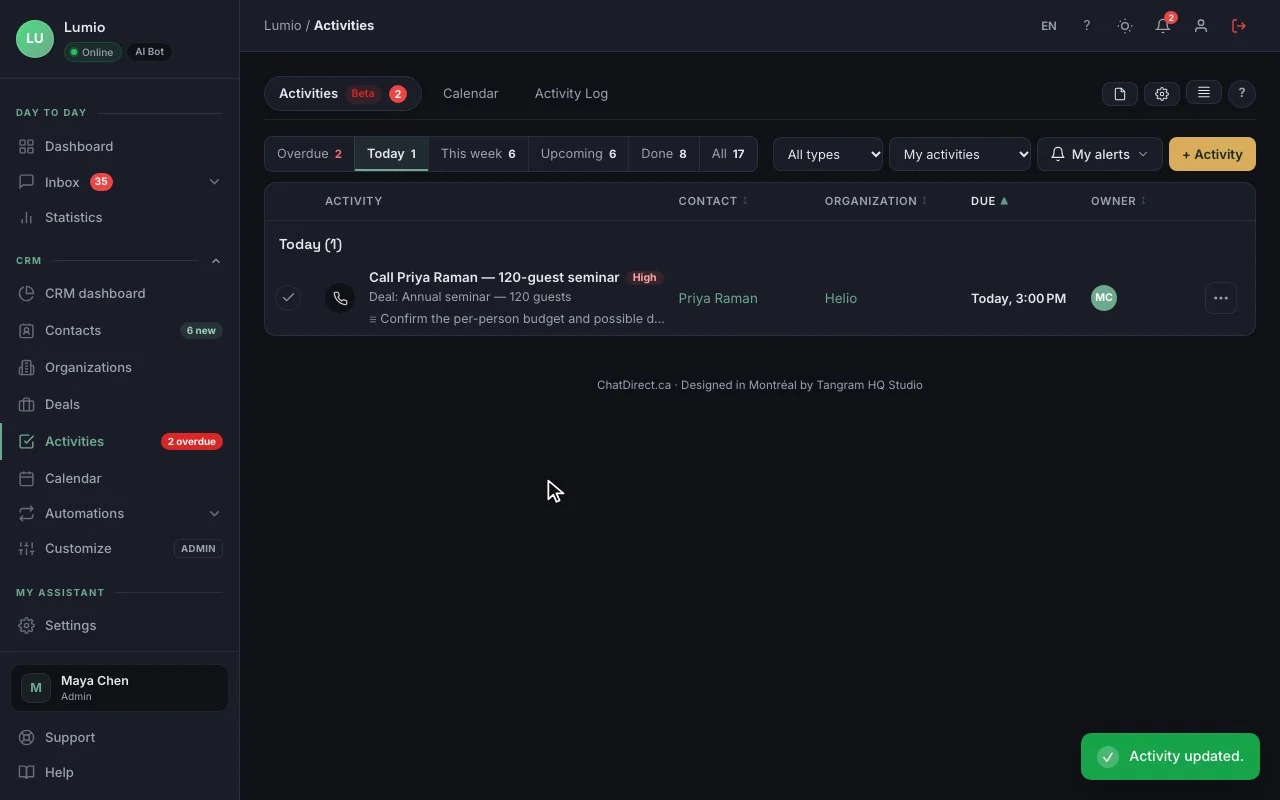
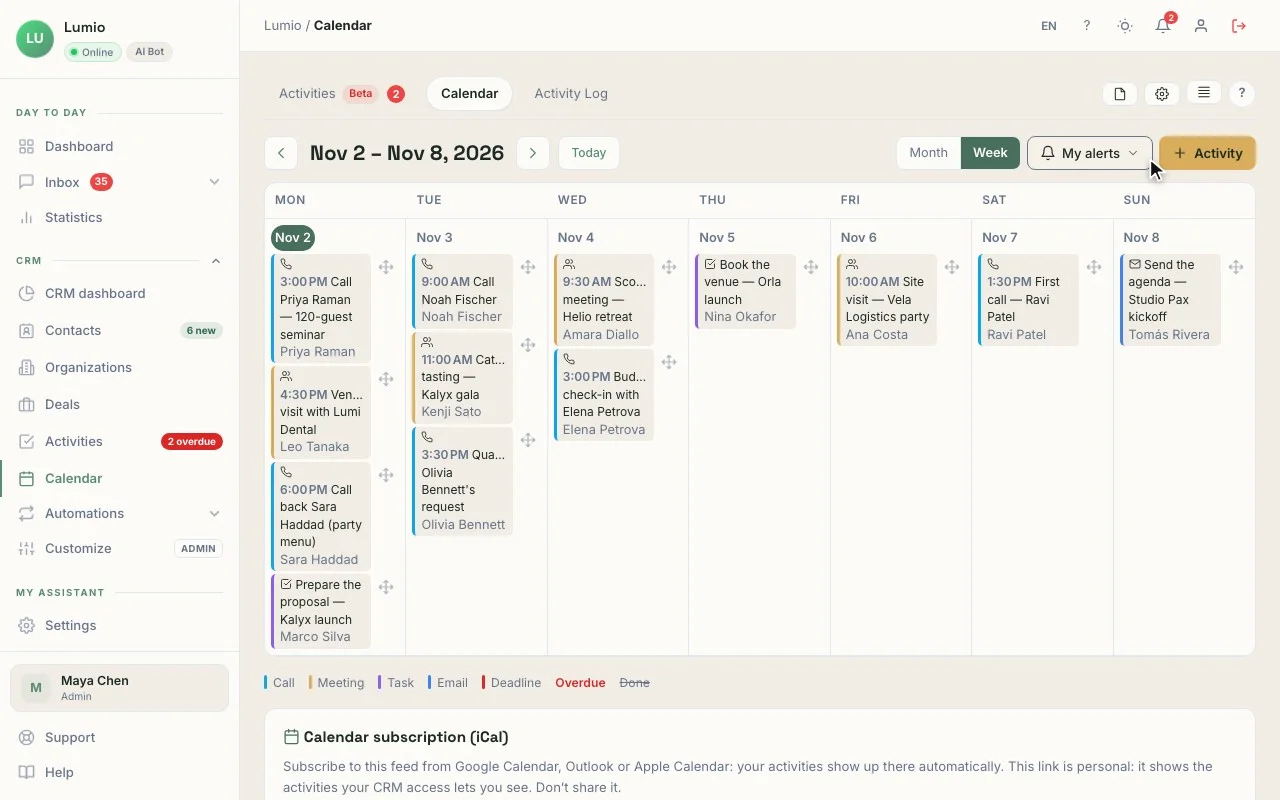
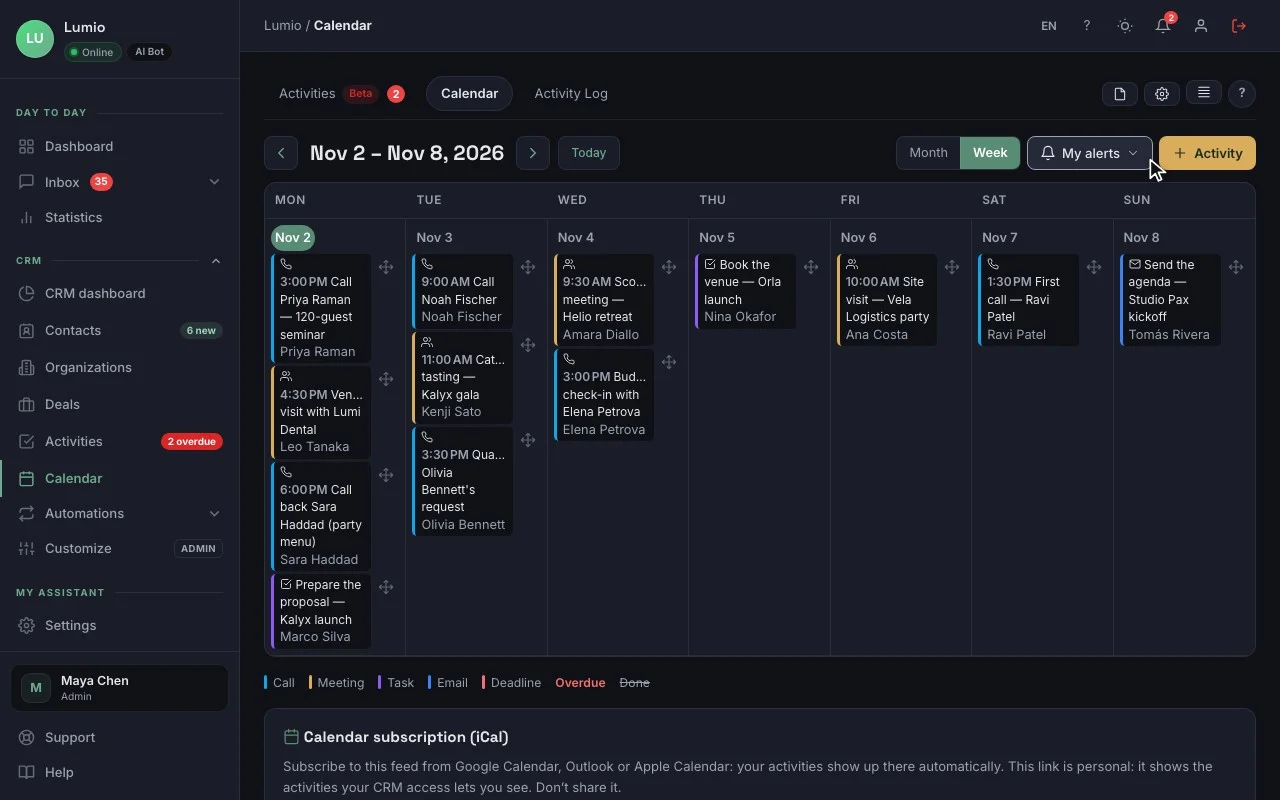
“My day”: who to call back, and in what order. Real screen recording, fictional data
“My day”
Every morning: new leads, today’s and overdue activities, stalled deals.
Activities and alerts
An alert before each activity, on the web and in the app.
Calendar
All your activities by day, week or month; drag and drop to reschedule.
iCal subscription
See your activities in the calendar you already use.
Follow-up emails
The right email, drafted in seconds
AI prepares a draft from the conversation and the record; you review it before sending.
Follow-up emails drafted with AI Pro and up
A personalized draft, ready to review.
Email templates Pro and up
Your standard messages, with variables (name, company, date…).
Sending through your own email server Beta
Your emails go out from your address, through your server (SMTP or API).
Insights
Where do your sales stand? Dashboard and forecast
The dashboard and weighted forecast show where your deals stand, stage by stage. The numbers that matter, without a spreadsheet.
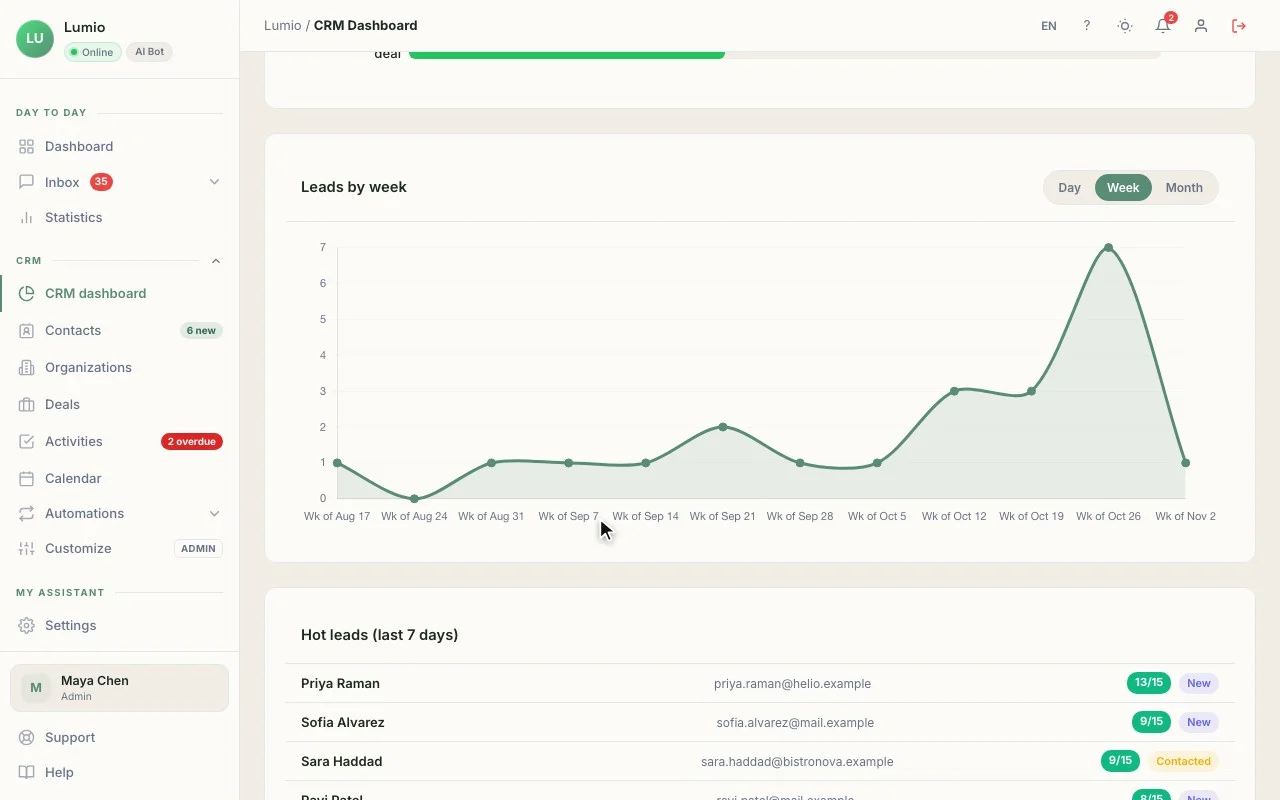
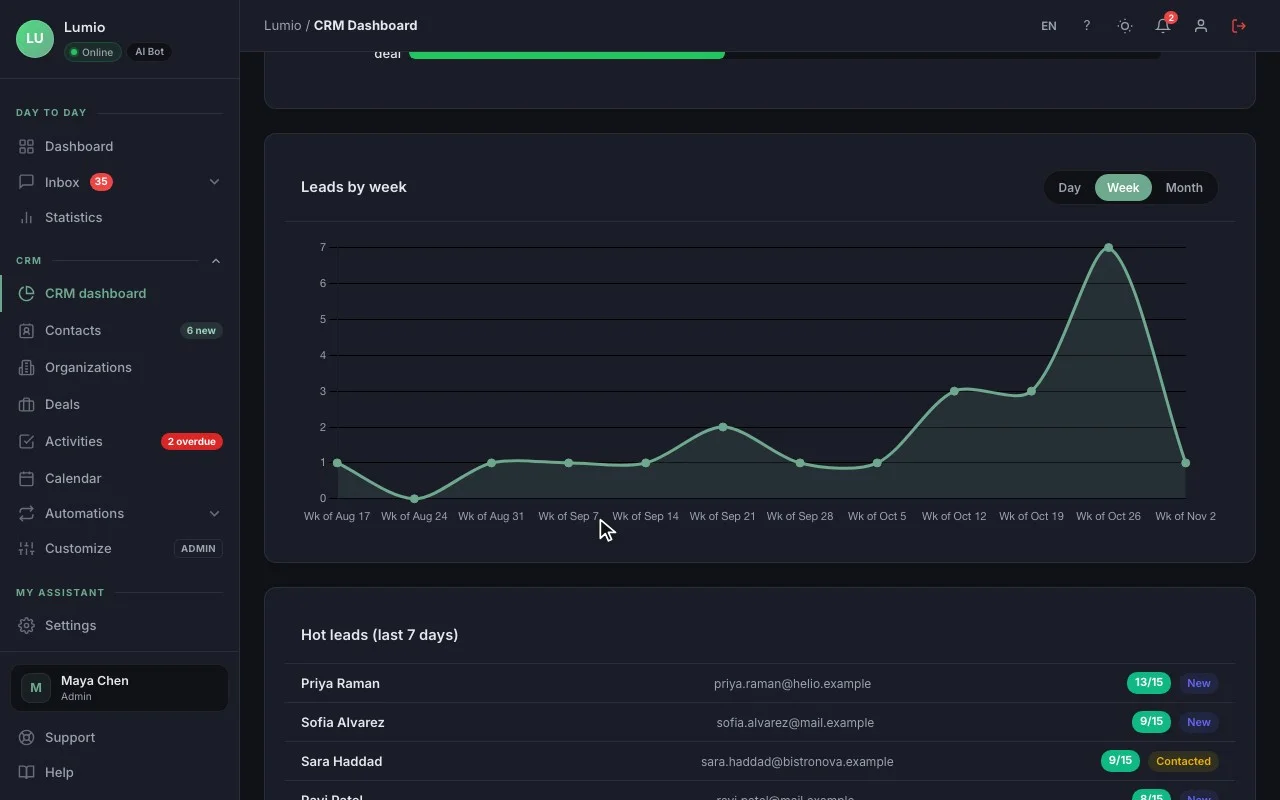
CRM dashboard
New leads, deals won, pipeline value, overdue activities.
PDF report and CSV export
A report to share (Pro and up) and your data exportable anytime.
Team: assignment and “My contacts”
Every contact has an owner; everyone finds their own.
Access levels per user Beta
Read-only, own contacts only, whole team or admin.
Mobile app
Your CRM on your phone
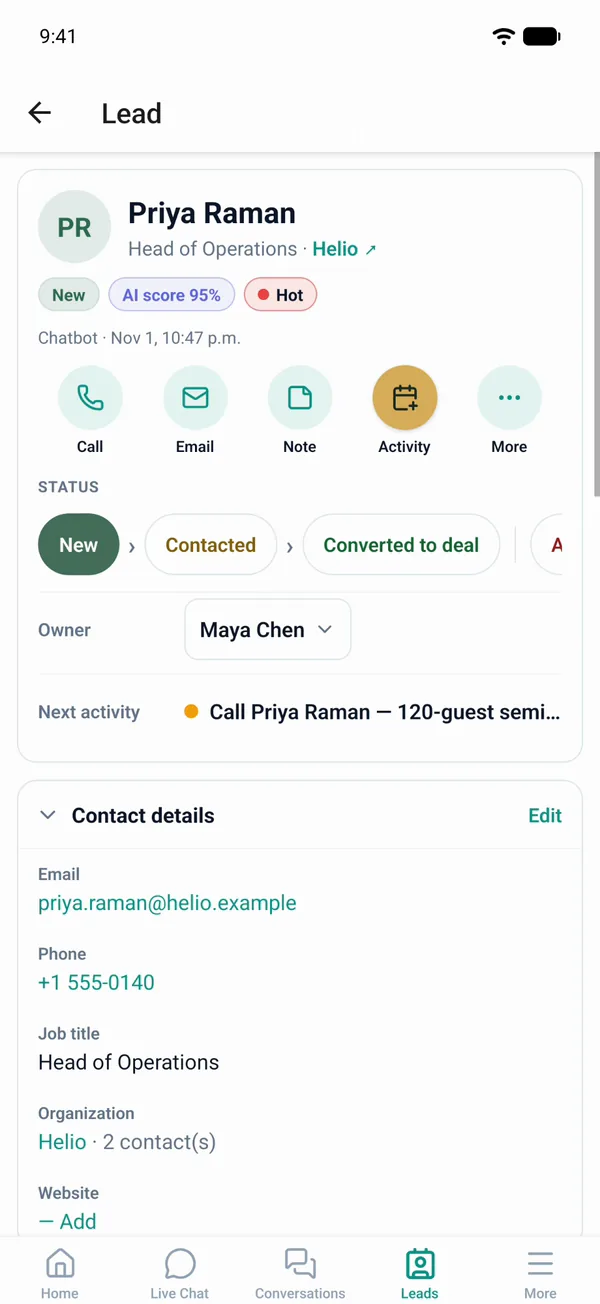
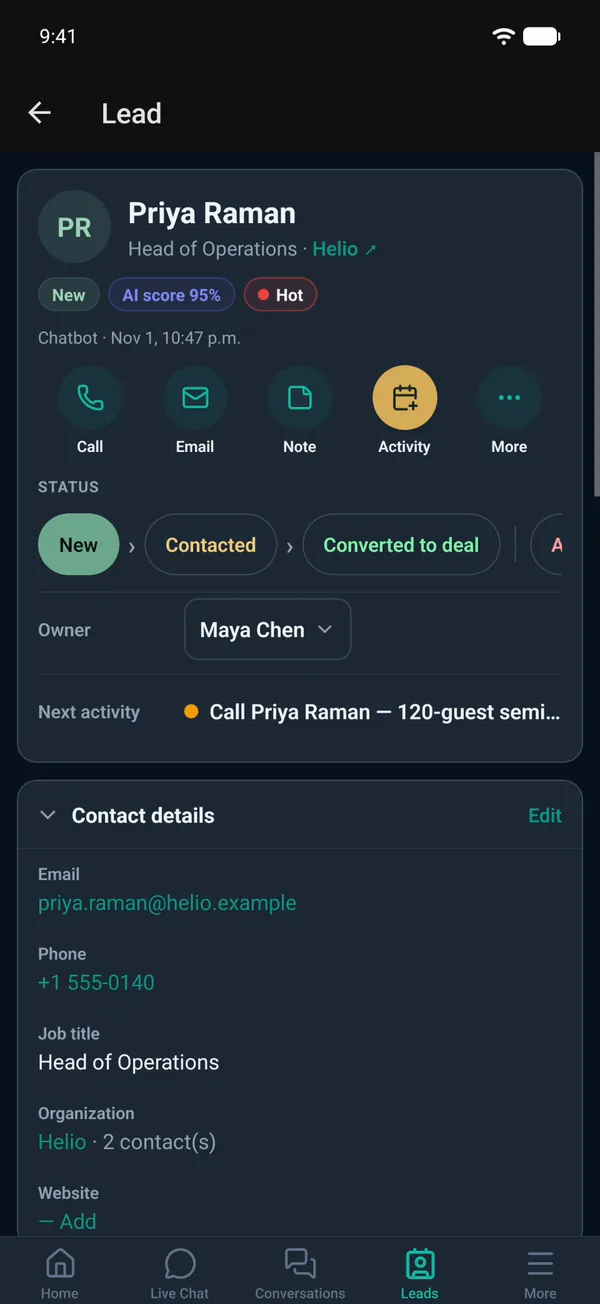
The ChatDirect app for iOS and Android, included in every plan, is coming soon to app stores.
Coming soon to app stores
One-tap calling
Call or message the contact from the record, then log the outcome.
Move deals forward
Change the stage, add an activity, mark it won.
Real-time alerts
New lead, request for a person, upcoming activity.
Reply live
Take over a chatbot conversation from your phone.
Why a CRM connected to the chatbot
Nothing to connect, nothing to retype
The conversation follows the contact
You know what the customer asked before you even call.
Follow-up starts that same morning
“My day” puts new leads at the top, with no manual sorting.
One subscription
The AI agent and the CRM come in the same plan, with no add-on.
Privacy
A Canadian CRM, with data hosted in Canada
ChatDirect is designed in Montréal. Data hosted in Canada, encrypted connections (HTTPS), API keys and credentials for your tools encrypted with AES-256, and hashed login passwords. ChatDirect offers settings designed to help you meet Quebec’s Law 25, PIPEDA and GDPR requirements: IP anonymization, retention, visitor data export. For AI features, message content is sent to the AI provider you choose to generate replies.
What’s next
Coming soon to the CRM
These features are in the works. They are not available yet; we’ll announce them when they are.
Automated follow-ups Coming soon
A follow-up email sent on its own after a request, through your own email server.
Email sequences Coming soon
Several spaced-out emails, stopped as soon as the contact replies.
Outlook and Google Calendar sync Coming soon
Your CRM activities in your calendar, and the other way around.
Booking in the CRM calendar Coming soon
Customers pick an open slot directly in your ChatDirect calendar.
FAQ
Small business CRM: frequently asked questions
What is a CRM?
A CRM (customer relationship management) tool keeps your contacts, open deals and follow-ups in one place. With ChatDirect, it fills itself: everyone who leaves their details with your AI agent becomes a record, with the conversation.
Do I need a CRM if I already have a chatbot?
If you follow more than a few leads at a time, yes: a chatbot captures requests, a CRM makes sure each one is followed up. With ChatDirect both are in the same tool, so every conversation becomes a contact record with no export.
Does ChatDirect replace my CRM?
For most small businesses, yes: contacts, organizations, deals, sales pipeline, activities, calendar and dashboard are included. If you keep HubSpot or Pipedrive, ChatDirect can also send them your new leads (Pro plan and up).
Is the CRM included in every plan?
Yes, including the 14-day free trial. Email templates, AI-drafted follow-up emails and the PDF report start with the Pro plan.
Can I import my contacts from Excel or another CRM?
Yes, with a CSV file: you map the columns, duplicates are flagged, and an import can be undone in full. You can also add contacts by hand.
Does the CRM send automated follow-ups?
Not yet: automated follow-ups and sequences are coming soon. Meanwhile, “My day” and alerts remind you who to follow up with, and AI drafts the email.
Where is CRM data stored?
In Canada, with encrypted connections (HTTPS), API keys and credentials for your tools encrypted with AES-256, and hashed login passwords. Message content is sent to the AI provider you choose when you use an AI feature (chatbot replies, AI-drafted email).
Your AI agent and your CRM, ready tonight.
14-day free trial, CRM included, no commitment. Tomorrow morning, “My day” will tell you who to call back.