B2B / SaaS
An AI chatbot and B2B CRM, from demo request to signed deal
The AI agent answers your visitors around the clock, asks your qualifying questions and offers a demo. The next morning, the manager who wrote at 10:47 PM is at the top of "My day", with her company, her needs and the full conversation.
- AI agent and CRM in every plan
- Data hosted in Canada
- No credit card for the trial
10:47 PM
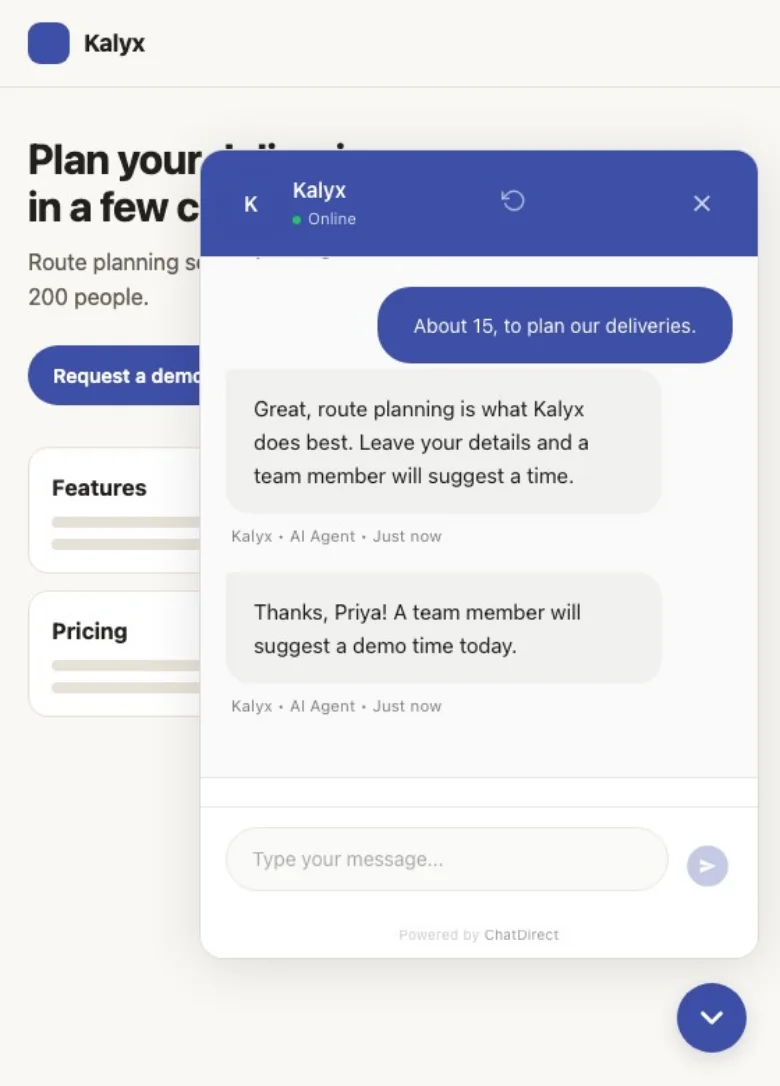
Hi, could we see a demo of Kalyx for our team?
Kalyx · AI agent · Just now
Happy to help! How many people would use it, and for what?
About fifteen, to plan our deliveries.
Thanks. What do you use today, and do you have a deadline?
Spreadsheets. We want to decide before the end of the quarter.
Noted. Please share your name, company and email: an advisor will suggest a time tomorrow. You can also pick a time yourself.
Priya Raman, Helio, priya@helio.example
Thanks, Priya! An advisor will email you tomorrow morning.
Contact record created in the CRM
- One line of code or Google Tag Manager
- English, French, Spanish
- Anthropic’s Claude Haiku 5.5
- iOS and Android app: coming soon
At night, the AI agent greets
What the AI agent does for your B2B company
Qualifies on your criteria
Team size, needs, current tool, deadline: it asks your questions in the order you choose.
Answers from your documentation
Product sheets, guides, website pages: on the Pro plan and up, it relies on your documents to answer accurately.
Offers the demo
It shares your Calendly, Cal.com or Google link (free trial, Pro and up); it doesn’t see your calendar and never confirms a slot on its own.
Hands off to an advisor
"Talk to an advisor" button and live chat: a team member takes over the conversation live, with the full history.

By day, you close
What happens next? Every demo request lands in your CRM
As soon as the manager leaves her email, her record is created with the conversation and her qualifying answers. You link her to her organization, create the deal in one click and follow the opportunity through to the signed contract.
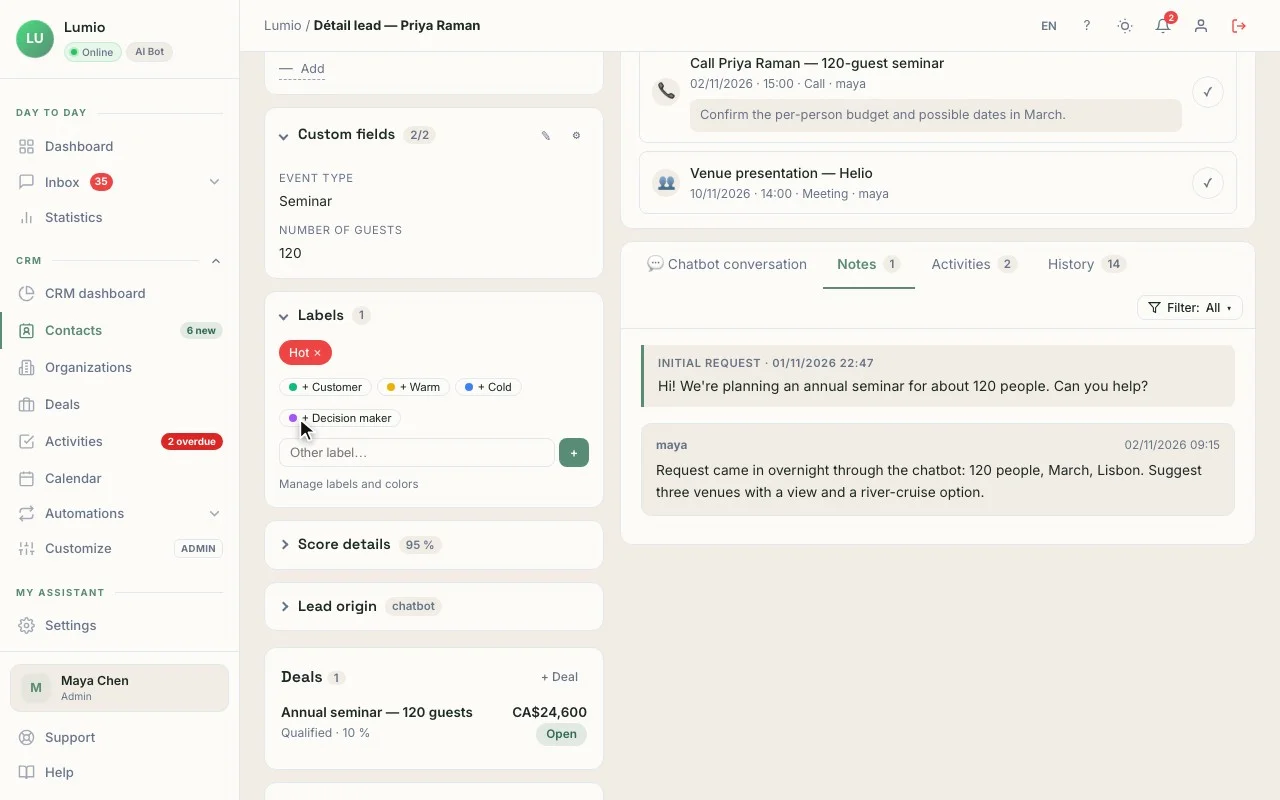
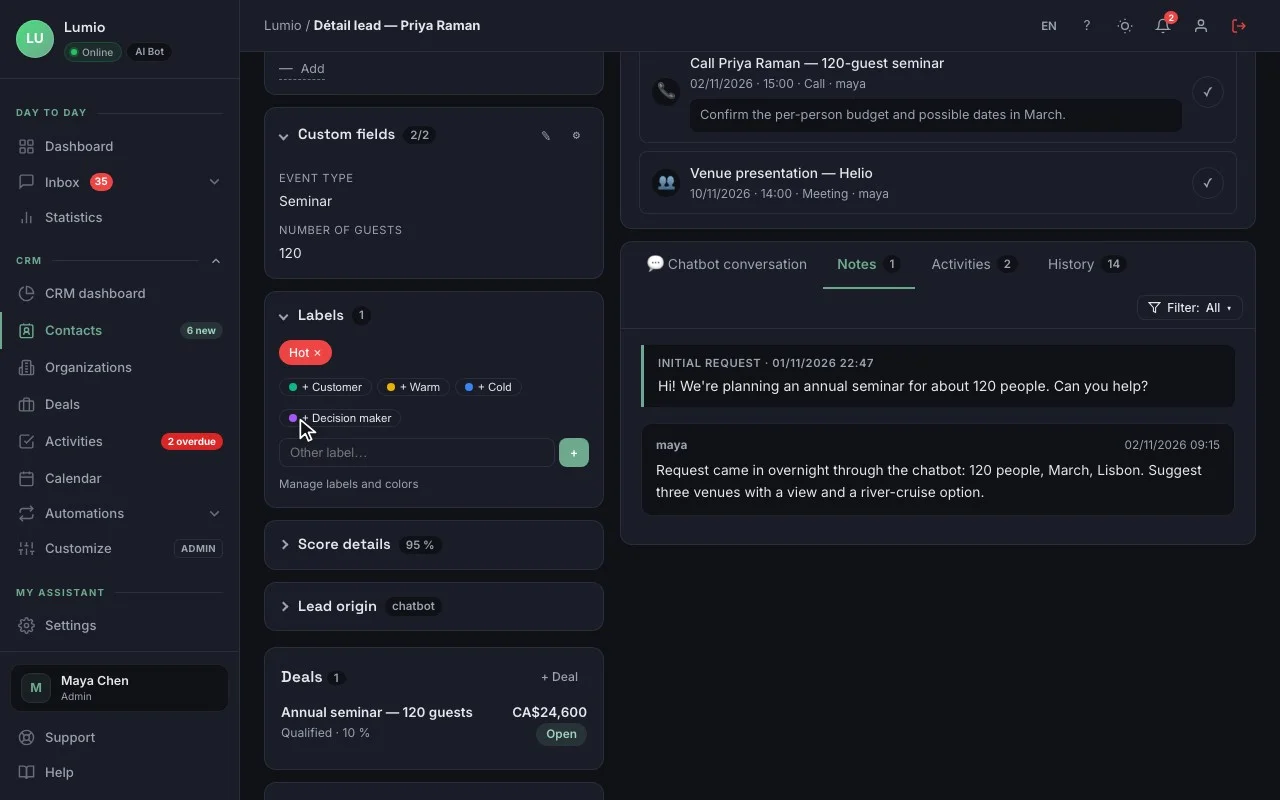
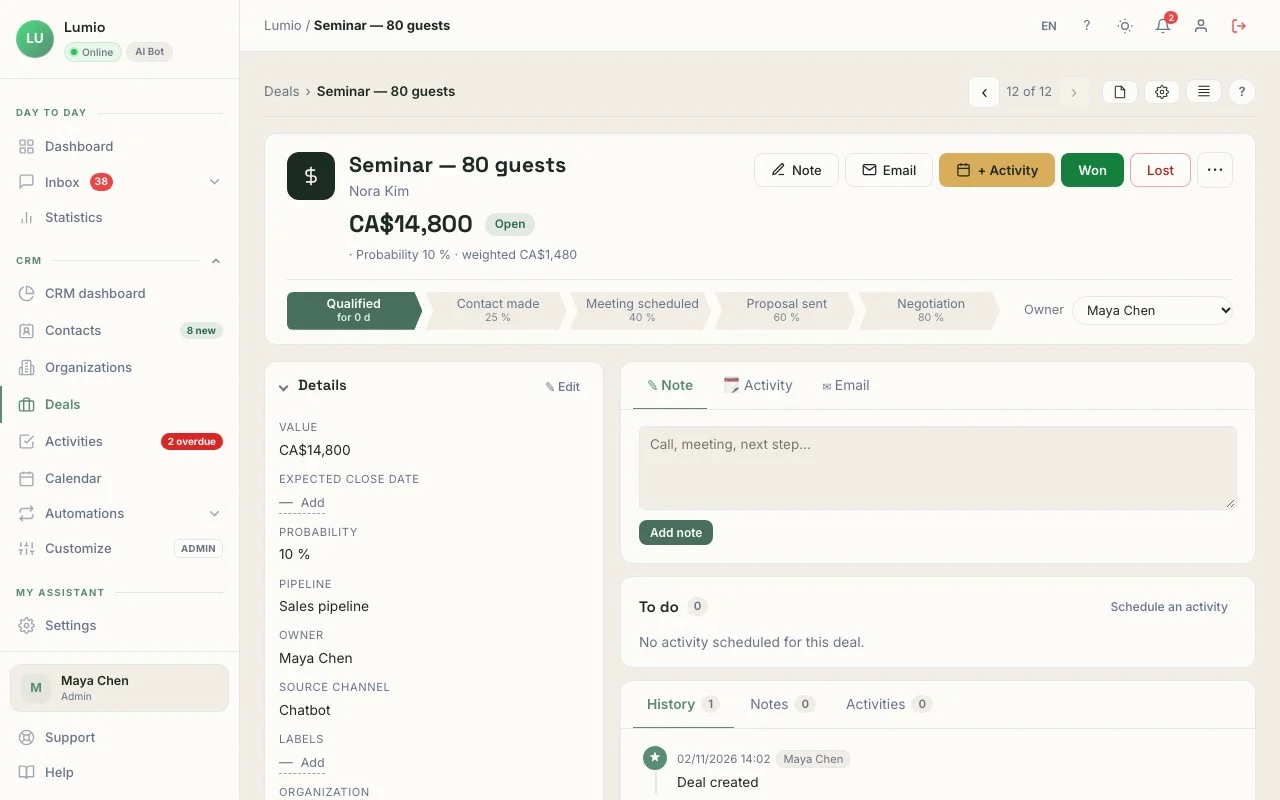
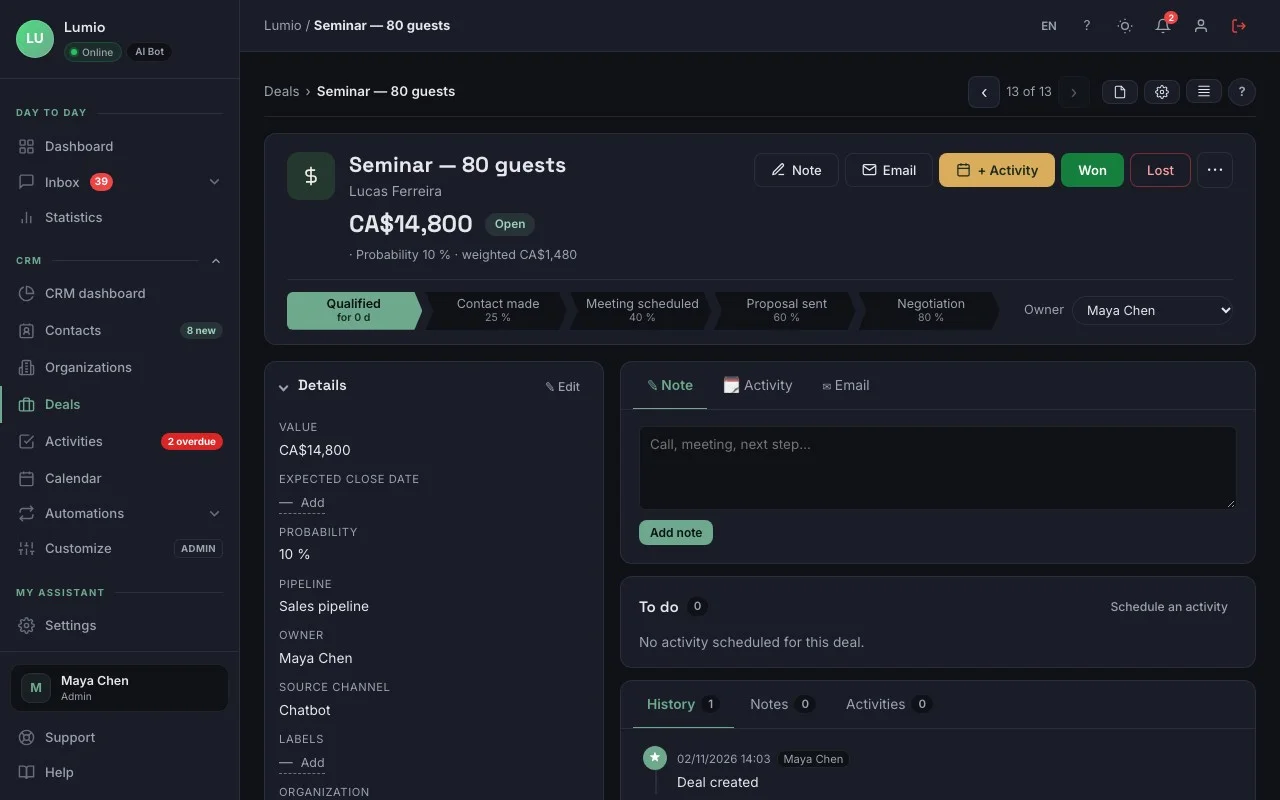
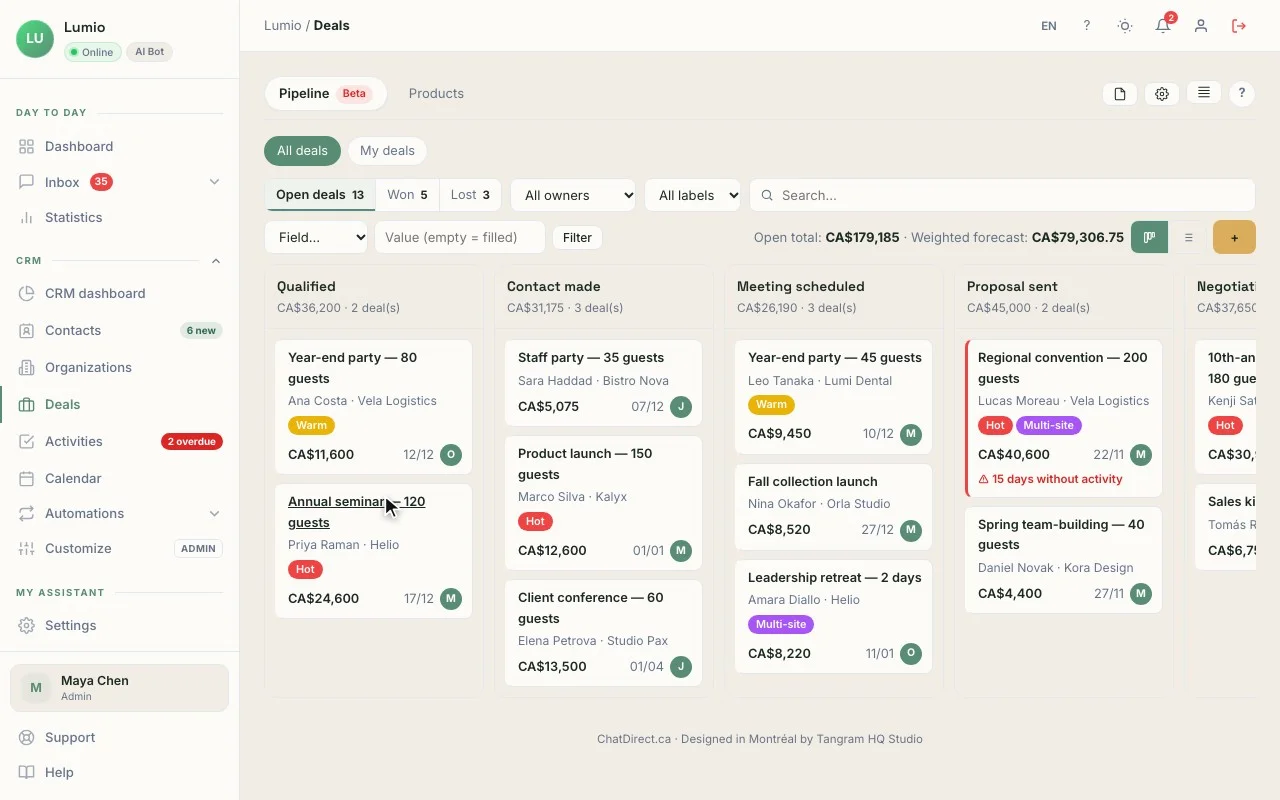
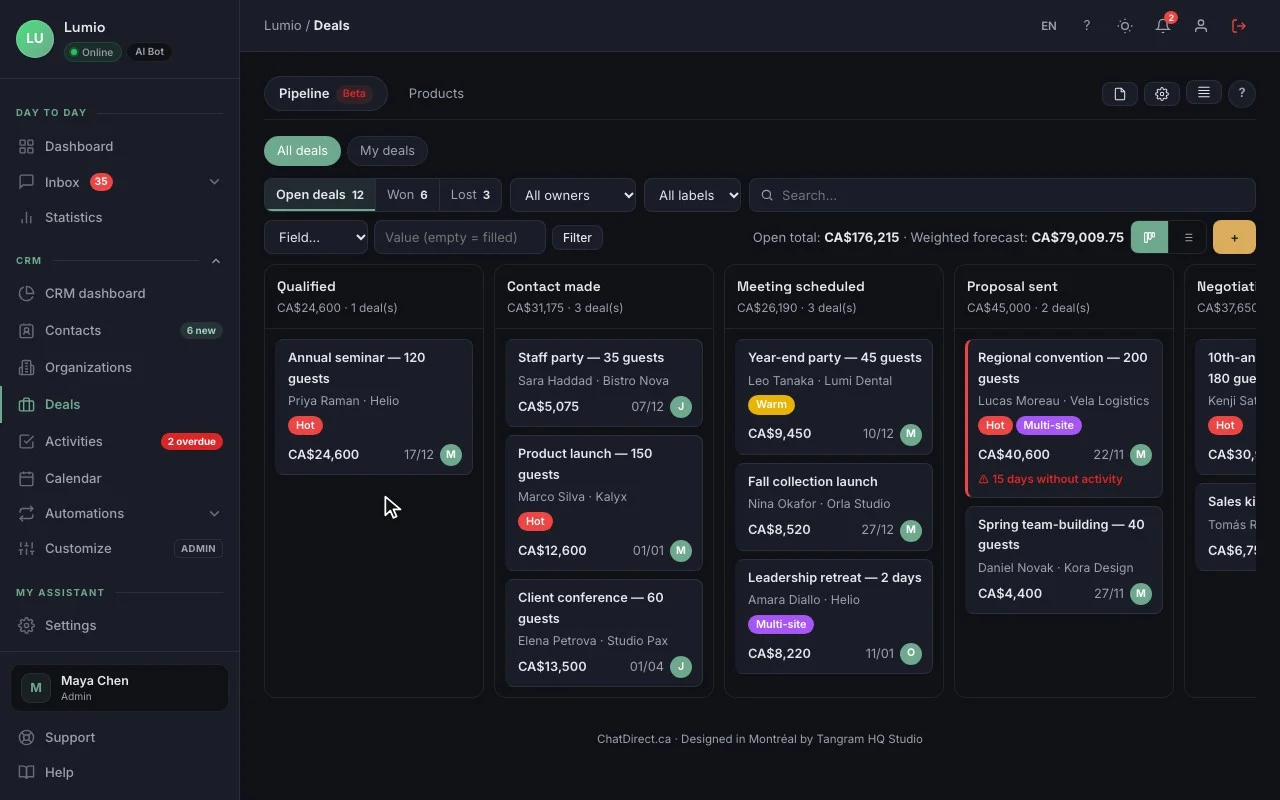
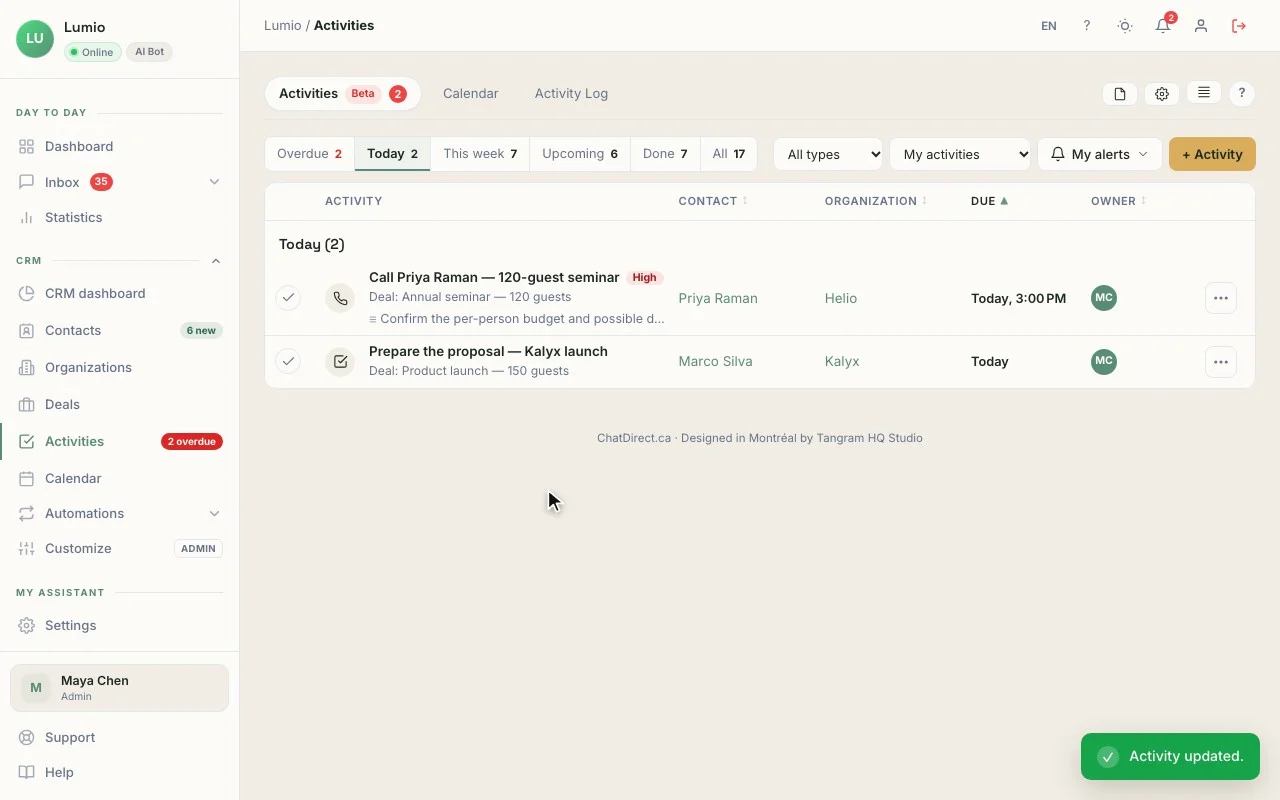
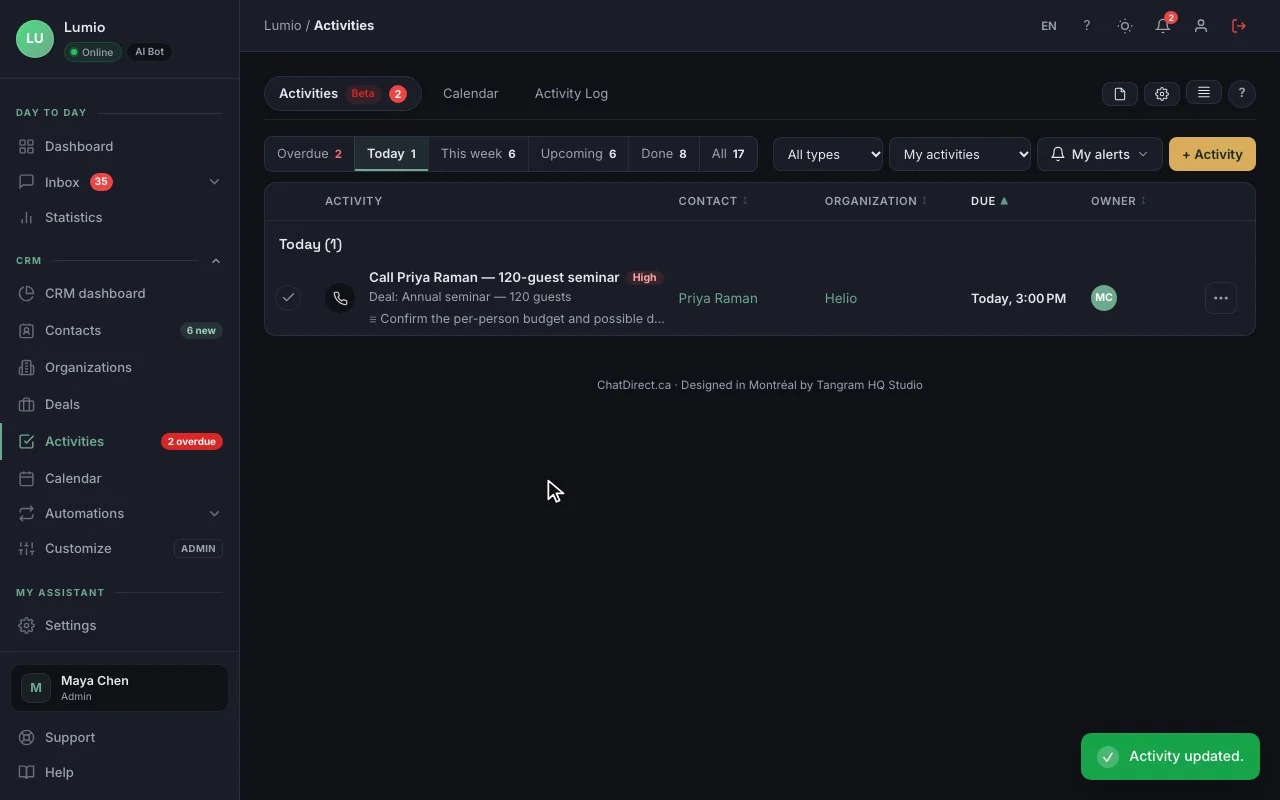
The contact record, with the conversation that brought them in. The real CRM, fictional data (Lumio agency).
In your account, records and deals hold your own requests.
01The record
"15 users, delivery planning, decision before quarter end", the lead source (Chatbot · 10:47 PM) and a score from 0 to 15.
02The deal
"Kalyx demo · Helio, 15 users", CA$4,800, at the Qualified stage, created in one click from the record, with your products and a weighted forecast on the dashboard.
03The activity
"Schedule the demo with Priya Raman", Thursday at 10:00 AM, with an alert; the follow-up email can be drafted with AI (Pro and up).
04The pipeline
New, Contacted, Qualified, Demo, Proposal: your sales stages, in Kanban or list view, all the way to "Won".
The CRM is included in every plan, trial included. The number of contacts depends on the plan: 100 during the trial, then 250, 2,500, 10,000 or 20,000. See pricing
A typical day
10:47 PMAt night, the AI agent greets
Could we see a demo of Kalyx for our team?
Kalyx · AI agent
Happy to help! How many people would use it, and for what?
Priya Raman, Helio, priya@helio.example
Thanks, Priya! An advisor will email you tomorrow morning.
Contact record created in the CRM
7:00 AMIn the morning, “My day”
My day3 new prospects overnight
- PRPriya RamanDemo to schedule · 15 users
- MSMarco SilvaTrial in progress
- SPStudio PaxProposal · overdue
3:10 PMBy day, you run the demo
- Prospect source
- Chatbot · 10:47 PM
- Qualification
- 15 users, deliveries
Three ways to use it in B2B
SaaS company
The agent answers questions about features and integrations, qualifies the request and offers a demo; every opportunity becomes a deal with its value.
Agency or business services
It collects the need, rough budget and timeline before your first call; you prepare the proposal from the record.
Distributor or manufacturer
It answers questions about your product lines and takes price requests from business buyers; organizations, contacts and deals stay linked.
Tools that go with it
- Demo link: Calendly, Cal.com or Google trial, Pro and up
- HubSpot or Pipedrive, if your sales team already works there Pro and up
- Webhooks to Zapier, Make or n8n, plus Google Sheets Pro and up
- Login Handoff for signed-in customers, and a REST API Business and up
Your data, hosted in Canada
Data hosted in Canada, encrypted connections (HTTPS), API keys and credentials encrypted (AES-256), hashed passwords. ChatDirect gives you settings that help you meet Quebec’s Law 25 and the GDPR: consent, retention period, export and deletion of a visitor’s data. Message content is sent to the AI provider you choose to generate replies. Privacy policy
Frequently asked questions
Does ChatDirect replace HubSpot or Pipedrive?
For many small businesses, yes: ChatDirect’s CRM includes contacts, organizations, deals, a pipeline, activities and a dashboard, in every plan. If you keep HubSpot or Pipedrive, ChatDirect can also send them your new leads (Pro and up): HubSpot gets a contact, Pipedrive a person, an organization and a note.
Can the agent qualify leads on our criteria?
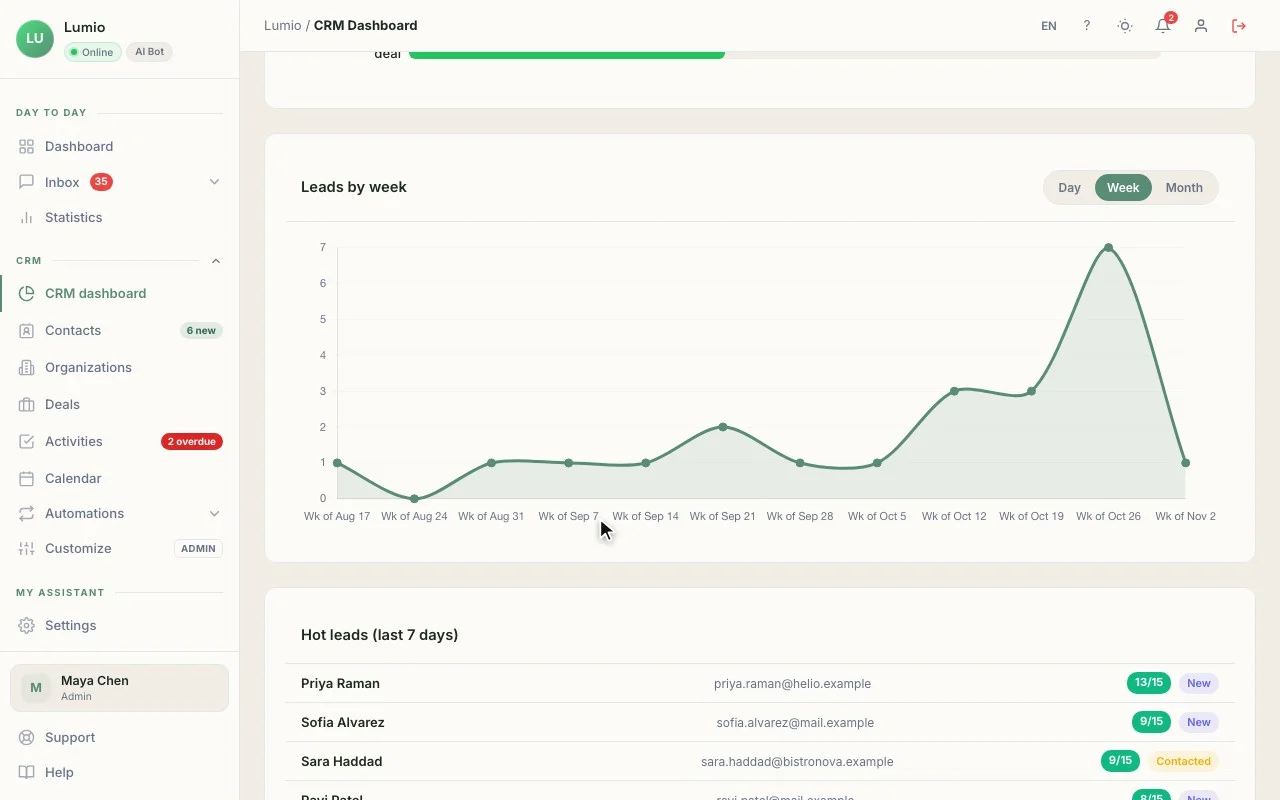
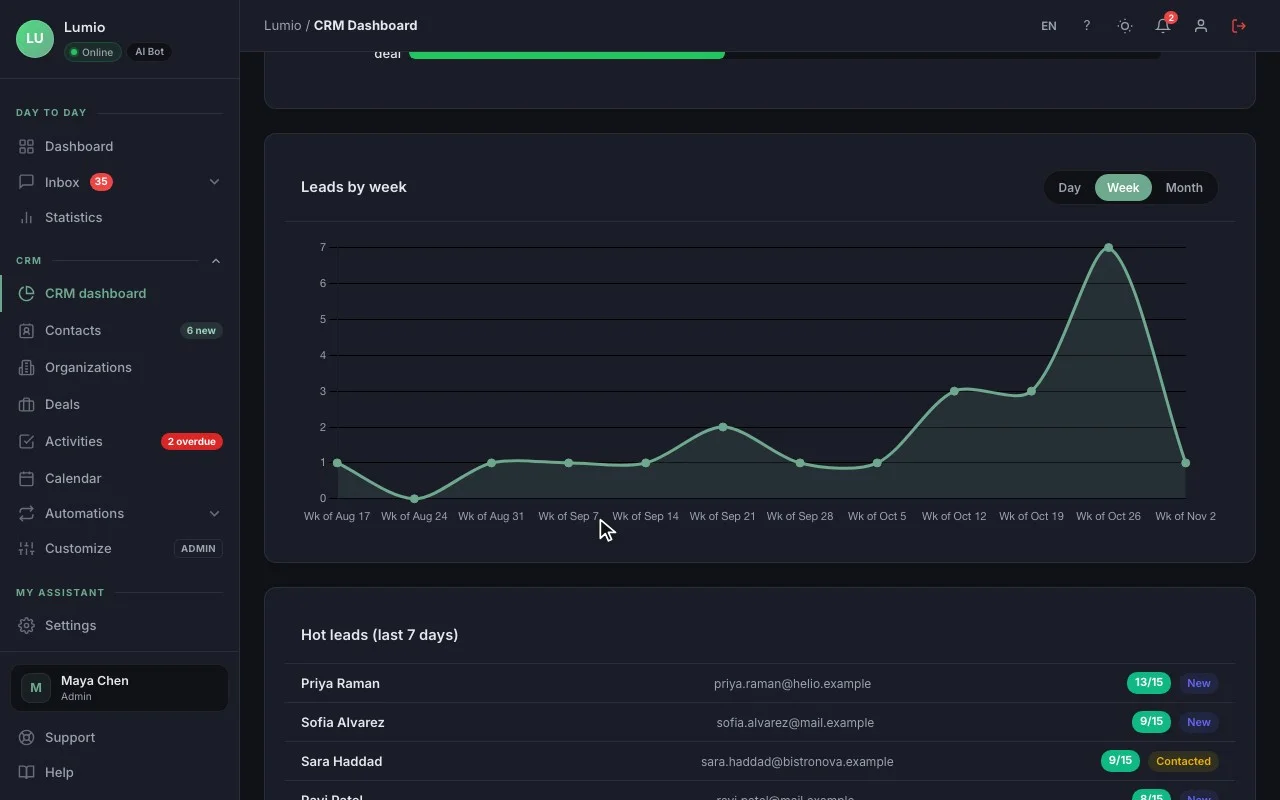
Yes. You write your questions (team size, needs, budget, timeline) in its instructions, and it asks them as the conversation goes. The 0 to 15 score on the record comes from simple rules: conversation length, pages viewed, buying-intent words.
Is the deal created automatically?
The record is: as soon as a visitor leaves an email or phone number. You create the deal in one click from the record, with its value and stage. Your pipeline stays clean, with no ghost deals.
Can it answer technical questions about our product?
Yes, from what you give it: instructions and a knowledge base on every plan, documents (PDF, Word, Excel) and web pages on Pro and up. When it doesn’t know, it says so and offers to connect the visitor with an advisor.
Tonight, your demo requests can already get an answer.
Install ChatDirect tonight: tomorrow morning, “My day” will tell you who to call. Free 14-day trial, no commitment.