Retail & Boutique
An AI chatbot and retail CRM for shops and local stores
The AI agent answers your customers’ questions (hours, parking, returns, products) and passes on what it can’t check, such as stock, to your team. Sales that need follow-up (special orders, corporate gifts, events) land in the CRM.
- AI agent and CRM in every plan
- Data hosted in Canada
- No credit card for the trial
9:57 PM
Hi, do you make gift boxes for companies?
Atelier Sora · AI agent · Just now
Yes, Atelier Sora makes custom gift boxes, with a card bearing your logo. How many would you need, and by when?
About forty, by December 10.
The team will confirm the timing. Do you have a budget per box?
Around $50.
Thanks. What name, company and email should the team send its proposals to?
Clara Weber, Norte, clara@norte.example
Thanks, Clara! The team will send you three proposals tomorrow.
Contact record created in the CRM
- One line of code or Google Tag Manager
- English, French, Spanish
- Anthropic’s Claude Haiku 5.5
- iOS and Android app
At night, the AI agent greets
What the AI agent does for your store
For a closer look, read our article on the retail chatbot.
Answers everyday questions
Hours, parking, returns, gift cards, products: from your instructions and, on the Pro plan and up, your documents and web pages.
Passes on what it can’t check
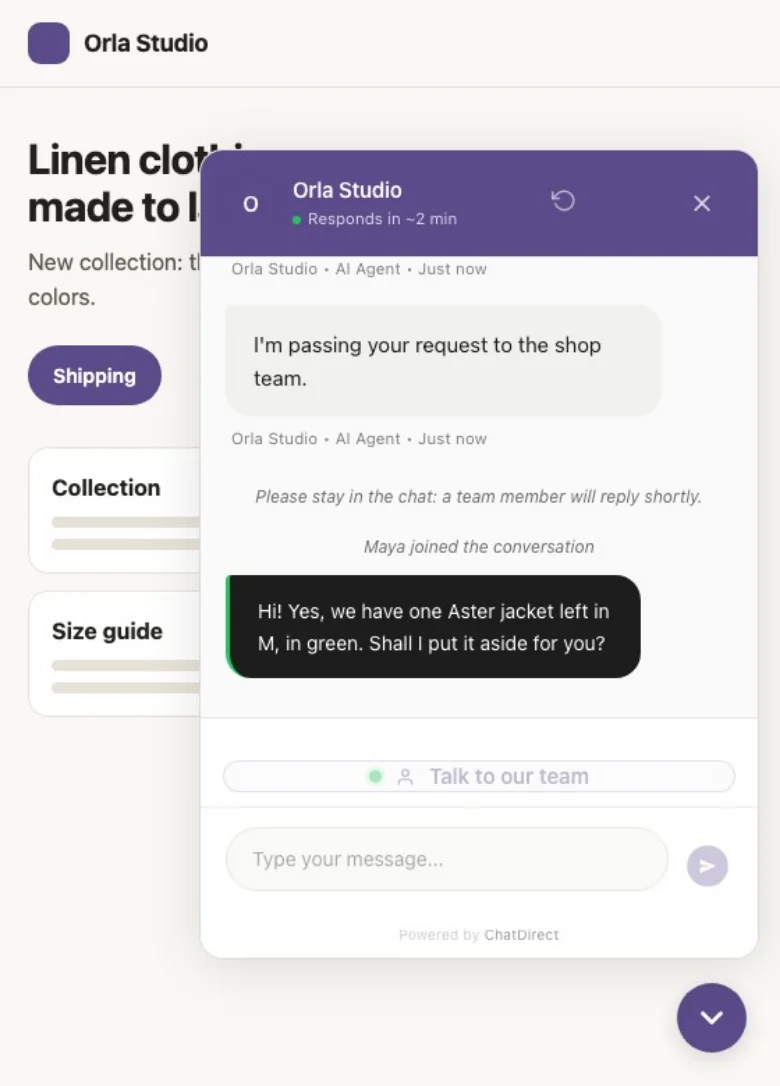
It can’t see live stock: it takes the request, or a team member takes over the conversation live.
Spots the sales worth following
Special orders, corporate gifts, group sales: it asks your questions and collects contact details.
Connects with the store
A QR code in the window or at the register opens the chat, and Review Booster invites happy customers to leave a Google review (Pro and up).

By day, you close
What happens next? Every sale worth following lands in your CRM
As soon as a customer leaves an email, their record is created with the conversation. You link it to their company, create the deal in one click and follow the order through to the sale.
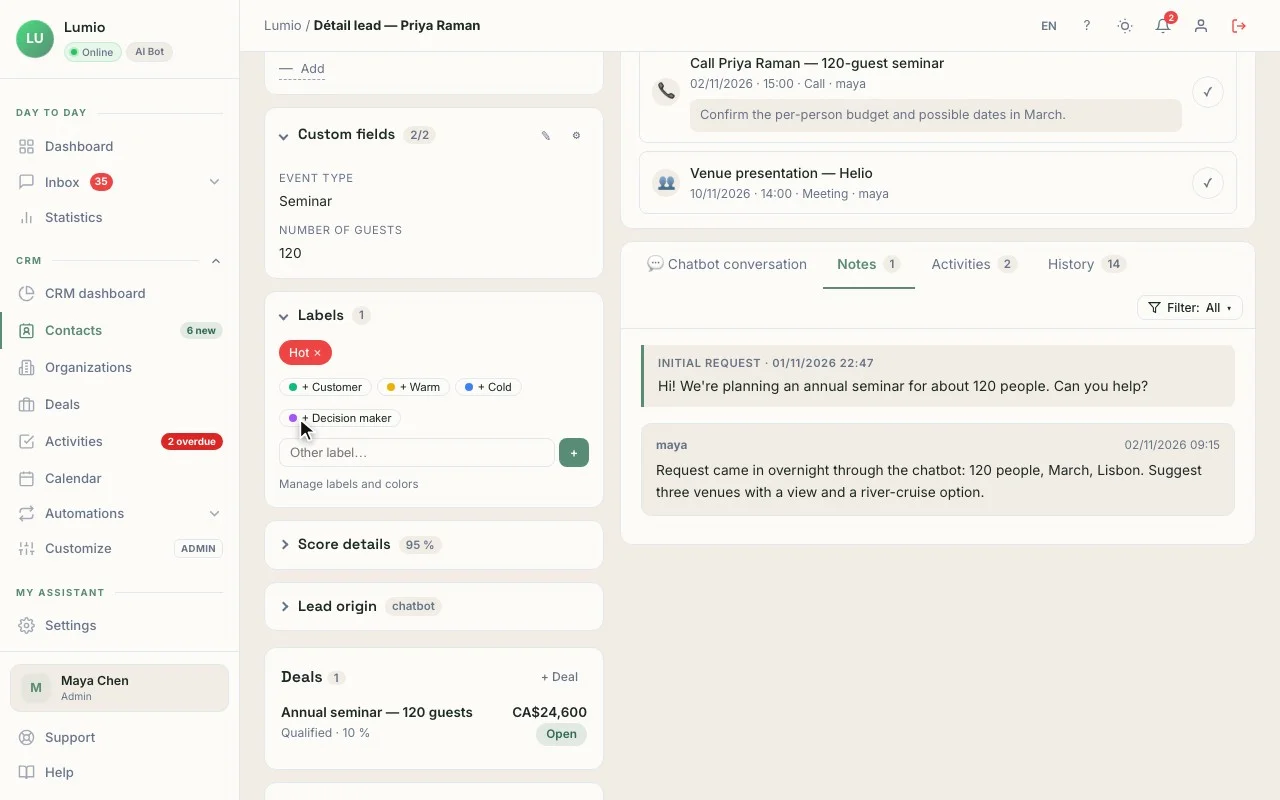
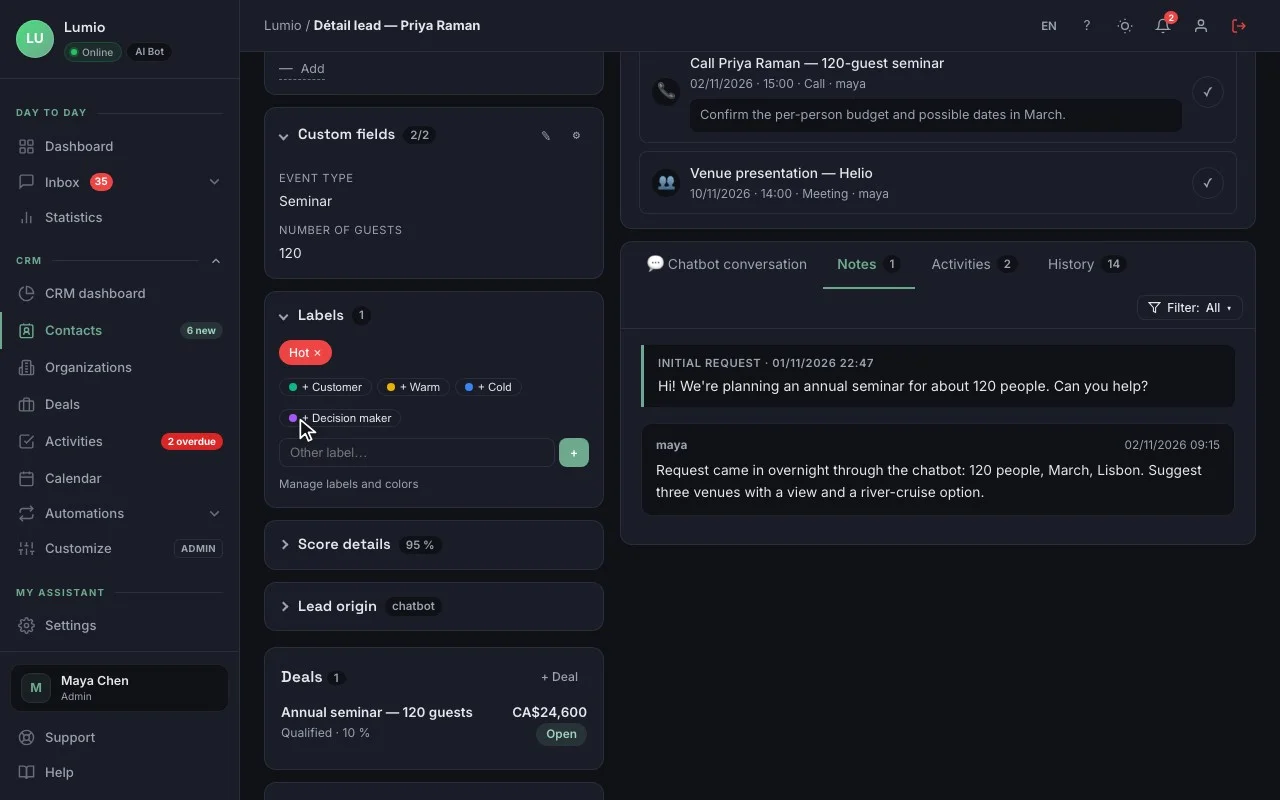
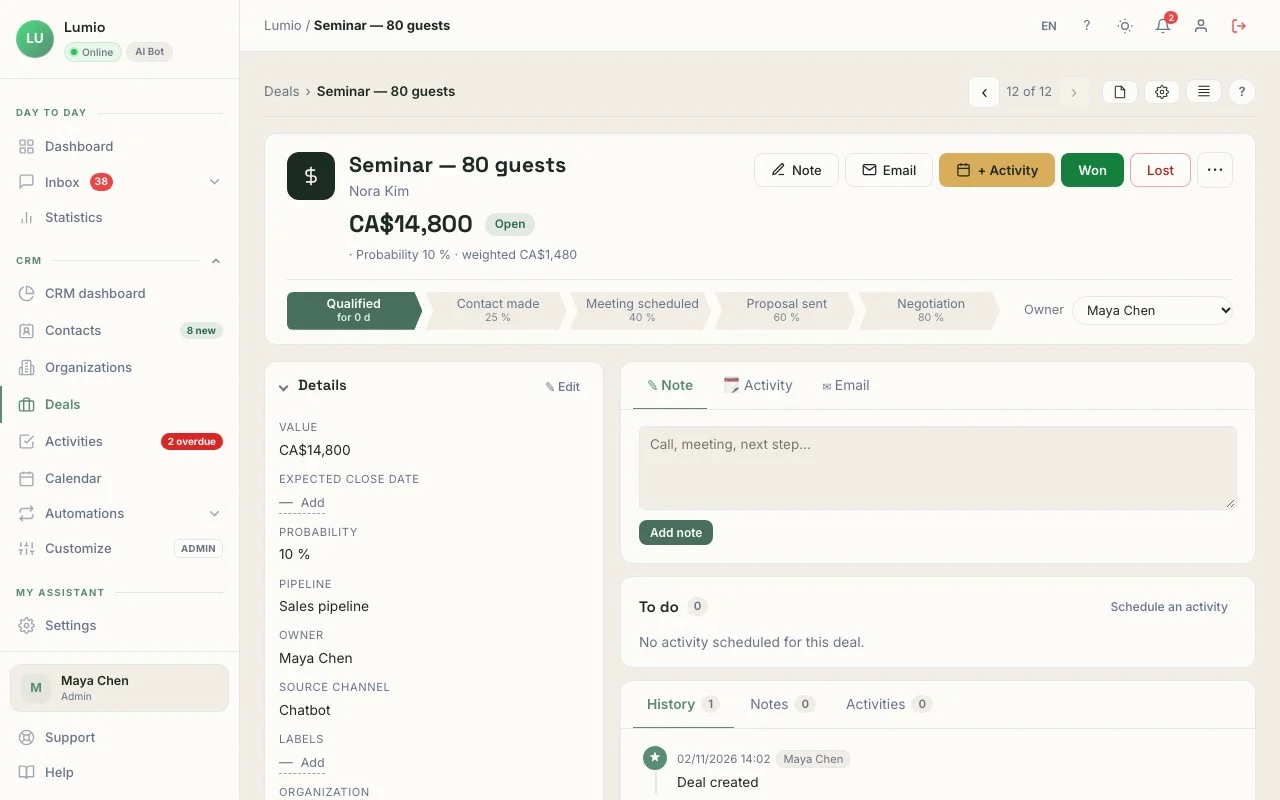
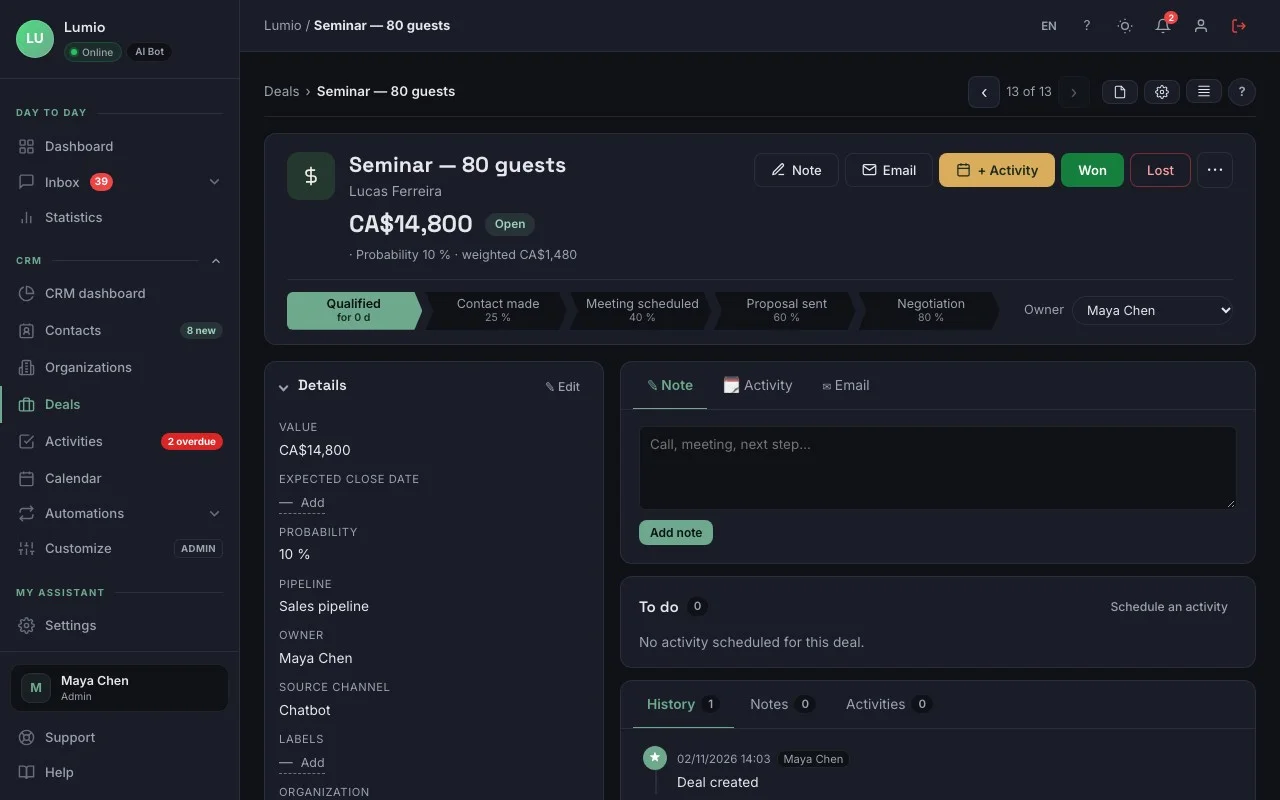
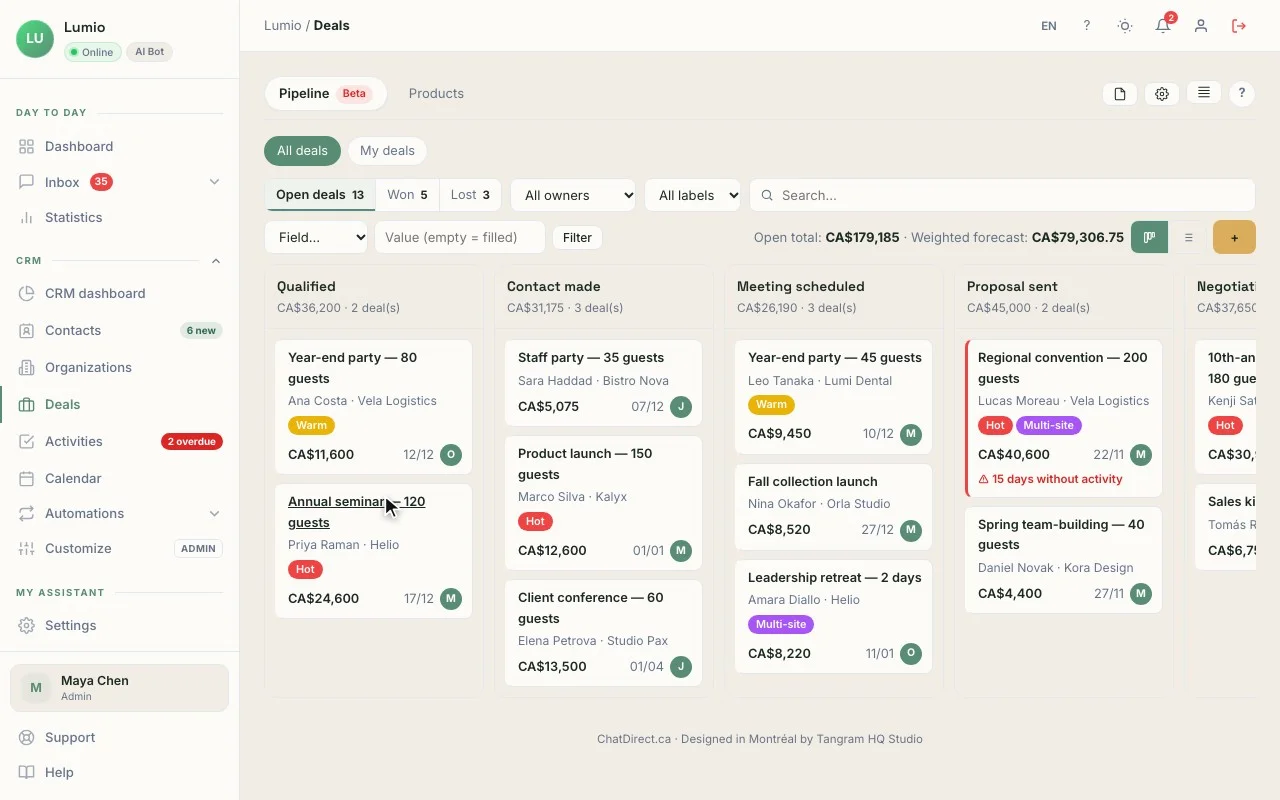
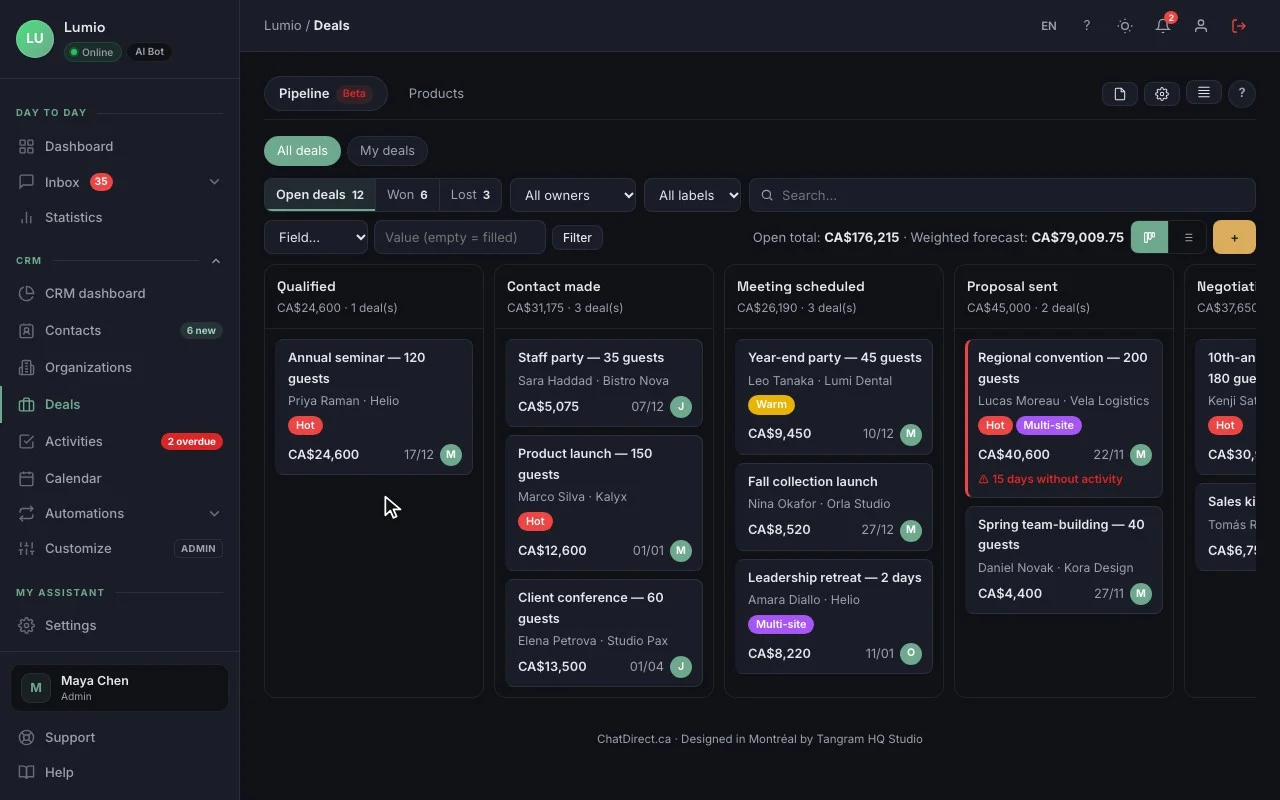
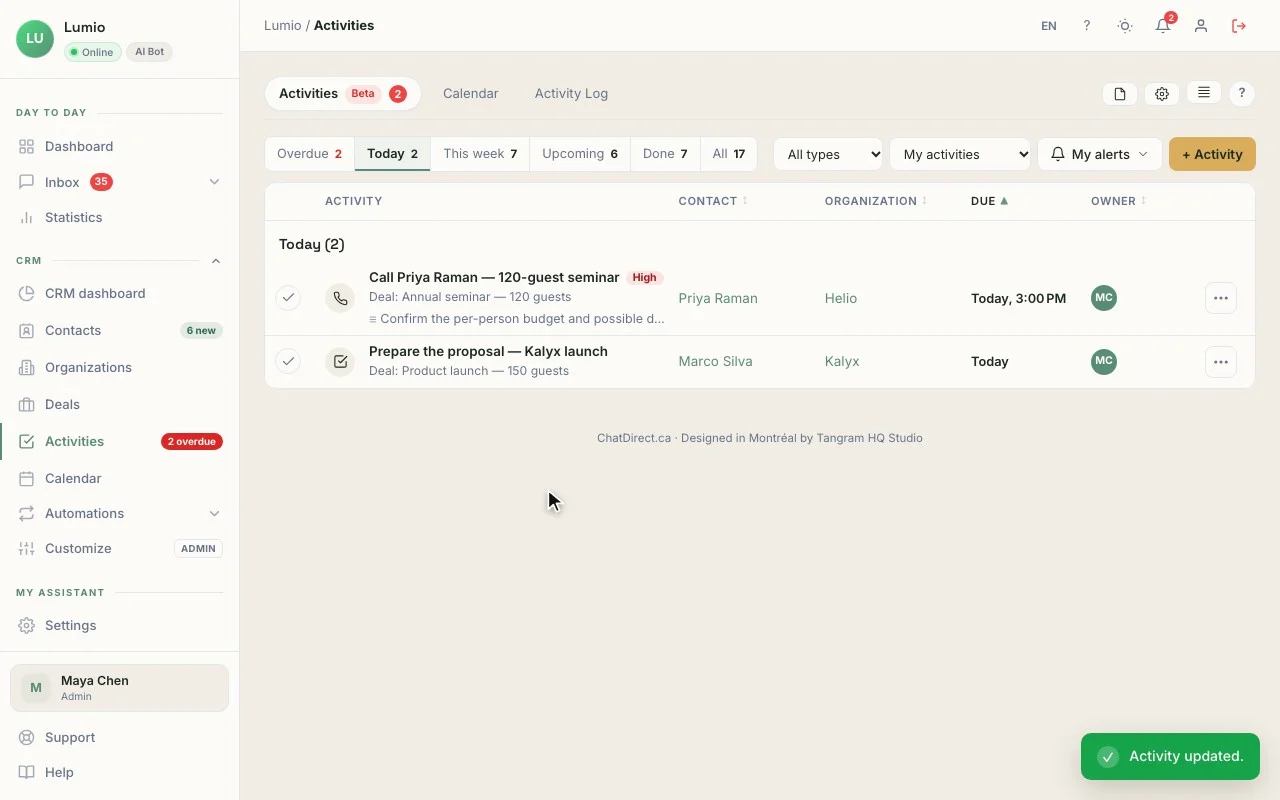
The contact record, with the conversation that brought them in. The real CRM, fictional data (Lumio agency).
In your account, records and deals hold your own requests.
01The record
"40 corporate gift boxes, by December 10, about $50 each", the lead source (Chatbot · 9:57 PM) and a score from 0 to 15.
02The deal
"Corporate gift boxes · 40 × $50", CA$2,000, at the Contacted stage, created in one click from the record, with the box as a product and the quantity.
03The activity
"Send 3 gift box proposals to Clara Weber", tomorrow at 10:00 AM, with an alert.
04The pipeline
New, Contacted, Proposal, Sold: your special sales kept apart, and your regulars found by tag.
The CRM is included in every plan, trial included. The number of contacts depends on the plan: 100 during the trial, then 250, 2,500, 10,000 or 20,000. See pricing
A typical day
9:57 PMAt night, the AI agent greets
Do you make gift boxes for companies?
Atelier Sora · AI agent
Yes, Atelier Sora makes custom gift boxes, with a card bearing your logo. How many would you need, and by when?
Clara Weber, Norte, clara@norte.example
Thanks, Clara! The team will send you three proposals tomorrow.
Contact record created in the CRM
7:00 AMIn the morning, “My day”
My day3 new prospects overnight
- CWClara WeberNorte · 40 gift boxes
- RPRavi PatelSpecial order · engraved pen
- ENEmma NilssonCalligraphy workshop · call back
3:00 PMBy day, you sell
- Prospect source
- Chatbot · 9:57 PM
- Delivery
- December 10
Three ways to use it in retail
Gift or home decor shop
The agent answers questions about products and hours; corporate and special orders become deals.
Specialty store
Bikes, instruments, electronics: it answers technical questions from your guides, and repair or order requests become records to call back.
Neighborhood store
The QR code in the window answers when the shop is closed; "My day" tells you each morning who to call. A retail CRM that works even after closing time.
Tools that go with it
- QR code in the window or at the register, plus Review Booster Pro and up
- CSV import of your customer list, with duplicate detection all plans
- Google Analytics 4 and Slack all plans
- Chatbot on WhatsApp and Messenger Business and up
Your data, hosted in Canada
Data hosted in Canada, encrypted connections (HTTPS), API keys and credentials encrypted (AES-256), hashed passwords. ChatDirect gives you settings that help you meet Quebec’s Law 25 and the GDPR: consent, retention period, export and deletion of a visitor’s data. Message content is sent to the AI provider you choose to generate replies. Privacy policy
Frequently asked questions
Does the chatbot see my stock?
No. It answers from your instructions and documents, but it doesn’t read your inventory in real time. To check an item, it takes the request or hands the conversation to your team.
What does a CRM do for a retail store?
It tracks what doesn’t get settled at the register: special orders, corporate gifts, repairs, regular customers. Each person has a record with their conversations, and every open sale is a deal with its value.
Can I import my customer list?
Yes, by CSV import: you map the columns, ChatDirect flags duplicates, and you can undo an entire import. The number of contacts depends on the plan; see the Pricing page.
Tonight, your store can already answer, even when it’s closed.
Install ChatDirect tonight: tomorrow morning, “My day” will tell you who to call. Free 14-day trial, no commitment.